
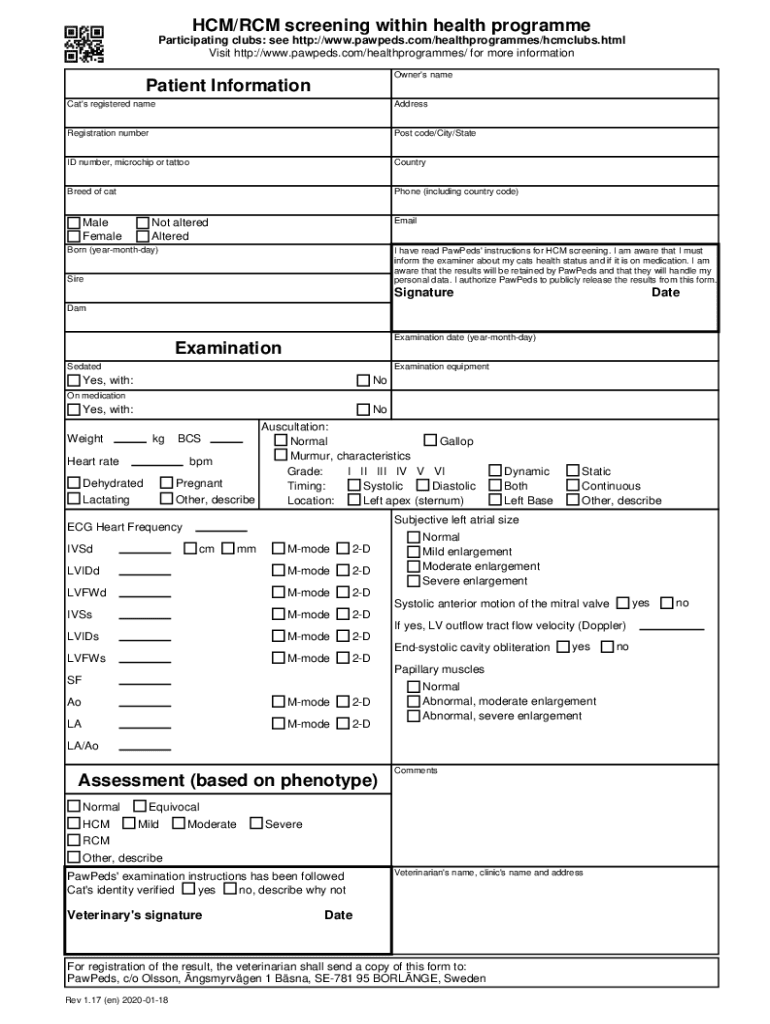







Definition & Meaning
The concept of "form online" refers to digital versions of traditional paper forms that users can complete electronically on a computer or other digital device. These forms facilitate a wide range of tasks, including applications, registrations, and submissions for various purposes. Online forms are structured to gather specific information from users efficiently, minimizing the need for physical paperwork and manual processing. They enhance accessibility by being available anywhere with internet access, allowing users to fill out necessary documents at their convenience.
Online forms mirror the structure and function of their paper counterparts but offer additional benefits such as automatic validation and error-checking. This ensures that the data entered aligns with the form's requirements before submission, reducing the likelihood of errors and omissions. Such forms are especially useful in environments where high volumes of data need to be managed and processed swiftly.
How to Use the Form Online
Using an online form typically involves several intuitive steps, making the process user-friendly. Here's a general guide on how to engage with these forms effectively:
-
Access the Form: First, locate the online form by navigating to the appropriate website or platform. Institutions or service providers usually host these forms on their official portals.
-
Review the Instructions: Before entering any information, read through any provided guidelines or instructions carefully. This step ensures that you understand all the requirements and can complete the form accurately.
-
Fill Out the Form: Input information into the specified fields. Online forms often include mechanisms like drop-down menus, radio buttons, and checkboxes to simplify the selection process.
-
Validate Information: Many forms provide a validation feature that checks whether the entered data is consistent with required formats (e.g., ensuring email addresses have the proper format).
-
Submit the Form: Once you have filled out the necessary sections and validated your entries, click the submit button to send your information to the recipient.
-
Confirmation: After submission, look for a confirmation message or email, which indicates that your form has been received successfully. This message often contains a reference number or additional instructions for the next steps.
Steps to Complete the Form Online
Here is a step-by-step guide to ensure the successful completion of an online form:
-
Preparation: Gather all necessary information beforehand. This might include personal identification numbers, relevant documents, or prior authorization codes.
-
Create an Account if Necessary: Some platforms require users to register before accessing the form. Create an account using a valid email address and password for future access.
-
Enter Mandatory Information: Begin with fields marked as required, usually indicated by an asterisk (*). Ensure these fields are completed to avoid submission errors.
-
Attach Documents: If the form requires supporting documents, use the provided upload functionality to attach files in the specified format, such as PDF or DOCX.
-
Review Entries Carefully: Before finalizing, double-check all entries for accuracy and completeness. An error or omission might lead to delays in processing.
-
Submit and Save a Copy: After submission, save a digital copy or print a physical version of the completed form and any confirmation message for your records.
Legal Use of the Form Online
Using forms online offers a legally recognized method for handling a variety of transactions and agreements. With the growth of e-commerce and digital documentation, many online forms are incorporated into processes that traditionally required physical paperwork, such as contracts, applications, and registrations.
The use of electronic signatures, facilitated by platforms like DocHub, ensures that signed documents are legally binding under acts like the ESIGN Act in the United States. This federal law gives electronic signatures the same legal status as handwritten ones, provided certain conditions are met, such as the signer’s intent and consent to do business electronically.
Furthermore, secure authentication and encryption measures protect users' privacy, ensuring that sensitive personal and financial information is kept confidential. Always verify the platform's compliance with relevant legal standards and protections before submitting sensitive data.
Key Elements of the Form Online
Certain key elements are integral to the design and functionality of online forms, ensuring they are effective and user-friendly:
-
Field Labels and Descriptions: Each input field is clearly labeled, often with additional descriptions or tooltips to guide the user.
-
Input Validation: Real-time validation ensures data is correct before submission, reducing errors like improper date formats or invalid email addresses.
-
Dynamic Fields and Sections: Many forms adjust dynamically based on previous responses. For instance, selecting "yes" on a question might reveal additional fields to complete.
-
Privacy Disclosures: Forms often include statements regarding data usage, privacy policies, and consent for data sharing, aligning with legal requirements.
-
Submission Tracking: After completing a form, users are usually provided with a tracking number or other reference to monitor the progress or status of their submission.
Software Compatibility
Online forms are designed to be compatible with a variety of software applications, ensuring ease of use and integration across different platforms:
-
Web Browsers: Forms are generally accessible via popular web browsers such as Google Chrome, Mozilla Firefox, Safari, and Microsoft Edge, ensuring broad accessibility.
-
Mobile Compatibility: Responsive design ensures that online forms are accessible and functional on mobile devices like smartphones and tablets, adapting to different screen sizes.
-
Integration with Other Software: Platforms like DocHub integrate seamlessly with cloud storage services such as Google Drive, allowing users to import, edit, and submit forms within their ecosystem.
The compatibility of online forms with diverse technological environments underscores their utility and adaptability in different user scenarios.
Required Documents
Completing an online form often necessitates certain supporting documents that provide additional context or verification for the information entered:
-
Identification Documents: These may include a passport, driver's license, or government-issued ID to verify the applicant’s identity.
-
Financial Records: Bank statements or pay stubs might be required for forms involving financial transactions or applications.
-
Legal Documents: When dealing with forms related to legal matters, prior agreements or court documents may be necessary.
Preparing and having these documents ready in the required format (e.g., PDF or image files) speeds up the form completion process.
State-by-State Differences
Online forms, particularly those related to government applications or business processes, can vary depending on state-specific regulations or requirements:
-
Tax Forms: State tax forms often differ in content and submission processes, reflecting state-specific tax codes and regulations.
-
Business Registrations: Requirements for business registrations, including necessary documentation and fees, can vary widely between states.
-
Licenses and Permits: The process for obtaining certain licenses or permits can differ based on state law, impacting the completeness and nature of an online form.
Recognizing these differences is vital for compliance and successful form submission. Users should research their specific state’s requirements before completing such forms, ensuring all necessary elements are addressed.




