




Here's how it works

01. Edit your homeowner contractor agreement template online
Type text, add images, blackout confidential details, add comments, highlights and more.

02. Sign it in a few clicks
Draw your signature, type it, upload its image, or use your mobile device as a signature pad.

03. Share your form with others
Send homeowner contractor agreement pdf via email, link, or fax. You can also download it, export it or print it out.
How to use or fill out homeowner contractor with our platform

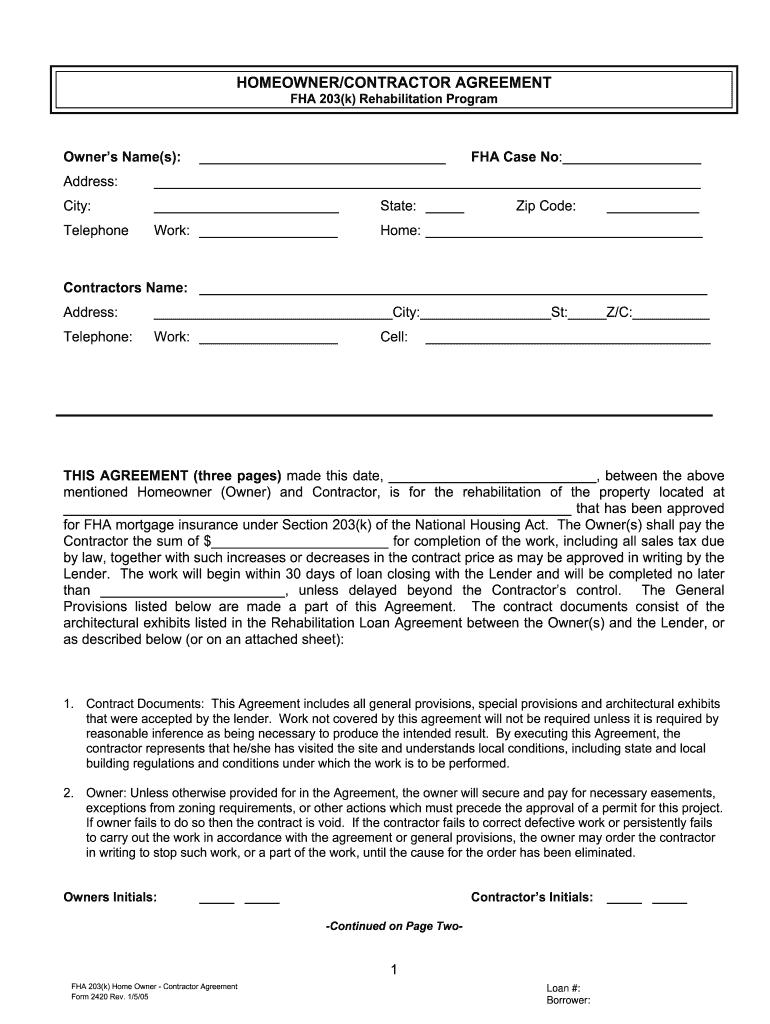
- Click ‘Get Form’ to open the homeowner contractor agreement in the editor.
- Begin by entering the Owner’s Name(s) and FHA Case Number at the top of the form. Ensure accuracy as this information is crucial for identification.
- Fill in the property address, including city, state, and zip code. This section confirms the location of the rehabilitation project.
- Next, input the Contractor's Name and their contact details. This establishes a clear line of communication between you and your contractor.
- Review each section carefully, especially regarding payment terms and timelines for work completion. Make sure to note any specific provisions that apply to your project.
- Finally, ensure both parties sign and date the agreement at the bottom of the form. This step finalizes your contract and makes it legally binding.
Start using our platform today to streamline your homeowner contractor agreement process for free!
Fill out homeowner contractor online
It's free
It's free
Security and compliance
At DocHub, your data security is our priority. We follow HIPAA, SOC2, GDPR, and other standards, so you can work on your documents with confidence.
Learn more


Related forms
No 9 Surgery - Blue Cross and Blue Shield of Kansas
The document outlines the global fee concept for surgical procedures, detailing the components included in a global surg ...

MOTION FOR ENTRY OF AN ORDER APPROVING AMENDED AND RESTATED AGREEMENT FOR THE PURCHASE AND SALE OF C
MOTION FOR ENTRY OF AN ORDER APPROVING AMENDED AND RESTATED AGREEMENT FOR THE PURCHASE AND SALE OF C
The document is a motion filed in the U.S. District Court for the Northern District of Illinois, requesting approval for ...

BOROUGH OF CLOSTER, NEW JERSEY
The minutes from the Closter Planning Board Work Session Meeting on February 1, 2012, detail discussions on various topi ...

NJI I' k
The document is the Army-Navy Manual of Military Government and Civil Affairs, issued on December 22, 1943. It outlines ...