Type text, add images, blackout confidential details, add comments, highlights and more.

02. Sign it in a few clicks
Draw your signature, type it, upload its image, or use your mobile device as a signature pad.

03. Share your form with others
Send aa meeting sheet via email, link, or fax. You can also download it, export it or print it out.

How to use or fill out aa meeting log with our platform
Ease of Setup
DocHub User Ratings on G2
Ease of Use
DocHub User Ratings on G2
Click ‘Get Form’ to open the aa meeting log in the editor.
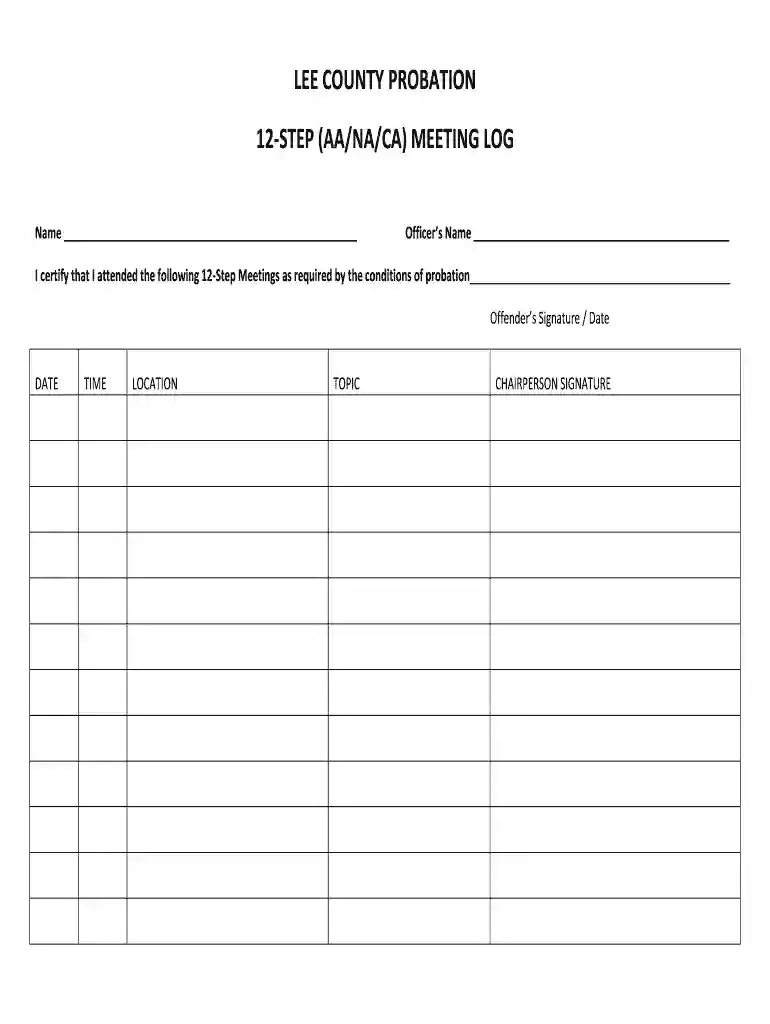
Begin by entering your name in the designated field at the top of the form. This personalizes your log and ensures accurate record-keeping.
Next, fill in your officer’s name. This is crucial for accountability and tracking purposes.
In the section labeled 'I certify that I attended the following 12-Step Meetings,' provide a brief description of each meeting attended, ensuring you meet probation requirements.
For each meeting, enter the date, time, location, and topic discussed in their respective fields. This detailed information helps maintain a comprehensive log.
Finally, sign and date the form at the bottom to certify your attendance. Ensure all fields are completed before submission.
Start using our platform today to easily fill out your aa meeting log for free!
You should also avoid cross-talk because it can be offensive and embarrassing. It is also often against the rules.
How to fill out an AA card?
The AA Court Card should include the following information: The name of the person assigned to the position of court cardholder. The date of their sobriety or clean time. The name and phone number of their sponsor. The name and phone number of their home group. A list of meetings they attend regularly.
How to fill out an AA form?
How to fill out the A.A. Meeting Attendance Form Submission Guide? Enter your name in the designated field. Fill in the date of the meeting accurately. Provide the group name where the meeting took place. Indicate the time of the meeting. Ensure the group leaders signature is affixed.
How to make a basic attendance sheet?
You can create a digital attendance sheet using Google Sheets, like so: Create a blank sheet. Fill in the sheet title and sheet name. Enter the mandatory columns like participant name, email address, ID, attendance status, event date, etc. Format the columns.
How do you prove attendance at AA?
Some groups, with the consent of the prospective member, have an A.A. member acknowledge attendance. This may be provided on a slip that has been furnished by the referral source, or via a digital method if the group is online. The referred person is responsible for returning the proof of attendance.
printable aa meeting sheet
AA attendance sheet filled outAa Meeting attendance sheet pdfAA attendance sheet for courtAA meeting sheet printablePrintable AA Attendance SheetAA sign in sheet with signaturesFree AA Attendance SheetPrintable NA meeting attendance sheet
Security and compliance
At DocHub, your data security is our priority. We follow HIPAA, SOC2, GDPR, and other standards, so you can work on your documents with confidence.
How to fill out the AA Attendance Form Instructions and Details? Enter your name and the date at the top of the form. Indicate the meeting place or group name accurately. Specify the time the meeting is set to begin. Fill in the topic of discussion for that meeting.
aa sign in sheet
12-Step Meetings (AA/NA) Orientation
Attending a Virtual Meeting. Log in a few minutes early to introduce self to facilitator if possible; When called on, share name and role as physician
This form is to be brought back to the U.S. Probation Office each week that you are in treatment. Date of AA Meeting. Town Where Meeting Held. Initials of Group
Cookie consent notice
This site uses cookies to enhance site navigation and personalize your experience.
By using this site you agree to our use of cookies as described in our Privacy Notice.
You can modify your selections by visiting our Cookie and Advertising Notice.