Journey management plan template excel 2026

Get Form
journey management plan template Preview on Page 1

Here's how it works

01. Edit your journey management plan template online
Type text, add images, blackout confidential details, add comments, highlights and more.
02. Sign it in a few clicks
Draw your signature, type it, upload its image, or use your mobile device as a signature pad.
03. Share your form with others
Send journey management plan template excel via email, link, or fax. You can also download it, export it or print it out.

How to use or fill out journey management plan template excel with our platform

Form edit decoration
9.5
Ease of Setup
DocHub User Ratings on G2
9.0
Ease of Use
DocHub User Ratings on G2
  1. Click ‘Get Form’ to open the journey management plan template in the editor.
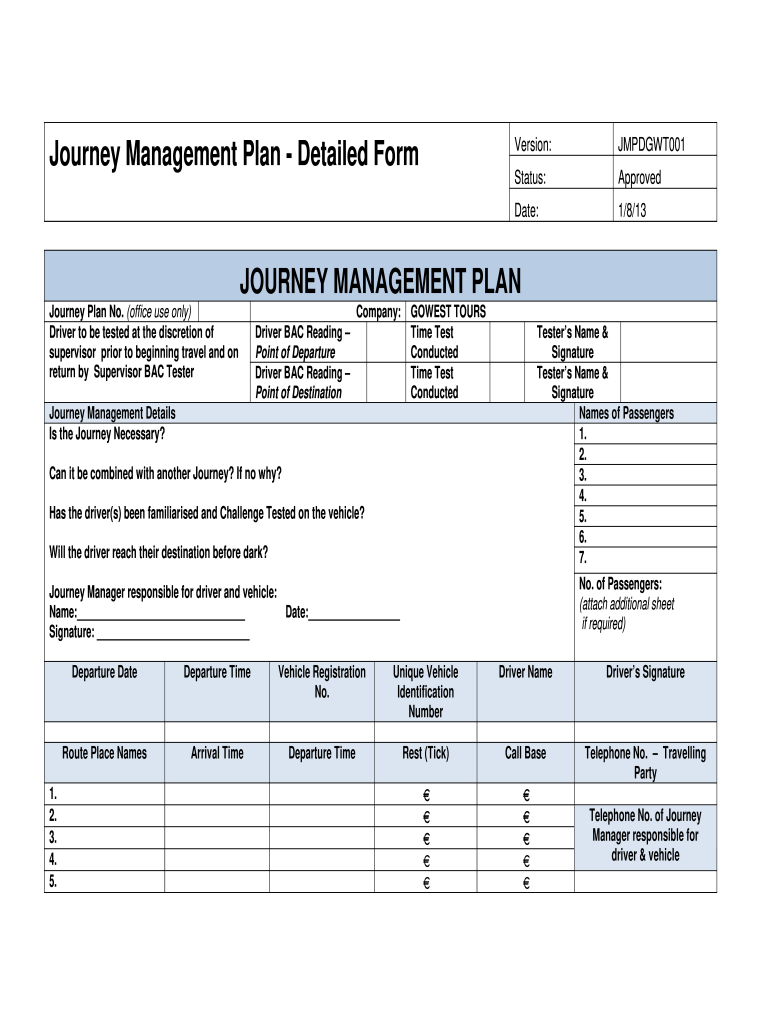
  2. Begin by entering the Journey Plan Number and Company name at the top of the form. This information is crucial for tracking and identification.
  3. Fill in the Driver BAC Reading fields for both Point of Departure and Point of Destination, ensuring compliance with safety regulations.
  4. In the Journey Management Details section, answer whether the journey is necessary and if it can be combined with another journey. Provide reasons where applicable.
  5. List all passengers' names and ensure to note any additional passengers on an attached sheet if necessary.
  6. Complete vehicle details including registration number, unique vehicle identification number, and driver’s name along with their signature.
  7. Review the Driving Hazard Analysis section carefully, ensuring all controls are noted to mitigate risks during travel.
  8. Once completed, email the form directly from our platform to designated contacts for approval and retention.

Start using our platform today to streamline your journey management planning for free!

be ready to get more

Complete this form in 5 minutes or less

Get form

Got questions?

We have answers to the most popular questions from our customers. If you can't find an answer to your question, please contact us.
Contact us

Most eSignature solutions require users to have a paid subscription. With DocHub, there are two ways for you to add an electronic signature to your journey management plan sample at no cost:

  • You can do it during a 7-day trial period;
  • You can sign up for a free plan.

The second option, though, has limitations on the number of signatures, sign requests, emails, and forms for adjusting available per month. You can check for full information here.

With a swift editing system like DocHub, you do not need anything but a browser and connection to the internet to modify your journey management plan adalah online easily. Upload your document or find the appropriate form in DocHub’s catalog, open our editor with one click, and finish it electronically. To edit your forms anytime, sign up a free profile with DocHub.

Security and compliance

At DocHub, your data security is our priority. We follow HIPAA, SOC2, GDPR, and other standards, so you can work on your documents with confidence.

Learn more
ccpa2
pci-dss
gdpr-compliance
hipaa
soc-compliance
be ready to get more

Complete this form in 5 minutes or less

Get form