Type text, add images, blackout confidential details, add comments, highlights and more.
02. Sign it in a few clicks
Draw your signature, type it, upload its image, or use your mobile device as a signature pad.
03. Share your form with others
Send kra format via email, link, or fax. You can also download it, export it or print it out.
How to use or fill out kra form 2007 with our platform
Ease of Setup
DocHub User Ratings on G2
Ease of Use
DocHub User Ratings on G2
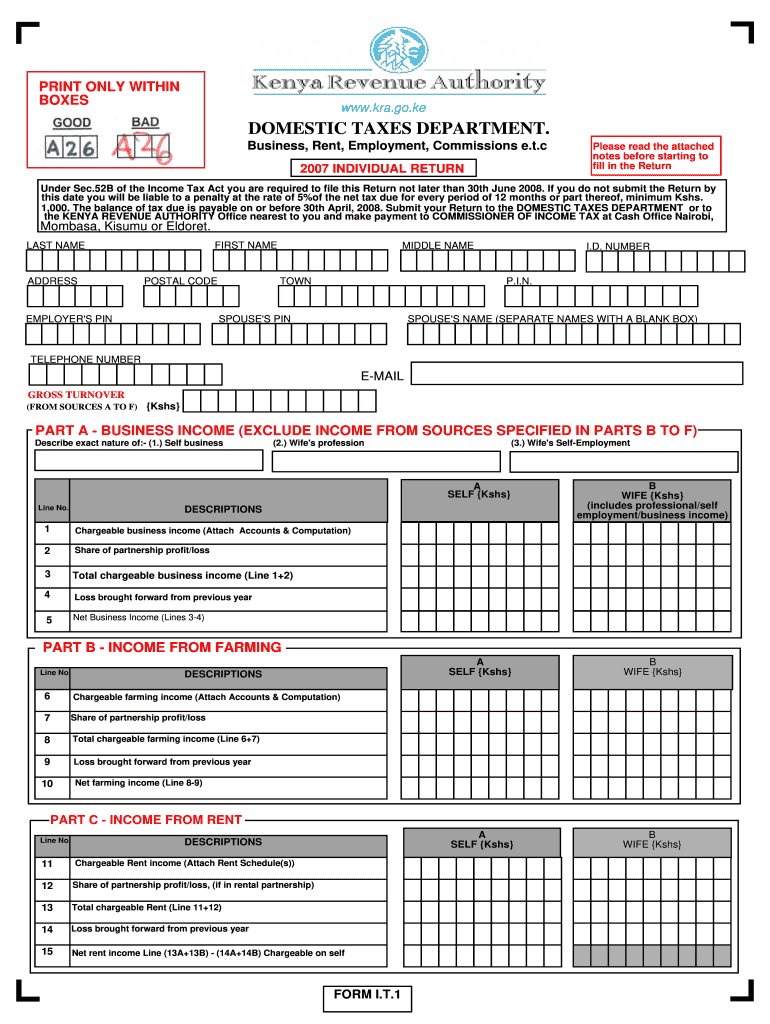
Click ‘Get Form’ to open the kra form 2007 in the editor.
Begin by filling in your personal details, including your first name, last name, ID number, and P.I.N. Ensure all information is accurate.
Proceed to Part A for Business Income. Enter your self-business income and your spouse's income separately. Attach any necessary accounts and computations.
In Part B, provide details of income from farming. Again, ensure you attach relevant accounts and computations.
Continue to Parts C through F for Rent, Interest Income, Insurance Commission, and Other Income. Fill in each section carefully and attach required schedules.
Complete Part H for Total Taxable Income by adding up all relevant incomes from previous sections.
Finally, review the declaration in Part P. Sign and date the form before submission to ensure it is accepted.
Start using our platform today to fill out your kra form 2007 easily and for free!
by B Kra Cited by 40 Ergodic theory, additive combinatorics. The author was supported in part by NSF Grant DMS-#0555250. This is the final form of the paper.Read more
To qualify for the KREDA, KJDA, KIRA, KIDA, KEOZ, KRA or. KJRA credits, the taxpayer must be approved by the Kentucky. Economic Development Finance Authority (Read more
Cookie consent notice
This site uses cookies to enhance site navigation and personalize your experience.
By using this site you agree to our use of cookies as described in our Privacy Notice.
You can modify your selections by visiting our Cookie and Advertising Notice.