Sss r1 2026

Get Form
sss r1 Preview on Page 1

Here's how it works

01. Edit your sss r1 online
Type text, add images, blackout confidential details, add comments, highlights and more.

02. Sign it in a few clicks
Draw your signature, type it, upload its image, or use your mobile device as a signature pad.

03. Share your form with others
Send sss r1 sample via email, link, or fax. You can also download it, export it or print it out.

How to use or fill out sss r1 with our platform

Form edit decoration
9.5
Ease of Setup
DocHub User Ratings on G2
9.0
Ease of Use
DocHub User Ratings on G2
  1. Click ‘Get Form’ to open the sss r1 in the editor.
  2. Begin by entering your personal information in the designated fields, including your name, address, and contact details. Ensure accuracy for seamless processing.
  3. Next, navigate to the employment section. Fill in your job title, employer's name, and duration of employment. This information is crucial for verifying your status.
  4. Proceed to the financial details section. Input your income sources and amounts as required. This will help in assessing your eligibility effectively.
  5. Finally, review all entered information for completeness and accuracy before submitting. Use our platform’s editing tools to make any necessary adjustments easily.

Start using our platform today to fill out your sss r1 form online for free!

See more sss r1 versions

We've got more versions of the sss r1 form. Select the right sss r1 version from the list and start editing it straight away!
Versions Form popularity Fillable & printable
2015 4.8 Satisfied (191 Votes)
2008 4.1 Satisfied (68 Votes)
2001 4 Satisfied (58 Votes)
be ready to get more

Complete this form in 5 minutes or less

Get form

Got questions?

We have answers to the most popular questions from our customers. If you can't find an answer to your question, please contact us.
Contact us
The purpose of PH SSS R-1A is to report the monthly contributions of employees to ensure that they are covered for benefits provided by the Social Security System.
In-person application for those self-employed: Step 1: Download and complete the SSS Form RS-1 (Self-Employed Data Record). Step 2: Submit it with a photocopy of a primary ID, such as a baptismal certificate, birth certificate, drivers license, passport, PRC Card, or Seamans Book.
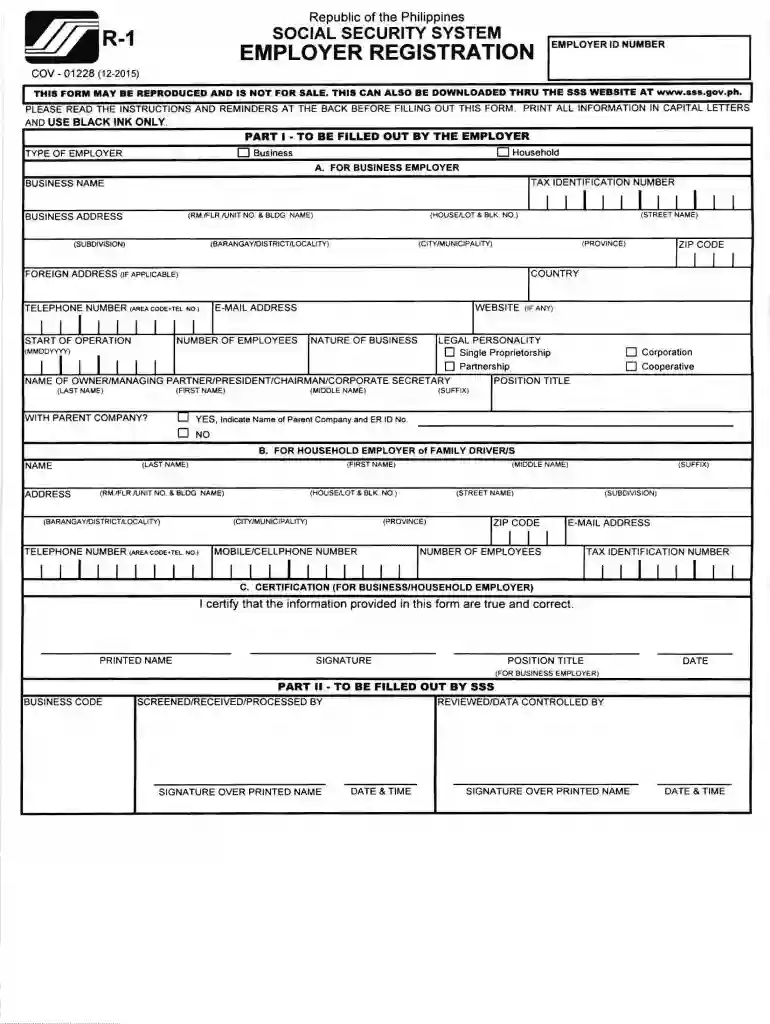
Under the Social Security Act, all employers are mandated to register their businesses with SSS by accomplishing the Employer Registration Form (SS Form R-1) and to report all their employees for SSS coverage using the Employment Report Form (SS Form R-1A) within 30 days from the actual employment date.
Starting January 2025, the total SSS contribution rate is set at 15% of a members monthly salary credit (MSC).
Unpaid SSS contributions plus 2% monthly penalty for late payments from the date the contribution falls due until fully paid.

Security and compliance

At DocHub, your data security is our priority. We follow HIPAA, SOC2, GDPR, and other standards, so you can work on your documents with confidence.

Learn more

People also ask

If required, the employer should submit an SSS Form R-1A (Employment Report) or update the SSS eR3 system to report employee separation (e.g., marking the separation date).
Employers are required to fill-up the SSS Form R1A which contains the list of new employees alongside their respective SSS numbers. The SSS Form R1A can be submitted online or to the SSS office where your company is registered.

sss r1 form editable