Type text, add images, blackout confidential details, add comments, highlights and more.
02. Sign it in a few clicks
Draw your signature, type it, upload its image, or use your mobile device as a signature pad.
03. Share your form with others
Send it via email, link, or fax. You can also download it, export it or print it out.
How to use or fill out Maryland Easement with our platform
Ease of Setup
DocHub User Ratings on G2
Ease of Use
DocHub User Ratings on G2
Click ‘Get Form’ to open the Maryland Easement document in the editor.
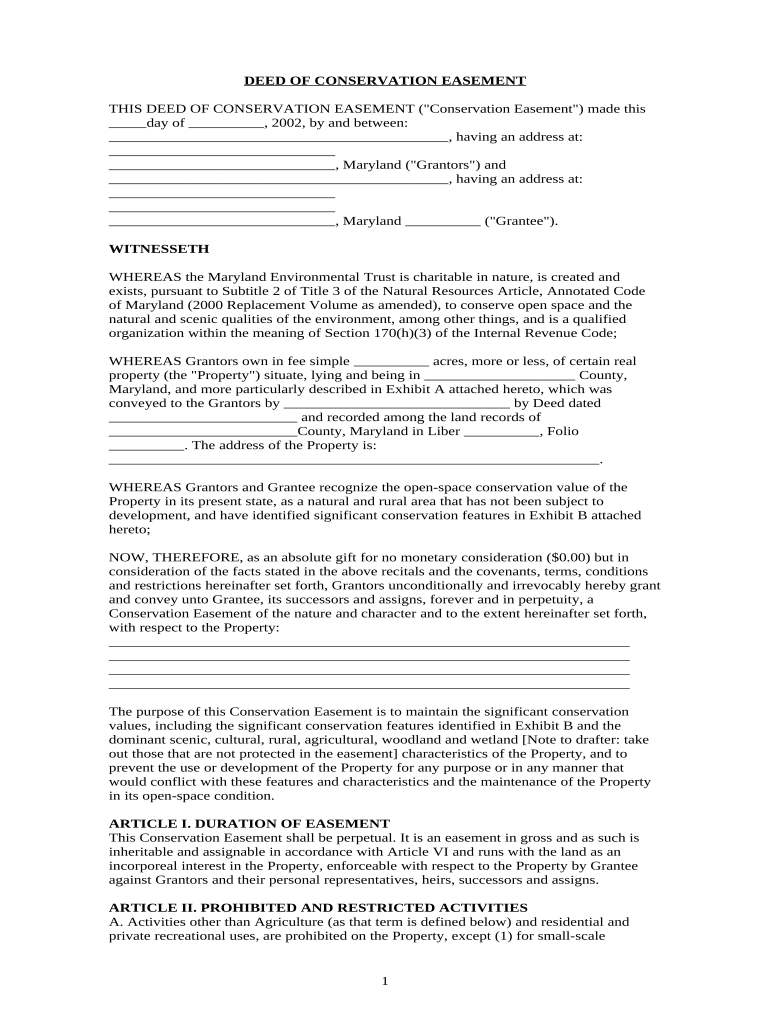
Begin by filling in the date at the top of the form, followed by the names and addresses of both Grantors and Grantee. Ensure all information is accurate to avoid future complications.
In Section 1, describe the property being conserved, including its location and any relevant details from Exhibit A. This section is crucial for defining the easement's scope.
Proceed to Article I and confirm that you understand this easement is perpetual. Review any specific restrictions outlined in Article II regarding prohibited activities on the property.
Complete Exhibits B and C by detailing conservation values and existing structures. This information helps clarify what features are protected under this easement.
Finally, ensure all parties sign where indicated, including notarization as required. This step finalizes your agreement and ensures legal compliance.
Start using our platform today to easily fill out your Maryland Easement for free!
You can protect your land through a voluntary land protection agreement called a Deed of Conservation Easement. This is a legal agreement between a landowner
Understanding What an Easement by Necessity Is and
Mar 29, 2022 An easement by necessity is created when splitting a parcel of land, and one of the created parcels will no longer have a road to access the property.Read more
Cookie consent notice
This site uses cookies to enhance site navigation and personalize your experience.
By using this site you agree to our use of cookies as described in our Privacy Notice.
You can modify your selections by visiting our Cookie and Advertising Notice.