




Here's how it works

01. Edit your form online
Type text, add images, blackout confidential details, add comments, highlights and more.

02. Sign it in a few clicks
Draw your signature, type it, upload its image, or use your mobile device as a signature pad.

03. Share your form with others
Send it via email, link, or fax. You can also download it, export it or print it out.
How to use or fill out residential with contract using our platform

- Click ‘Get Form’ to open the residential with contract in the editor.
- Begin by entering the property address in the designated field. This is crucial for identifying the specific property involved in the transaction.
- Next, input the purchase price of the property. Ensure this amount reflects any agreed-upon terms between the seller and purchaser.
- Fill in the interest rate charged under the contract. If applicable, provide an estimate for variable rates to maintain clarity.
- Indicate the total dollar amount of interest charged for the term of the contract. This helps both parties understand financial obligations.
- Complete the total amount of principal and interest to be paid under the contract, ensuring accuracy for future payments.
- If there are any late charges, specify them clearly in their respective field to avoid misunderstandings later on.
- Finally, ensure that all signatures are collected from both seller and purchaser along with printed names and dates to validate the agreement.
Start editing your residential with contract online for free today!
Fill out residential with contract online
It's free
It's free
Security and compliance
At DocHub, your data security is our priority. We follow HIPAA, SOC2, GDPR, and other standards, so you can work on your documents with confidence.
Learn more


Related forms
BUTLER COUNTY DEPARTMENT OF JOB AND FAMILY SERVICES - butlercountyohio
The document is a form from the Butler County Department of Job and Family Services that allows individuals to designate ...
Single-Day Food Bar Production Record
The document is a Single-Day Food Bar Production Record designed for schools to track food bar events, such as potato, s ...
Ga state board cosmetology
The document is a transcript form for esthetician apprentices in Georgia, detailing the requirements and procedures for ...
Auburn university medical form
The document provides detailed instructions for completing a medical form required by Auburn University, emphasizing the ...

Eligibility nbde
The document is a Certification of Eligibility form required for dental students enrolled in non-accredited dental schoo ...
2055
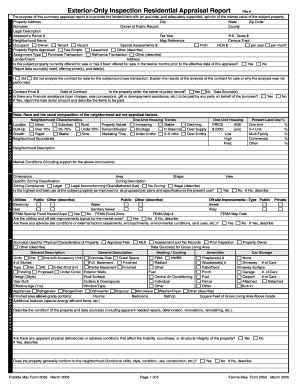
The document is an Exterior-Only Inspection Residential Appraisal Report designed to provide lenders or clients with a s ...

Rma form
The document is a Request for Modification and Affidavit (RMA) form related to the Making Home Affordable Program. It co ...

Request mortgage
The document outlines the process for homeowners experiencing financial hardship to apply for foreclosure prevention ass ...