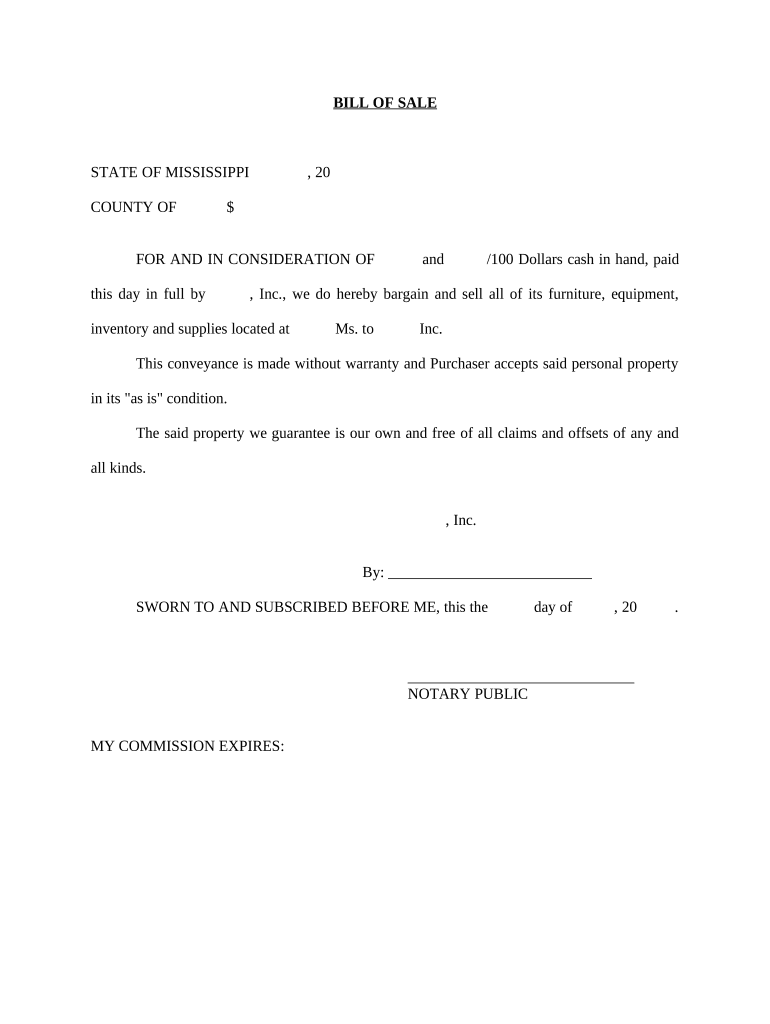
Ms bill sale 2026

Get Form
mississippi bill of sale Preview on Page 1

Here's how it works

01. Edit your mississippi bill of sale online
Type text, add images, blackout confidential details, add comments, highlights and more.
02. Sign it in a few clicks
Draw your signature, type it, upload its image, or use your mobile device as a signature pad.
03. Share your form with others
Send bill of sale mississippi via email, link, or fax. You can also download it, export it or print it out.

How to use or fill out ms bill sale with our platform

Form edit decoration
9.5
Ease of Setup
DocHub User Ratings on G2
9.0
Ease of Use
DocHub User Ratings on G2
  1. Click ‘Get Form’ to open the ms bill sale in the editor.
  2. Begin by entering the date at the top of the form. This is crucial for establishing when the transaction takes place.
  3. In the section labeled 'FOR AND IN CONSIDERATION OF', input the total amount being paid for the property, ensuring to include both dollars and cents.
  4. Fill in the names of both parties involved in the transaction where indicated. This includes both the seller and purchaser.
  5. Specify the location of the property being sold in the designated area, providing clarity on where it can be found.
  6. Review and confirm that all information is accurate before signing. The seller must sign and date at the bottom of the form.
  7. Lastly, ensure a notary public witnesses your signature by filling out their details and having them sign as well.

Start using our platform today to easily complete your ms bill sale online for free!

be ready to get more

Complete this form in 5 minutes or less

Get form

Got questions?

We have answers to the most popular questions from our customers. If you can't find an answer to your question, please contact us.
Contact us

Yes, you can utilize DocHub for signing any business and personal documentation, including your ms bill sale. All electronic signatures you create with our service are legally binding and court-admissible, as DocHub complies with standards required by ESIGN and UETA. Save your completed paperwork with a detailed Audit Trail if needed.

In case your go-to email service is Gmail, you can easily incorporate your DocHub editor into your work. Modify your ms bill sale with DocHub instruments and connect it to your drafts in Gmail. See how straightforward it can be to exchange papers and collaborate having a swift PDF editing solution at hand.

When selling a car privately in Mississippi, the buyer and the seller both need to fill out the relevant sections on the back of the title. This information includes the legal name, address, and signature of the buyer and the seller(s) along with the date of the sale, the odometer reading, and the purchase price.
The Mississippi Motor Vehicle Title Act required a Bill of Sale as a supporting document when making application for Certificate of Title. Many dealers have been following a custom of providing an invoice to the buyer in lieu of a Bill of Sale.
Generally, the title transfer requirements include: The current title, the assignment filled in by the donor or seller, and docHubd. A complete application for the replacement certificate of title. An odometer declaration, if the car is less than 10 years old. The bill of sale. Receipts of paid sales tax.

Security and compliance

At DocHub, your data security is our priority. We follow HIPAA, SOC2, GDPR, and other standards, so you can work on your documents with confidence.

Learn more
ccpa2
pci-dss
gdpr-compliance
hipaa
soc-compliance

People also ask

Can a bill of sale be handwritten? While it is common to present a bill of sale in a digital format, you can also create a handwritten bill of sale. Whats most important is to include all of the pertinent details in the bill of sale in order to protect both parties.
This is acceptable by the state, as long as it is signed by the seller. If youre creating your own bill of sale in Mississippi, be sure to include: Buyer and sellers personal information.

Related links