Type text, add images, blackout confidential details, add comments, highlights and more.
02. Sign it in a few clicks
Draw your signature, type it, upload its image, or use your mobile device as a signature pad.
03. Share your form with others
Send it via email, link, or fax. You can also download it, export it or print it out.
How to use or fill out Answer - Mississippi with our platform
Ease of Setup
DocHub User Ratings on G2
Ease of Use
DocHub User Ratings on G2
Click ‘Get Form’ to open the Answer - Mississippi document in the editor.
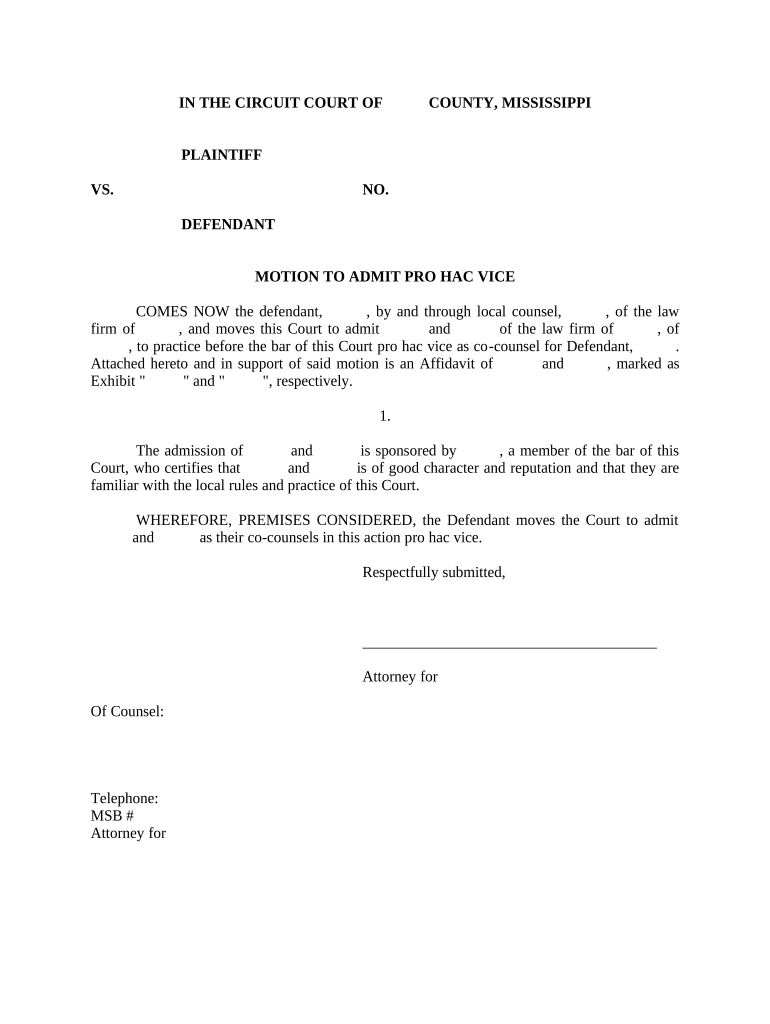
Begin by entering the names of the parties involved in the case. Fill in the 'PLAINTIFF' and 'DEFENDANT' sections with accurate information.
In the section labeled 'MOTION TO ADMIT PRO HAC VICE', specify the names of the attorneys you wish to admit pro hac vice, along with their respective law firms.
Attach any necessary affidavits as exhibits by clicking on the attachment option within our platform. Ensure they are clearly marked as Exhibit 'X' and 'Y'.
Complete the certification section where a local counsel must confirm that the out-of-state attorneys are of good character and familiar with local rules.
Finally, sign and date the document using our platform’s signature feature, ensuring all required fields are filled before submission.
Start editing your Answer - Mississippi form for free today!
ABA Free Legal AnswersMS Legal Services jackson MSFamily law in MississippiFree family law advice MississippiThe Mississippi BarLegal questions and answersPA Free Legal AnswersNorth Mississippi Rural Legal Oxford reviews
Security and compliance
At DocHub, your data security is our priority. We follow HIPAA, SOC2, GDPR, and other standards, so you can work on your documents with confidence.
United States v. Mississippi Interrogatory Answers
This digital collection contains the answers by the United States government to interrogatories propounded by the state of Mississippi and other defendants.Read more
MART is the official coordination and response team for disasters involving animals and agriculture. MART volunteers are educated and trained.Read more
Cookie consent notice
This site uses cookies to enhance site navigation and personalize your experience.
By using this site you agree to our use of cookies as described in our Privacy Notice.
You can modify your selections by visiting our Cookie and Advertising Notice.