Garnishment 2026

Get Form
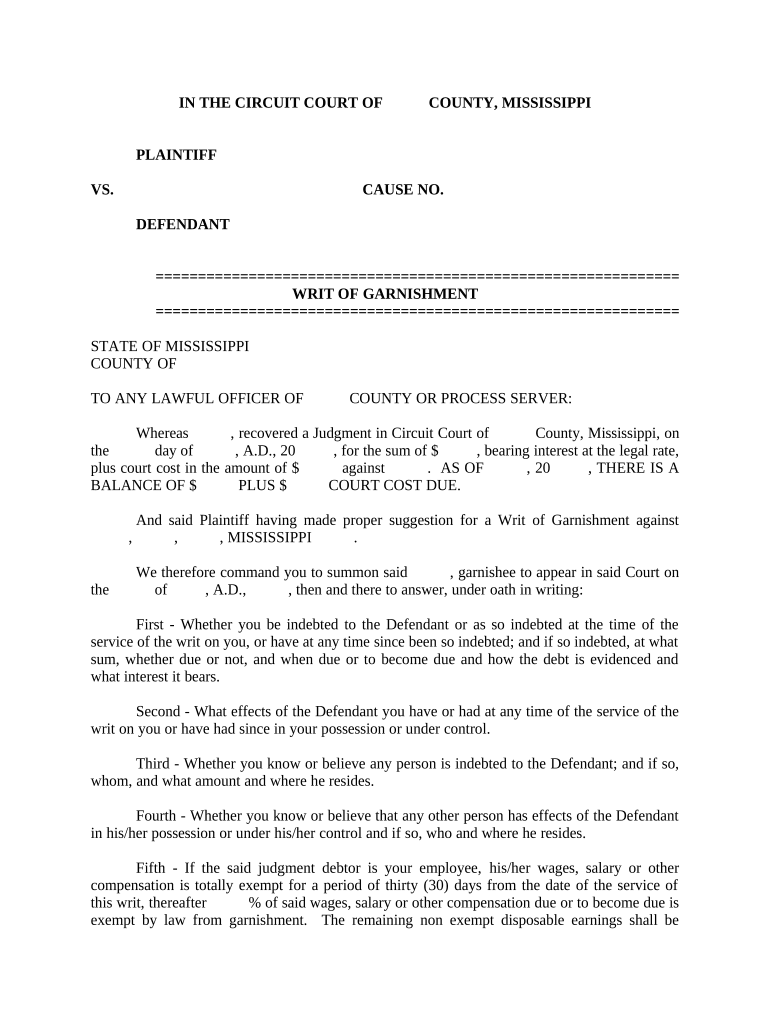
garnishment Preview on Page 1

Here's how it works

01. Edit your form online
Type text, add images, blackout confidential details, add comments, highlights and more.
02. Sign it in a few clicks
Draw your signature, type it, upload its image, or use your mobile device as a signature pad.
03. Share your form with others
Send it via email, link, or fax. You can also download it, export it or print it out.

How to Use or Fill Out Garnishment with Our Platform

Form edit decoration
9.5
Ease of Setup
DocHub User Ratings on G2
9.0
Ease of Use
DocHub User Ratings on G2
  1. Click ‘Get Form’ to open the garnishment document in the editor.
  2. Begin by entering the Plaintiff's name and the Defendant's name in the designated fields. Ensure accuracy as this information is crucial for legal purposes.
  3. Fill in the Cause Number, which is typically assigned by the court. This helps in tracking your case efficiently.
  4. Input the judgment amount and any applicable court costs. Be precise with these figures to avoid discrepancies.
  5. In the section regarding debts owed, clearly state whether you are indebted to the Defendant and provide details about any sums due, including interest rates.
  6. Complete each inquiry regarding effects of the Defendant that you possess or control, ensuring all relevant information is included.
  7. If applicable, indicate if you believe any other parties owe money to the Defendant and provide their details.
  8. Finally, review all entries for accuracy before saving or exporting your completed form for submission.

Start using our platform today to streamline your garnishment process effortlessly!

be ready to get more

Complete this form in 5 minutes or less

Get form

Got questions?

We have answers to the most popular questions from our customers. If you can't find an answer to your question, please contact us.
Contact us

Electronic document signing requires a software solution that works in compliance with data security and eSignature laws. DocHub is a great tool for that, as it meets all the previously mentioned requirements. Whatever method you like to sign your garnishment in DocHub, your eSignature will be legally binding and court-admissible.

If you go for analog methods of completing your garnishment, it is simple to download your file for printing. Search DocHub’s Forms & Templates catalog to locate the exact file template you need and open it for editing or download it on your gadget in the format of your liking. It is possible to complete your form electronically and put your handwritten signature on it right after printing or eSign your file with DocHub.

There are no federal limits to the amount that can be taken in account garnishment. Your state may have laws that are more protective. Some sources of income are considered protected in account garnishment, including: Social Security, and other government benefits or payments.
Garnishment is a proceeding by a creditor (a person or entity to whom money is owed) to collect a debt by taking the property or assets of a debtor (a person who owes money). Wage garnishment is a court procedure where a court orders a debtors employer to hold the debtors earnings in order to pay a creditor.
Garnishment is primarily a reduction of income, which can be burdensome for those already struggling to make ends meet. The garnishment doesnt just hurt your budget, but it can also drag down your credit scores.

Security and compliance

At DocHub, your data security is our priority. We follow HIPAA, SOC2, GDPR, and other standards, so you can work on your documents with confidence.

Learn more
ccpa2
pci-dss
gdpr-compliance
hipaa
soc-compliance