Type text, add images, blackout confidential details, add comments, highlights and more.
02. Sign it in a few clicks
Draw your signature, type it, upload its image, or use your mobile device as a signature pad.
03. Share your form with others
Send it via email, link, or fax. You can also download it, export it or print it out.
How to use or fill out Mississippi Conversion with our platform
Ease of Setup
DocHub User Ratings on G2
Ease of Use
DocHub User Ratings on G2
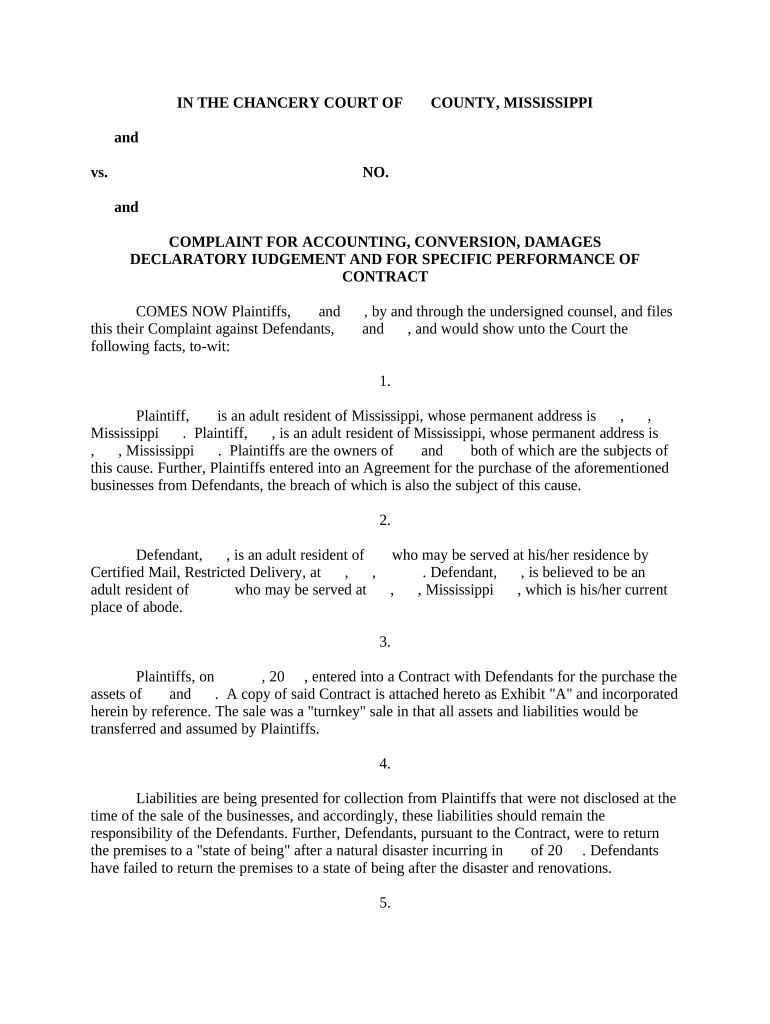
Click ‘Get Form’ to open the Mississippi Conversion document in the editor.
Begin by filling in the Plaintiff and Defendant information. Ensure you include full names and addresses as required in the designated fields.
In Section 3, provide details about the Contract entered into, including dates and specifics of the agreement. Attach any relevant documents as exhibits using our platform's upload feature.
For Section 11, where accounting is requested, list all bank accounts and transactions clearly. Use bullet points for clarity and ensure accuracy in amounts.
In Section 12 regarding conversion, specify the items wrongfully removed from storage. Include descriptions and estimated values to support your claims.
Review all sections for completeness before submitting. Utilize our platform’s editing tools to make any necessary adjustments easily.
Start using our platform today to streamline your document completion process for free!
Mississippi Secretary of StateCertificate of Formation MississippiArticles of Incorporation MississippiHow to apply for LLC in Mississippi onlineMississippi portal loginMississippi LLC filing feeHow to get a business license in msHow to file annual report for LLC in Mississippi
Security and compliance
At DocHub, your data security is our priority. We follow HIPAA, SOC2, GDPR, and other standards, so you can work on your documents with confidence.
Apr 26, 2012 While the majority of states have statutory provisions authorizing domestication and/or conversion, Mississippi has no statutes that.Read more
Cookie consent notice
This site uses cookies to enhance site navigation and personalize your experience.
By using this site you agree to our use of cookies as described in our Privacy Notice.
You can modify your selections by visiting our Cookie and Advertising Notice.