Ms court 2026

Get Form
ms court Preview on Page 1

Here's how it works

01. Edit your form online
Type text, add images, blackout confidential details, add comments, highlights and more.
02. Sign it in a few clicks
Draw your signature, type it, upload its image, or use your mobile device as a signature pad.
03. Share your form with others
Send it via email, link, or fax. You can also download it, export it or print it out.

How to use or fill out ms court with our platform

Form edit decoration
9.5
Ease of Setup
DocHub User Ratings on G2
9.0
Ease of Use
DocHub User Ratings on G2
  1. Click ‘Get Form’ to open the ms court document in the editor.
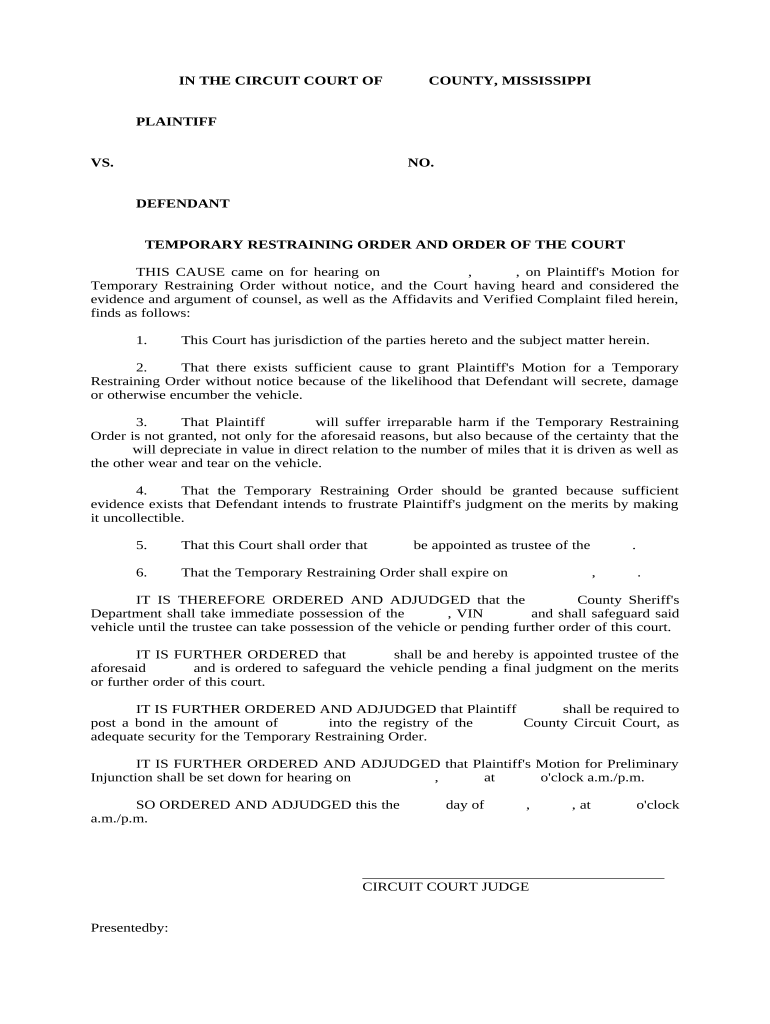
  2. Begin by entering the names of the Plaintiff and Defendant in the designated fields at the top of the form. Ensure accuracy as this information is crucial for jurisdiction.
  3. Fill in the case number (NO.) assigned to your case. This helps in tracking and referencing your document within the court system.
  4. In section 2, provide details regarding the vehicle involved, including its VIN. This is essential for identifying the property subject to the restraining order.
  5. Complete any additional fields that require information about potential harm or evidence supporting your motion for a Temporary Restraining Order.
  6. Finally, review all entries for accuracy before saving or exporting your completed form. You can easily share it directly from our platform.

Start using our platform today to streamline your ms court form completion for free!

be ready to get more

Complete this form in 5 minutes or less

Get form

Got questions?

We have answers to the most popular questions from our customers. If you can't find an answer to your question, please contact us.
Contact us

Upload your ms court to DocHub (after you’ve set up an account for this). If you need to complete fields in it, use proper tools from the top pane. For instance, add Signature Fields, assign each to a particular party, and click on Sign → Request signatures from others. Change your message for your recipients and click Send Request. You can also send your document by fax or as a Signing link instead of using email (you’ll find these options by navigating to the Menu → Send)

If you use Chrome, there are two straightforward ways to modify your ms court online. First, visit the DocHub website, add your document, and modify it utilizing our toolbar. You may also set up our Chrome extension and modify any document by dragging and dropping it in your web browser tab.

In its Statement of Policy Regarding Openness and Availability of Public Records, the Mississippi Judiciary grants members of the public access to records in its custody, including court records.
A request for inmates records is commonly referred to as a Penpak and includes such information as convictions, time sheets, indictments, sentencing orders and social admissions. To request an inmates record, contact the Records Division at (601) 933-2889.
To request court records from the KDLA, email kdla.archives@ky.gov or call 502-564-1787.

Security and compliance

At DocHub, your data security is our priority. We follow HIPAA, SOC2, GDPR, and other standards, so you can work on your documents with confidence.

Learn more
ccpa2
pci-dss
gdpr-compliance
hipaa
soc-compliance
be ready to get more

Complete this form in 5 minutes or less

Get form

People also ask

Public Records Providers Reviews Instant Checkmate Review. Truth Finder Review. BeenVerified Review. Intelius Review. PeopleFinders Review. eVerify Review. Check People Review. US Search Review.
You will search the Mississippi court records database to access the public court record. If you cannot find what you are looking for online, you will need to docHub out to the court clerk where the case was heard.
To obtain Mississippi judgment records, visit the clerks office where the court issued the judgment. Generally, this court is located in the county where the defendant lives or where the crime happened. Pay a visit to the courthouse during regular business hours and submit a request at the clerks office.
List Of Best Free Background Check Services On The Market Truthfinder Overall Best Background Check Services. Intelius Top Site To Get Background Check Free. Instant Checkmate Most Recommended Criminal Record Check Services. U.S. Search Best Site To Access to Public Records.
There are 82 Justice Courts with 197 judges. Justice Court judges are the only Mississippi judges elected in partisan races. They serve four-year terms.

Related links