Notice of Default for Past Due Payments in connection with Contract for Deed - Oregon 2026

Get Form
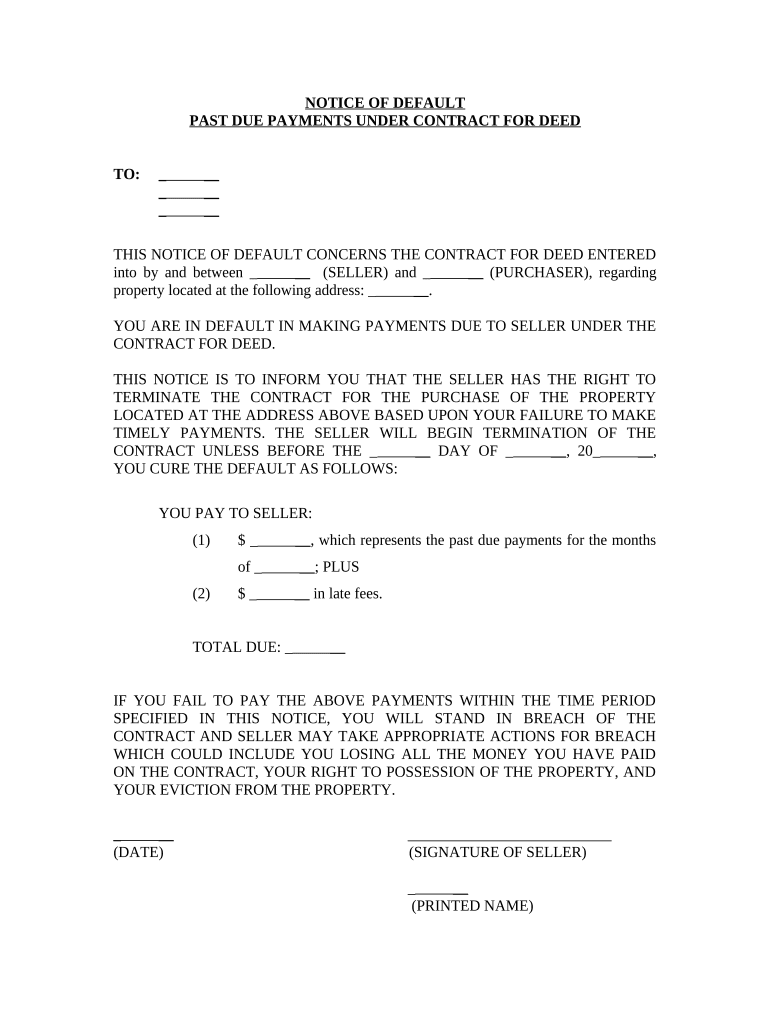
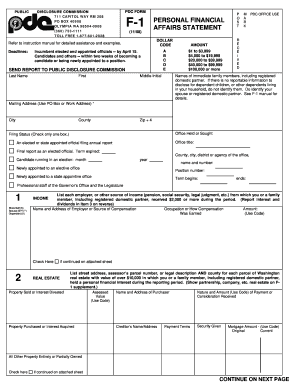
Notice of Default for Past Due Payments in connection with Contract for Deed - Oregon Preview on Page 1

Here's how it works

01. Edit your form online
Type text, add images, blackout confidential details, add comments, highlights and more.
02. Sign it in a few clicks
Draw your signature, type it, upload its image, or use your mobile device as a signature pad.
03. Share your form with others
Send it via email, link, or fax. You can also download it, export it or print it out.

How to use or fill out Notice of Default for Past Due Payments in connection with Contract for Deed - Oregon

Form edit decoration
9.5
Ease of Setup
DocHub User Ratings on G2
9.0
Ease of Use
DocHub User Ratings on G2
  1. Click ‘Get Form’ to open it in the editor.
  2. Begin by filling in the recipient's name and address at the top of the form. This identifies who is receiving the notice.
  3. In the section regarding the seller and purchaser, enter their respective names clearly. This establishes the parties involved in the contract.
  4. Specify the property address related to the contract for deed. Accurate details are crucial for legal clarity.
  5. Indicate the specific amounts due under past payments and late fees. Ensure these figures are correct to avoid disputes.
  6. Complete any additional fields as required, including dates and signatures, ensuring all necessary information is provided before finalizing.

Start using our platform today to easily complete your Notice of Default form for free!

be ready to get more

Complete this form in 5 minutes or less

Get form

Got questions?

We have answers to the most popular questions from our customers. If you can't find an answer to your question, please contact us.
Contact us
The Oregon Trust Deed Act was established in 1959 to make the foreclosure process easier and faster by not involving the courts. The Act allows the lender to file a trust deed, which assigns the deed to a third-party (trustee).
The key disadvantages of placing a house in a trust include the following: Extra paperwork: Moving property in a trust requires the house owner to transfer the assets legal title. This involves preparing and signing an additional deed, and some people may consider this cumbersome.
A Notice of Default (NOD) is a formal document recorded by your lender with the local County Recorders office in the county where your property is located, indicating that you have fallen behind on your mortgage payments. It serves as the first official step in the non-judicial foreclosure process.
With the deed in lieu of foreclosure, the homeowner voluntarily transfers ownership of the property to the servicer in full satisfaction of the total amount due. The servicer may require the homeowner to list and market the property before they agree to a deed-in-lieu arrangement.
Like a mortgage, a trust deed makes a piece of real property security (collateral) for a loan. If the loan is not repaid on time, the lender can foreclose on and sell the property and use the proceeds to pay off the loan. A trust deed is not used to transfer property to a living trust (use a Grant Deed for that).

Security and compliance

At DocHub, your data security is our priority. We follow HIPAA, SOC2, GDPR, and other standards, so you can work on your documents with confidence.

Learn more
ccpa2
pci-dss
gdpr-compliance
hipaa
soc-compliance

People also ask

Virtually all voluntary liens secured by Oregon real estate are trust deeds and are therefore governed by the Oregon Trust Deed Act, ORS 86.705 86.795, which has been in existence since 1959.
Under a deed of trust, if the borrower is in default, the property can be sold by the trustee without going through a costly, lengthy legal procedure. The process is known as a nonjudicial foreclosure.

Related links