Estate Planning Questionnaire and Worksheets - Nevada 2026

Get Form
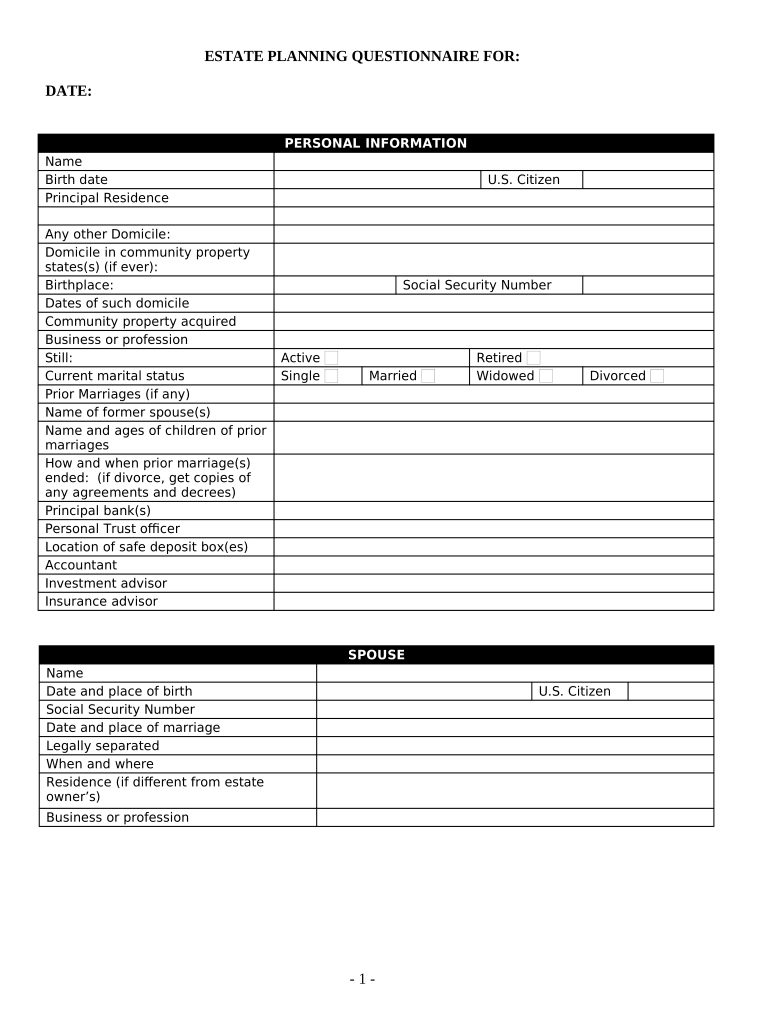
what are the 5 components of estate planning Preview on Page 1

Here's how it works

01. Edit your what are the 5 components of estate planning online
Type text, add images, blackout confidential details, add comments, highlights and more.
02. Sign it in a few clicks
Draw your signature, type it, upload its image, or use your mobile device as a signature pad.
03. Share your form with others
Send it via email, link, or fax. You can also download it, export it or print it out.

How to use or fill out Estate Planning Questionnaire and Worksheets - Nevada

Form edit decoration
9.5
Ease of Setup
DocHub User Ratings on G2
9.0
Ease of Use
DocHub User Ratings on G2
  1. Click ‘Get Form’ to open it in the editor.
  2. Begin with the 'Personal Information' section. Fill in your name, birth date, principal residence, and any other domicile details. Ensure you provide accurate information regarding your marital status and prior marriages.
  3. Move on to the 'Children and Grandchildren' section. Clearly designate relationships and provide names and birth dates for each child or grandchild, including any adopted or stepchildren.
  4. In the 'Who Will Benefit Under Will' section, list beneficiaries along with their addresses, ages, and relationship to you.
  5. Complete the 'Fiduciaries' section by providing names and addresses for executors, trustees, and guardians.
  6. Fill out the 'Financial Information' sections meticulously. Include details about real estate, stocks, bonds, cash accounts, life insurance policies, and any liabilities.
  7. Finally, review your entries for accuracy before saving or sharing your completed questionnaire using our platform's features.

Start filling out your Estate Planning Questionnaire today for free!

be ready to get more

Complete this form in 5 minutes or less

Get form

Got questions?

We have answers to the most popular questions from our customers. If you can't find an answer to your question, please contact us.
Contact us

Yes, you’ll find numerous apps for this on the web. Nevertheless, if you need to eSign your Estate Planning Questionnaire and Worksheets - Nevada without installing additional software, DocHub is the best choice you can make. This powerful editor works on mobile devices just as on desktops. Open our editor in any internet browser, register or log in to your account, and start managing your paperwork.

It is a no-brainer on a computer or via a mobile device to complete a Estate Planning Questionnaire and Worksheets - Nevada with DocHub. All you need to do is open any installed web browser on your smartphone and proceed to the DocHub website. Once authenticated, add your file and open it in editing mode. Use our toolbar to make your edits and save adjustments. Optionally, keep your document in your files or send it to a recipient on the spot.

When should a Probate be opened? As soon as practical following the persons death. In Nevada, if the total amount of the deceased persons assets exceeds $20,000, or if real estate is involved, probate (or administration) will be required and there is normally no reason to delay starting the process.
Estate Planning Questionnaire Preparation Family Information. The contact information for you, or you and your spouse, as well as the names and dates of birth for any children you and/or you spouse may have. Successor Trustee/Personal Representative. Beneficiaries. Powers of Attorney. Assets Debts.

Security and compliance

At DocHub, your data security is our priority. We follow HIPAA, SOC2, GDPR, and other standards, so you can work on your documents with confidence.

Learn more
ccpa2
pci-dss
gdpr-compliance
hipaa
soc-compliance