Type text, add images, blackout confidential details, add comments, highlights and more.
02. Sign it in a few clicks
Draw your signature, type it, upload its image, or use your mobile device as a signature pad.
03. Share your form with others
Send it via email, link, or fax. You can also download it, export it or print it out.
How to use or fill out nv disclosure with our platform
Ease of Setup
DocHub User Ratings on G2
Ease of Use
DocHub User Ratings on G2
Click ‘Get Form’ to open the nv disclosure in the editor.
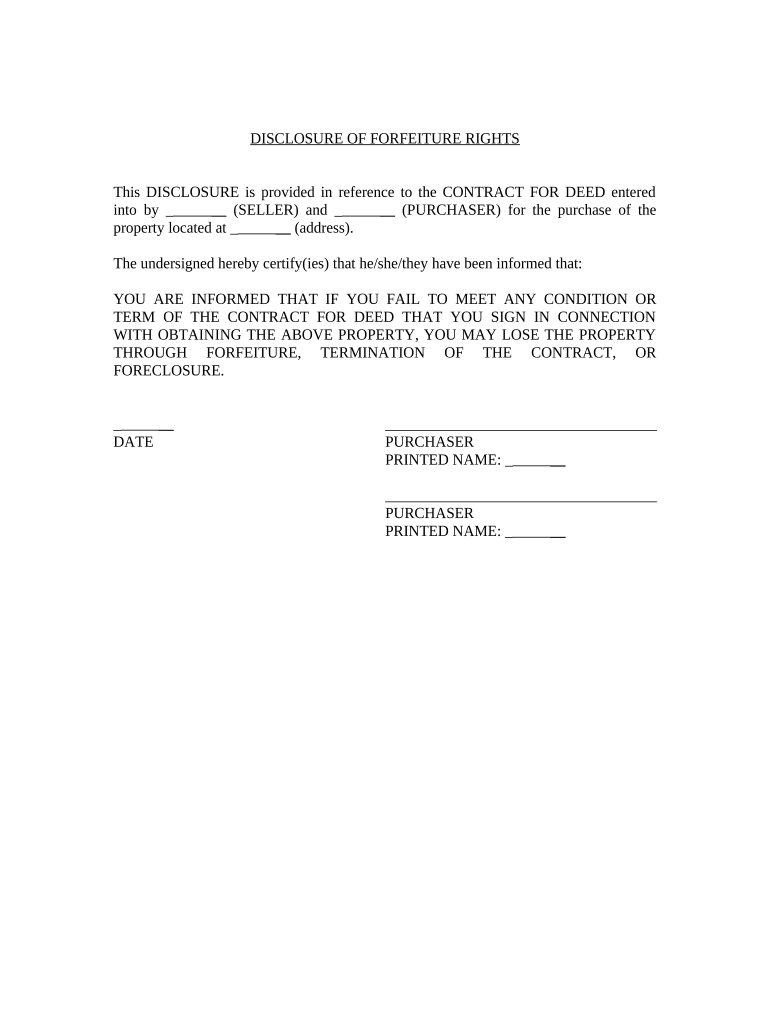
Begin by entering the names of the SELLER and PURCHASER in the designated fields. Ensure that both parties' names are accurately spelled to avoid any legal issues.
Next, input the property address where indicated. This is crucial for identifying the specific property involved in the contract.
Review the statement regarding forfeiture rights carefully. This section outlines important information about potential consequences if contract terms are not met.
In the signature area, each PURCHASER must sign and print their name along with the date. Make sure all signatures are clear and legible.
Start using our platform today to fill out your nv disclosure easily and for free!
Submit completed form to your County Recorder. 10/04/2023, 1. Back to Top. The Official State of Nevada Website | Copyright 2021 State of NevadaRead more
Cookie consent notice
This site uses cookies to enhance site navigation and personalize your experience.
By using this site you agree to our use of cookies as described in our Privacy Notice.
You can modify your selections by visiting our Cookie and Advertising Notice.