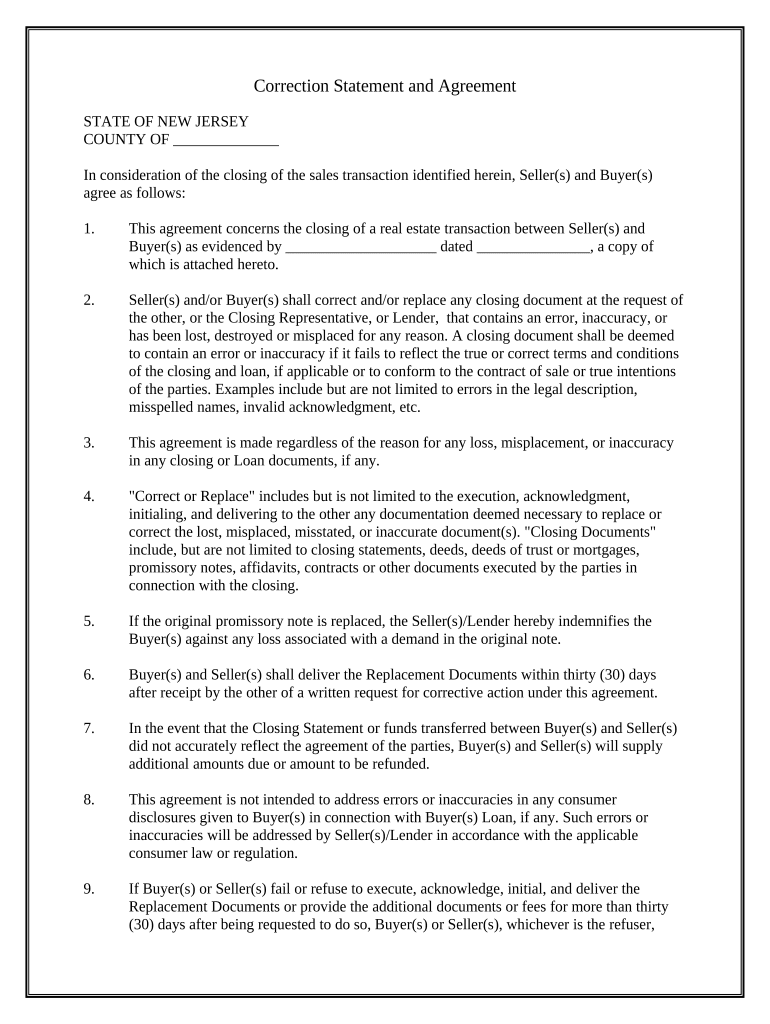
Correction Statement and Agreement - New Jersey 2026

Get Form
Correction Statement and Agreement - New Jersey Preview on Page 1

Here's how it works

01. Edit your form online
Type text, add images, blackout confidential details, add comments, highlights and more.
02. Sign it in a few clicks
Draw your signature, type it, upload its image, or use your mobile device as a signature pad.
03. Share your form with others
Send it via email, link, or fax. You can also download it, export it or print it out.

How to use or fill out Correction Statement and Agreement - New Jersey with our platform

Form edit decoration
9.5
Ease of Setup
DocHub User Ratings on G2
9.0
Ease of Use
DocHub User Ratings on G2
  1. Click ‘Get Form’ to open the Correction Statement and Agreement in the editor.
  2. Begin by filling in the 'COUNTY OF' section with the appropriate county name where the transaction is taking place.
  3. In the first section, provide details about the sales transaction, including the date of the agreement and attach any relevant documents as indicated.
  4. Review each clause carefully. Ensure that any errors or inaccuracies are noted, particularly in legal descriptions or names, as these will need correction.
  5. Complete the sections for Seller(s) and Buyer(s) by entering their names, addresses, and dates where indicated. Make sure all parties sign where required.
  6. If applicable, ensure that you include a notary section at the end of the document for proper validation.

Start using our platform today to easily complete your Correction Statement and Agreement for free!

be ready to get more

Complete this form in 5 minutes or less

Get form

Got questions?

We have answers to the most popular questions from our customers. If you can't find an answer to your question, please contact us.
Contact us

Yes, it is possible with DocHub. This trustworthy and compliant online editor has a phone-based signing option. After you log in to your DocHub account and add your Correction Statement and Agreement - New Jersey to our editor, complete all empty areas and use the Sign feature on the upper barf. Click on Create your signature and select Phone from the available choices. Here, you scan a QR code using your smartphone and draw your signature on your phone display, as you normally do when signing physical papers. If you access DocHub right from your mobile device, you can eSign your form by drawing your eSignature, uploading its photo, or simply with a typed name.

You can complete and eSign your Correction Statement and Agreement - New Jersey online, even on a tight deadline. All you need to access top-notch editing tools on any device is a DocHub account, that you can sign up in a couple of moments. When you sign up, add your file or find what you are searching for in our catalog, complete it utilizing the editing tools you need, and place your electronic signature on it at the end.

The parent who is seeking a modification of the child support order needs to initiate the process by filing a motion with the court. This is a legal procedure and involves a formal request to the court to review and change the current order based on the stated reasons and supporting evidence.
There are a number of difference situations when a parent may be able to apply for a modification. As noted above, there must be a substantial change in circumstances. This can be situations when one parent has become permanently disabled, has children from a new relationship, had a change in employment, and more.
Make a check or money order payable to Treasurer, State of New Jersey for $250 or you can pay online (see step 3). This is the fee to cover the cost of filing your papers with the courts.

Security and compliance

At DocHub, your data security is our priority. We follow HIPAA, SOC2, GDPR, and other standards, so you can work on your documents with confidence.

Learn more
ccpa2
pci-dss
gdpr-compliance
hipaa
soc-compliance
be ready to get more

Complete this form in 5 minutes or less

Get form

People also ask

Additionally, if child support is collected through the child support probation department, child support obligations are automatically reviewed every two years without either parent needing to make a request. As a result of this review, a cost of living adjustment, or COLA increase takes place.
In a divorce action, the Case Information Statement (CIS) is typically due twenty (20) days after the filing of an answer or appearance. This form NJ CIS Fam Part is, in essence, a detailed financial affidavit designed to provide a snapshot of your current financial situation compared to your marital finances.

Related links