Security Contractor Package - New Hampshire 2026

Get Form
Security Contractor Package - New Hampshire Preview on Page 1

Here's how it works

01. Edit your form online
Type text, add images, blackout confidential details, add comments, highlights and more.
02. Sign it in a few clicks
Draw your signature, type it, upload its image, or use your mobile device as a signature pad.
03. Share your form with others
Send it via email, link, or fax. You can also download it, export it or print it out.

How to use or fill out Security Contractor Package - New Hampshire with our platform

Form edit decoration
9.5
Ease of Setup
DocHub User Ratings on G2
9.0
Ease of Use
DocHub User Ratings on G2
  1. Click ‘Get Form’ to open the Security Contractor Package in the editor.
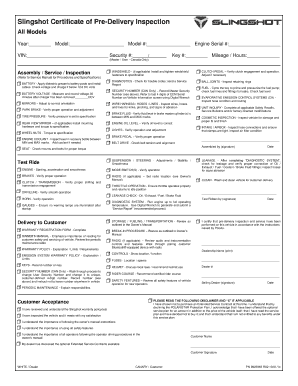
  2. Begin with the 'Security Contract - Cost Plus or Fixed Fee' form. Fill in the contractor's details, scope of work, and insurance information as required.
  3. Next, navigate to the 'Change Order Sheet' to document any amendments to the original contract. Ensure all parties involved sign this section for validity.
  4. Complete the 'Certificate of Completion' once the project is finished. This certifies that all work has been satisfactorily completed.
  5. Use the 'Bid Log' to track outstanding bids. Enter details such as due dates and bid prices for effective management.
  6. Fill out the 'Customer Satisfaction Survey' after project completion to gather feedback from clients, which can help improve future services.

Start using our platform today for free and streamline your document editing and signing process!

be ready to get more

Complete this form in 5 minutes or less

Get form

Got questions?

We have answers to the most popular questions from our customers. If you can't find an answer to your question, please contact us.
Contact us

Many software solutions are available out there for document modifying and signing. DocHub is one of the most popular online solutions that comply with all data protection and compliance standards and guarantees your eSigned documentation is legally enforceable. All you need to give it a try is to create an account, add your Security Contractor Package - New Hampshire, provide the necessary details, and click Sign. Generate your eSignature by typing, drawing it, uploading its image to your form, or scanning a unique QR code.

If you need to edit your Security Contractor Package - New Hampshire on the internet quickly, it does not matter what internet browser you employ. DocHub’s straightforward editing instruments are accessible using any internet browser. Simply open the appropriate tab within our editor, add your file, and fill it out without stress.

Many private security contractors have duties that require them to be armed, and you must be able to pass a background check and prove you are legally able to carry and operate firearms. Other qualifications include voluntary certification, knowledge of foreign languages and geopolitics, and technical competency.
Security guards work for one employer focusing solely on their needs, while independent contractors can juggle multiple clients.
As of Sep 10, 2025, the average hourly pay for a Pmc in the United States is $26.74 an hour.

Security and compliance

At DocHub, your data security is our priority. We follow HIPAA, SOC2, GDPR, and other standards, so you can work on your documents with confidence.

Learn more
ccpa2
pci-dss
gdpr-compliance
hipaa
soc-compliance

People also ask

Definition of Security Contractors Security contractors are professionals or firms hired to provide security services. They are responsible for safeguarding people, property, and information from various threats, including theft, vandalism, and cyber-attacks.

Related links