Type text, add images, blackout confidential details, add comments, highlights and more.
02. Sign it in a few clicks
Draw your signature, type it, upload its image, or use your mobile device as a signature pad.
03. Share your form with others
Send it via email, link, or fax. You can also download it, export it or print it out.
How to use or fill out nh form deed with our platform
Ease of Setup
DocHub User Ratings on G2
Ease of Use
DocHub User Ratings on G2
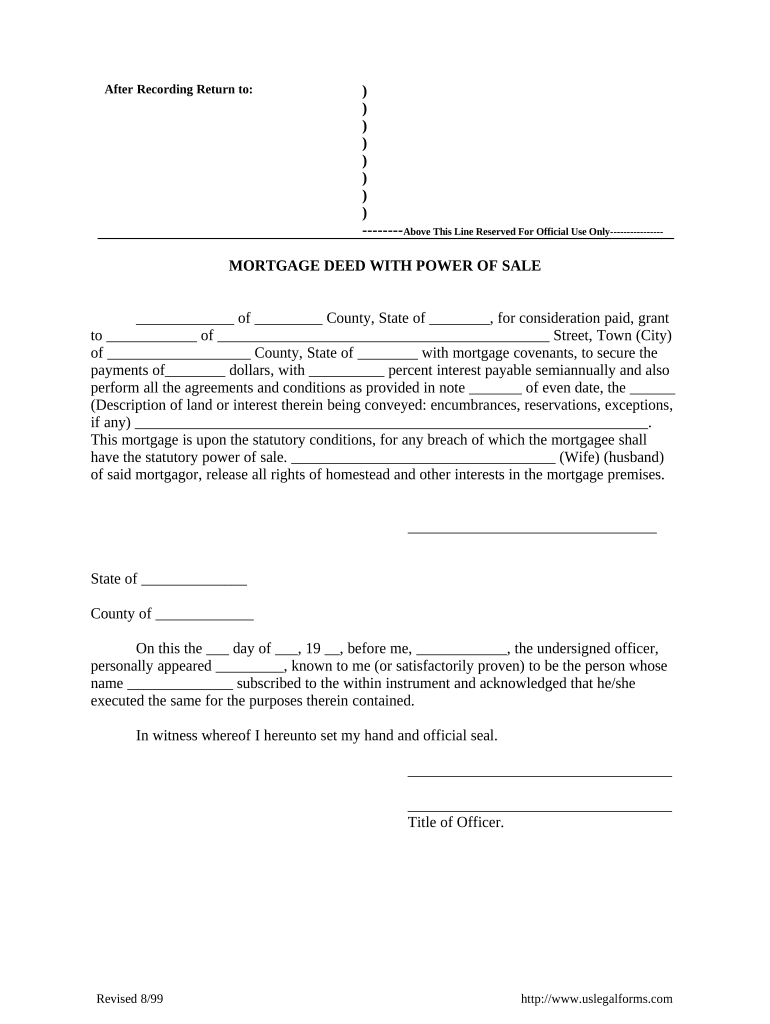
Click ‘Get Form’ to open the nh form deed in the editor.
Begin by filling in the grantor's name and county in the designated fields. Ensure accuracy as this identifies the party granting the mortgage.
Next, enter the grantee's name and address. This is crucial for establishing who will receive the property rights.
Specify the amount of consideration paid and interest rate in their respective fields. This information is vital for legal clarity regarding financial obligations.
In the description section, provide a detailed account of the land being mortgaged, including any encumbrances or exceptions that may apply.
Complete any additional required signatures and acknowledgments at the bottom of the form, ensuring all parties are represented.
Start using our platform today to fill out your nh form deed easily and for free!
Printable nh form deedNh form deed template freeNh form deed pdfNh form deed onlineNh form deed sampleNh form deed exampleNh quitclaim deedNh dra forms
Security and compliance
At DocHub, your data security is our priority. We follow HIPAA, SOC2, GDPR, and other standards, so you can work on your documents with confidence.
N.H. Admin. Code Rev 2803.02 - Form PA-34, Inventory of
(a) The department shall use Form PA-34 to verify the municipal assessment data. (b) Every buyer, purchaser, grantee, assignee, or transferee shall file Form PARead more
Cookie consent notice
This site uses cookies to enhance site navigation and personalize your experience.
By using this site you agree to our use of cookies as described in our Privacy Notice.
You can modify your selections by visiting our Cookie and Advertising Notice.