Type text, add images, blackout confidential details, add comments, highlights and more.
02. Sign it in a few clicks
Draw your signature, type it, upload its image, or use your mobile device as a signature pad.
03. Share your form with others
Send it via email, link, or fax. You can also download it, export it or print it out.
How to Use or Fill Out Self Inspection with Our Platform
Ease of Setup
DocHub User Ratings on G2
Ease of Use
DocHub User Ratings on G2
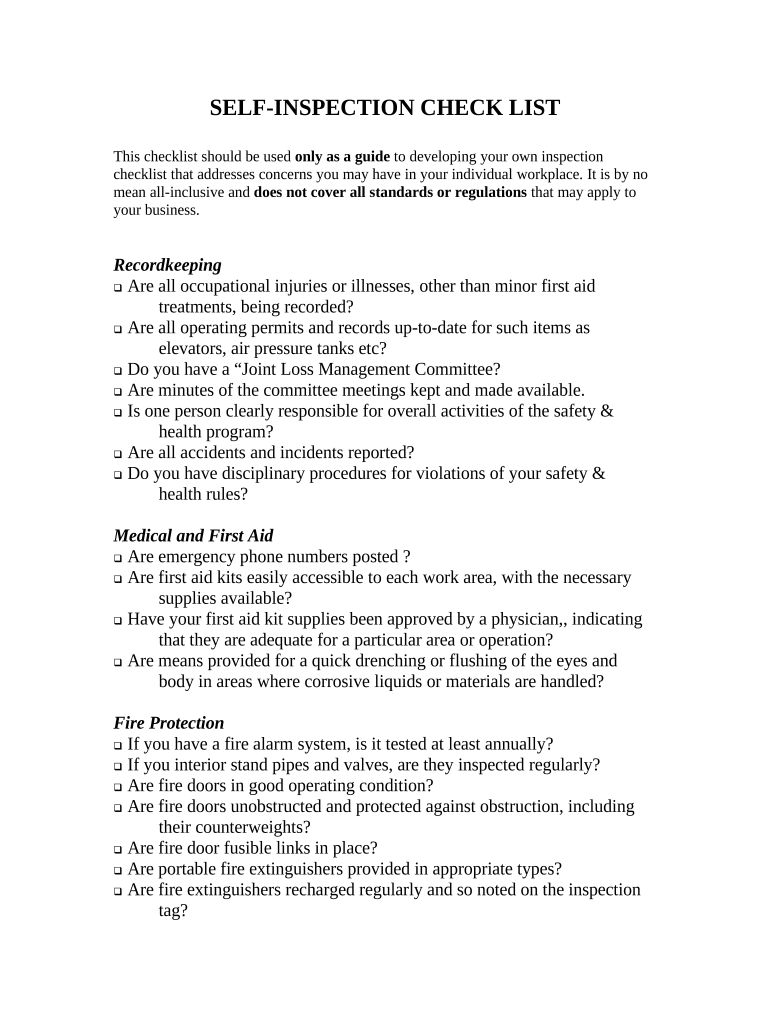
Click ‘Get Form’ to open the self inspection checklist in the editor.
Begin with the 'Recordkeeping' section. Review each item and check off those that are compliant with your workplace standards.
Move to the 'Medical and First Aid' section. Ensure emergency numbers are posted and first aid kits are stocked, marking each item as you verify compliance.
Continue through sections like 'Fire Protection' and 'Personal Protective Clothing and Equipment', checking off items as you confirm their presence and functionality.
For each subsequent section, such as 'General Work Environment' and 'Exiting or Egress', repeat the process of reviewing and checking off items based on your workplace conditions.
Once completed, save your checklist for future reference or share it directly from our platform for team collaboration.
Start using our platform today to streamline your self inspection process for free!
Self Inspections - EZ Inspect App - San Bernardino County
Some building-related inspections (Building, Electrical, Mechanical, Plumbing, Energy, and Certificate of Occupancy) may be considered for self-inspections.Read more
Use the self-inspection checklist to go through their laboratories and research areas and conduct their own laboratory/research area inspections.Read more
Mutual safety inspections were conducted among the teams, and subsequently, we also carried out the following self-inspection of our own safety based on the
Cookie consent notice
This site uses cookies to enhance site navigation and personalize your experience.
By using this site you agree to our use of cookies as described in our Privacy Notice.
You can modify your selections by visiting our Cookie and Advertising Notice.