Estate Planning Questionnaire and Worksheets - Minnesota 2026

Get Form
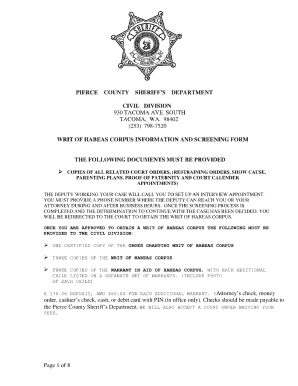
estate planning questionnaire and worksheets Preview on Page 1

Here's how it works

01. Edit your estate planning questionnaire and worksheets online
Type text, add images, blackout confidential details, add comments, highlights and more.
02. Sign it in a few clicks
Draw your signature, type it, upload its image, or use your mobile device as a signature pad.
03. Share your form with others
Send it via email, link, or fax. You can also download it, export it or print it out.

How to use or fill out Estate Planning Questionnaire and Worksheets - Minnesota with our platform

Form edit decoration
9.5
Ease of Setup
DocHub User Ratings on G2
9.0
Ease of Use
DocHub User Ratings on G2
  1. Click ‘Get Form’ to open the Estate Planning Questionnaire and Worksheets in the editor.
  2. Begin by filling out the Personal Information section. Enter your name, birth date, principal residence, and any other domicile details. Be sure to include your marital status and information about prior marriages if applicable.
  3. Proceed to the Children and Grandchildren section. Clearly designate which children or grandchildren are adopted or from prior marriages, including their names and birth dates.
  4. In the Who Will Benefit Under Will section, list beneficiaries along with their addresses, ages, and relationship to you.
  5. Complete the Fiduciaries section by providing names and addresses for executors, trustees, and guardians.
  6. Fill out the Financial Information sections meticulously. Document all assets such as real estate, stocks, bonds, cash accounts, life insurance policies, and liabilities.
  7. Finally, review your entries for accuracy before saving or sharing your completed questionnaire using our platform's features.

Start using our platform today to effortlessly complete your Estate Planning Questionnaire!

be ready to get more

Complete this form in 5 minutes or less

Get form

Got questions?

We have answers to the most popular questions from our customers. If you can't find an answer to your question, please contact us.
Contact us
Beneficiaries of a trust typically pay taxes on distributions they receive from the trusts income. However, they are not subject to taxes on distributions from the trusts principal.
While placing your house in a trust offers many benefits, such as avoiding probate and planning for incapacity, there are potential drawbacks: Costs: Setting up and maintaining a trust can be expensive, requiring legal and administrative fees.
Minnesota Estate Planning Document Price List Power of Attorney$100 Single Person / Single Parent Will $200 Complex Will $400 Complex Pour-Over Will with Trust Provisions $300 $400 Revocable Trust $1000 $125010 more rows
Estate Planning Questionnaire Preparation Family Information. The contact information for you, or you and your spouse, as well as the names and dates of birth for any children you and/or you spouse may have. Successor Trustee/Personal Representative. Beneficiaries. Powers of Attorney. Assets Debts.
One of the biggest mistakes parents make when setting up a trust fund is choosing the wrong trustee to oversee and manage the trust. This crucial decision can open the door to potential theft, mismanagement of assets, and family conflict that derails your childs financial future.

Security and compliance

At DocHub, your data security is our priority. We follow HIPAA, SOC2, GDPR, and other standards, so you can work on your documents with confidence.

Learn more
ccpa2
pci-dss
gdpr-compliance
hipaa
soc-compliance

People also ask

If thats what you thought, you would be wrong. Even if your will or other estate planning documents are more accurate and up to date, the beneficiary designation that you entered as part of your plan enrollment form takes precedence.

Related links