Type text, add images, blackout confidential details, add comments, highlights and more.
02. Sign it in a few clicks
Draw your signature, type it, upload its image, or use your mobile device as a signature pad.
03. Share your form with others
Send it via email, link, or fax. You can also download it, export it or print it out.
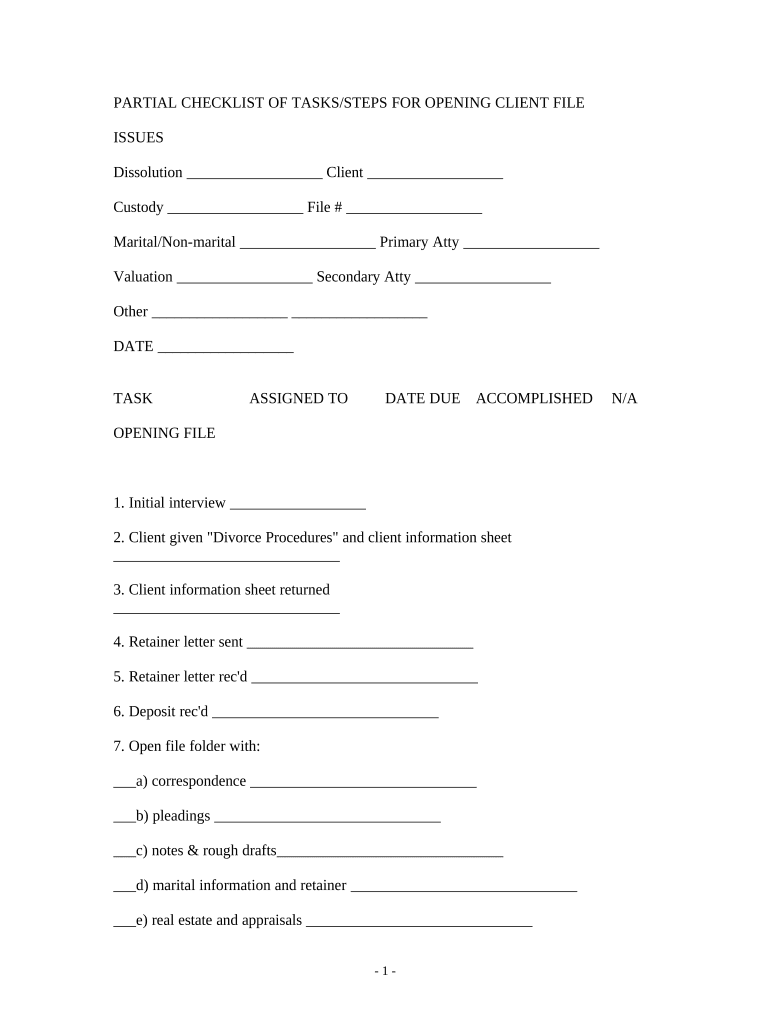
How to use or fill out checklist opening file with our platform
Ease of Setup
DocHub User Ratings on G2
Ease of Use
DocHub User Ratings on G2
Click ‘Get Form’ to open the checklist opening file in the editor.
Begin by filling in the top section, including client details such as 'Client Name', 'File Number', and 'Primary Attorney'. This ensures that all relevant information is easily accessible.
Proceed to the 'TASK' section. Here, you can assign tasks to team members by entering their names next to each task. Set due dates and mark tasks as accomplished when completed.
In the subsequent sections, such as 'PETITION' and 'SERVICE', fill in the required fields systematically. Ensure that all dates and actions are recorded accurately for effective tracking.
Utilize checkboxes for items under each category (e.g., correspondence, pleadings) to keep your progress organized. This visual aid helps in monitoring what has been completed.
Start using our platform today for free and streamline your document management process!
Develop kitchen-opening checklist for all departments: open, close managers. Document and train management and staff. Organize orientation materials.Read more
Before you file: ❒ If Emergency case opening, review the instructions on the Emergency Filings page. ❒ Review the Attorneys Guide to Opening a Civil Case.Read more
Jan 9, 2026 Keep it open and you have the full context and sequence. Close it and you lose that state. So leave it open. Treat it like an open file.Read more
Cookie consent notice
This site uses cookies to enhance site navigation and personalize your experience.
By using this site you agree to our use of cookies as described in our Privacy Notice.
You can modify your selections by visiting our Cookie and Advertising Notice.