Authorization social 2026

Get Form
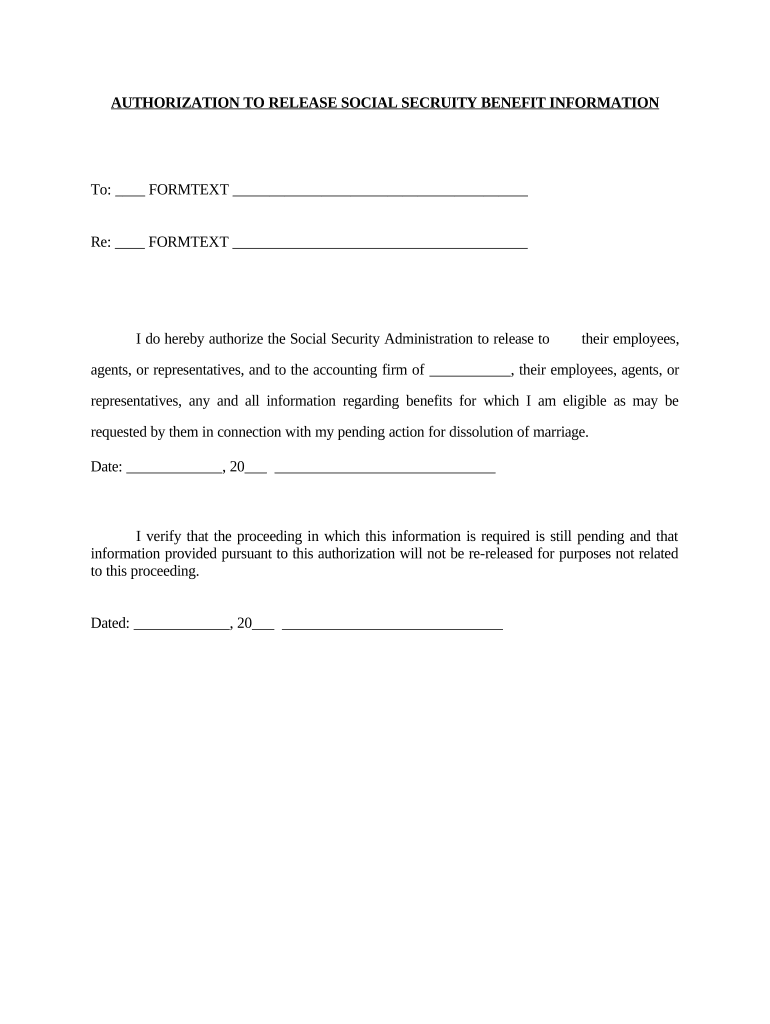
authorization social Preview on Page 1

Here's how it works

01. Edit your form online
Type text, add images, blackout confidential details, add comments, highlights and more.
02. Sign it in a few clicks
Draw your signature, type it, upload its image, or use your mobile device as a signature pad.
03. Share your form with others
Send it via email, link, or fax. You can also download it, export it or print it out.

How to use or fill out authorization social with our platform

Form edit decoration
9.5
Ease of Setup
DocHub User Ratings on G2
9.0
Ease of Use
DocHub User Ratings on G2
  1. Click ‘Get Form’ to open the authorization social document in the editor.
  2. In the first section, fill in the name of the entity or individual to whom you are authorizing the release of information. This is crucial for ensuring that your request is directed appropriately.
  3. Next, specify the accounting firm’s name in the designated field. This identifies who will receive your Social Security benefit information.
  4. Enter the date on which you are completing this authorization. This helps establish a timeline for your request.
  5. Sign and date the form at the bottom to validate your authorization. Ensure that both dates reflect when you are signing and submitting this document.
  6. Review all filled sections for accuracy before finalizing your document. Our platform allows you to make edits easily if needed.

Start using our platform today to streamline your document editing and signing process for free!

be ready to get more

Complete this form in 5 minutes or less

Get form

Got questions?

We have answers to the most popular questions from our customers. If you can't find an answer to your question, please contact us.
Contact us

Of course, you’ll find many different applications for this on the web. However, if you need to eSign your authorization social without installing additional software, DocHub is the optimum choice you can make. This robust editor works on mobile devices just like on desktops. Open our editor in any internet browser, register or sign in to your account, and start managing your documents.

You can find the latest and most relevant version of the authorization social in our DocHub forms collection. Search it by categories or use the search field to locate the exact template that fits your situation. You can open this form for editing once you find it.

Social authentication uses existing accounts (Google, Facebook, etc.) to simplify login, eliminating the need for new credentials. OAuth 2.0 and OpenID Connect protocols form the foundation of secure social authentication implementation.
Work authorization can be a result of your immigration status, or you may need to apply for work authorization separately through the United States Citizenship and Immigration Service (USCIS). After receiving work authorization, you will need a work authorized SSN that your employer will use to report your wages.
Retirement benefits. Social Security Disability Insurance (SSDI) Supplemental Security Income (SSI) Benefits for spouses and other survivors of a family member who has died.

Security and compliance

At DocHub, your data security is our priority. We follow HIPAA, SOC2, GDPR, and other standards, so you can work on your documents with confidence.

Learn more
ccpa2
pci-dss
gdpr-compliance
hipaa
soc-compliance

People also ask

If USCIS approves your application, you will receive your Employment Authorization Document (EAD), also known as the USCIS I-766 card or work permit. We will mail your SSN card separately to the address you listed on your application. You should receive your SSN card no later than 14 days after receiving your EAD.
Generally, only noncitizens authorized to work in the United States by the Department of Homeland Security (DHS) can get an SSN. Employers use an SSN to report your wages to the government and to determine eligibility for Social Security benefits.

Related links