Type text, add images, blackout confidential details, add comments, highlights and more.
02. Sign it in a few clicks
Draw your signature, type it, upload its image, or use your mobile device as a signature pad.
03. Share your form with others
Send it via email, link, or fax. You can also download it, export it or print it out.
How to use or fill out summons means with our platform
Ease of Setup
DocHub User Ratings on G2
Ease of Use
DocHub User Ratings on G2
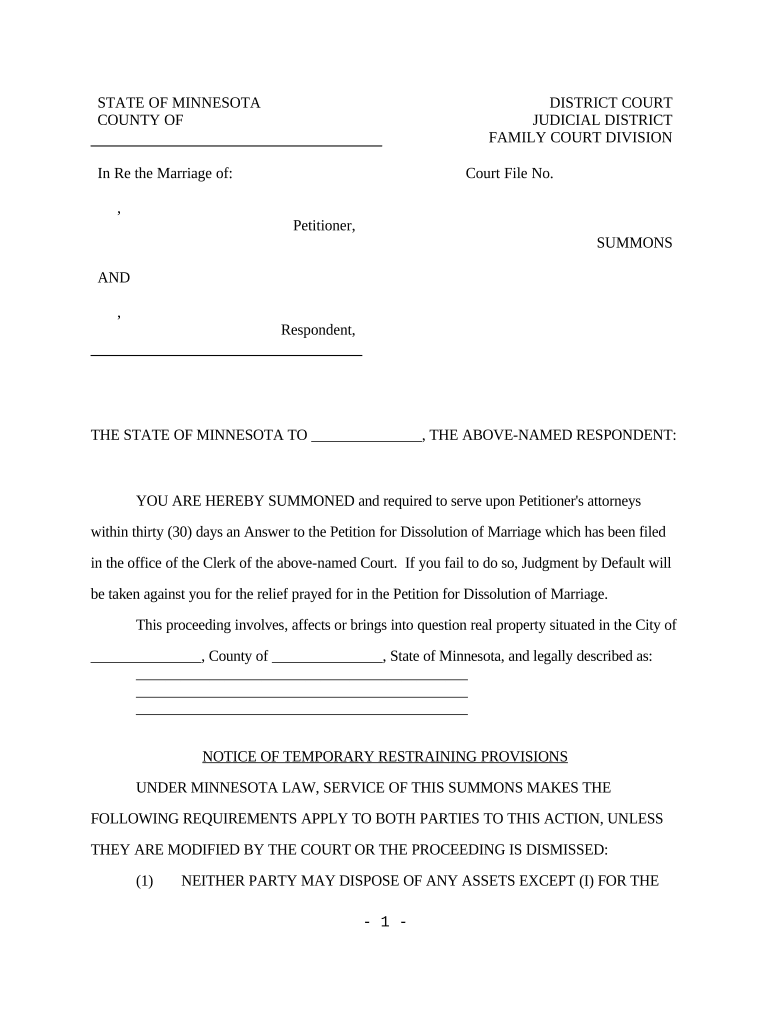
Click ‘Get Form’ to open the summons means document in the editor.
Begin by filling in the 'Petitioner' and 'Respondent' sections with the appropriate names. Ensure accuracy as these details are crucial for court proceedings.
Enter the 'Court File No.' and relevant county information. This helps in identifying your case within the judicial system.
In the section regarding real property, provide a detailed description of the property involved in the case, including its location and legal description.
Review the temporary restraining provisions carefully. Make sure you understand them, as they apply to both parties unless modified by the court.
Finally, sign and date the document where indicated. If you have an attorney, include their information in the designated area.
Start using our platform today to fill out your summons means easily and for free!
Summons means in lawSummons means policeSummons synonymSummons notice meaningSummons me meaningHow is a court summons deliveredSummons pronunciationWhat happens at a summons hearing
Security and compliance
At DocHub, your data security is our priority. We follow HIPAA, SOC2, GDPR, and other standards, so you can work on your documents with confidence.
summons | Wex | US Law | LII / Legal Information Institute
A summons is a form prepared by the plaintiff and issued by a court that informs the defendant that they are being sued or are required to appear in court.Read more
Cookie consent notice
This site uses cookies to enhance site navigation and personalize your experience.
By using this site you agree to our use of cookies as described in our Privacy Notice.
You can modify your selections by visiting our Cookie and Advertising Notice.