




Here's how it works

01. Edit your form online
Type text, add images, blackout confidential details, add comments, highlights and more.

02. Sign it in a few clicks
Draw your signature, type it, upload its image, or use your mobile device as a signature pad.

03. Share your form with others
Send it via email, link, or fax. You can also download it, export it or print it out.
How to use or fill out discovery production document with our platform

- Click ‘Get Form’ to open the discovery production document in the editor.
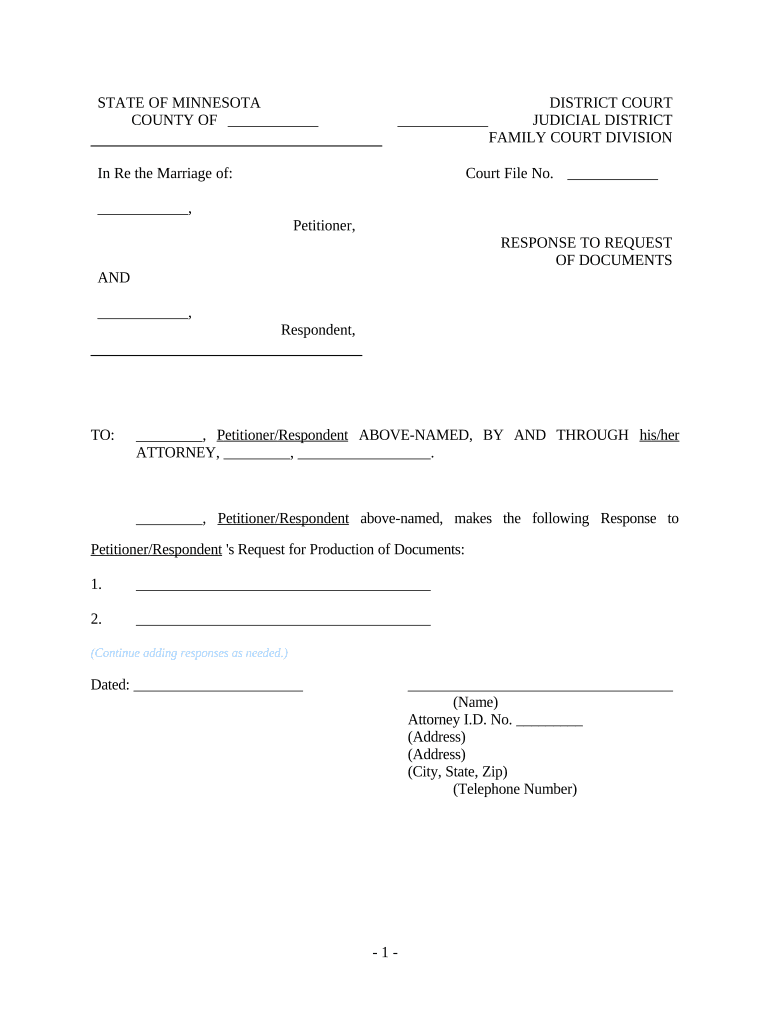
- Begin by filling in the 'COUNTY OF' and 'DISTRICT COURT' sections at the top of the form. This information is crucial for identifying the jurisdiction.
- Enter the 'Court File No.' provided by the court, ensuring accuracy to avoid any processing delays.
- In the section labeled 'In Re the Marriage of:', input the names of both parties involved in the case.
- For each request made by the opposing party, provide a detailed response in the designated areas. Use clear and concise language to ensure your responses are easily understood.
- If additional space is needed for responses, simply continue adding responses as necessary using our platform's editing tools.
- Finally, complete the document by entering your name, attorney ID number, address, and telephone number at the bottom before saving or exporting your completed form.
Start using our platform today to streamline your document editing and ensure a smooth completion process!
Fill out discovery production document online
It's free
It's free
Security and compliance
At DocHub, your data security is our priority. We follow HIPAA, SOC2, GDPR, and other standards, so you can work on your documents with confidence.
Learn more


Related forms
Bill of Sale with Warranty by Individual Seller - North Dakota
The document is a Warranty Bill of Sale from a Seller to a Purchaser in North Dakota, detailing the sale of personal pro ...


