Minnesota affidavit defendant 2026

Get Form
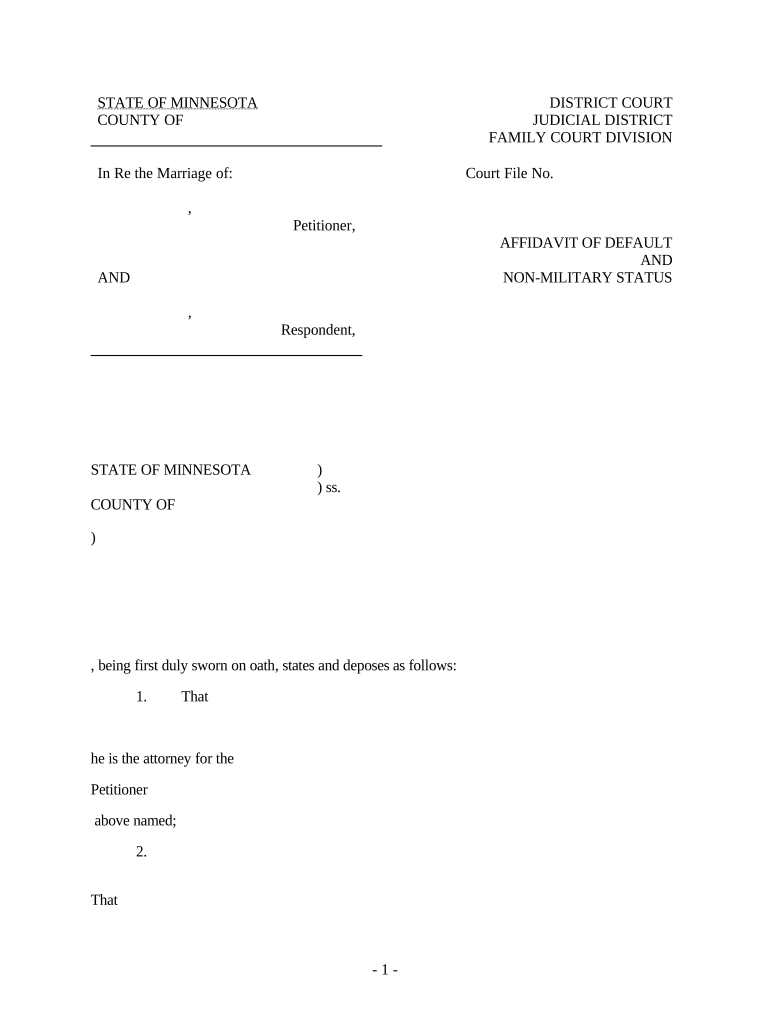
minnesota affidavit defendant Preview on Page 1

Here's how it works

01. Edit your form online
Type text, add images, blackout confidential details, add comments, highlights and more.
02. Sign it in a few clicks
Draw your signature, type it, upload its image, or use your mobile device as a signature pad.
03. Share your form with others
Send it via email, link, or fax. You can also download it, export it or print it out.

How to use or fill out Minnesota Affidavit Defendant with DocHub

Form edit decoration
9.5
Ease of Setup
DocHub User Ratings on G2
9.0
Ease of Use
DocHub User Ratings on G2
  1. Click ‘Get Form’ to open the Minnesota Affidavit of Default and Non-Military Status in our editor.
  2. Begin by entering the names of the Petitioner and Respondent in the designated fields. Ensure accuracy as these names are crucial for identification in court.
  3. Fill in the Court File Number, which is essential for referencing your case. This number can typically be found on previous court documents.
  4. In section one, indicate that you are the attorney for the Petitioner. Enter your name and title clearly.
  5. Proceed to section two, where you will confirm that the Respondent has not served an Answer or appeared in court. This is a critical statement regarding default status.
  6. In section three, document your inquiry into whether the Respondent is in military service. This ensures compliance with legal requirements.
  7. Complete sections four and five by affirming your belief about the Respondent's military status and citing relevant laws.
  8. Finally, add your signature, date, and contact information at the bottom of the form. Don’t forget to have it notarized as indicated.

Start using our platform today to fill out your Minnesota Affidavit effortlessly and for free!

be ready to get more

Complete this form in 5 minutes or less

Get form

Got questions?

We have answers to the most popular questions from our customers. If you can't find an answer to your question, please contact us.
Contact us
358.116 COURT DOCUMENTS. Unless specifically required by court rule, a pleading, motion, affidavit, or other document filed with a court of the Minnesota judicial branch, or presented to a judge or judicial officer in support of a request for a court order, warrant, or other relief, is not required to be docHubd.
Notary. In California, affidavits are signed in the presence of a notary. The notary provides certification that the affiant or deponent, if the affidavit was part of a deposition, signed the document in front of the notary, and that the signer did so in person.
An affidavit is a sworn statement a person makes before a notary or officer of the court outside of the court asserting that certain facts are true to the best of that persons knowledge. Affidavits by both plaintiff/prosecutor and defense witnesses are usually collected in preparation for a trial.
An affidavit of defense allows a defendant to present a defense in their absence. It must clearly state the grounds for defense to be effective. Different states may have specific requirements for filing.
Rule 69. Execution Process to enforce a judgment for the payment of money shall be a writ of execution, unless the court directs otherwise.

Security and compliance

At DocHub, your data security is our priority. We follow HIPAA, SOC2, GDPR, and other standards, so you can work on your documents with confidence.

Learn more
ccpa2
pci-dss
gdpr-compliance
hipaa
soc-compliance