Minnesota acknowledgment 2026

Get Form
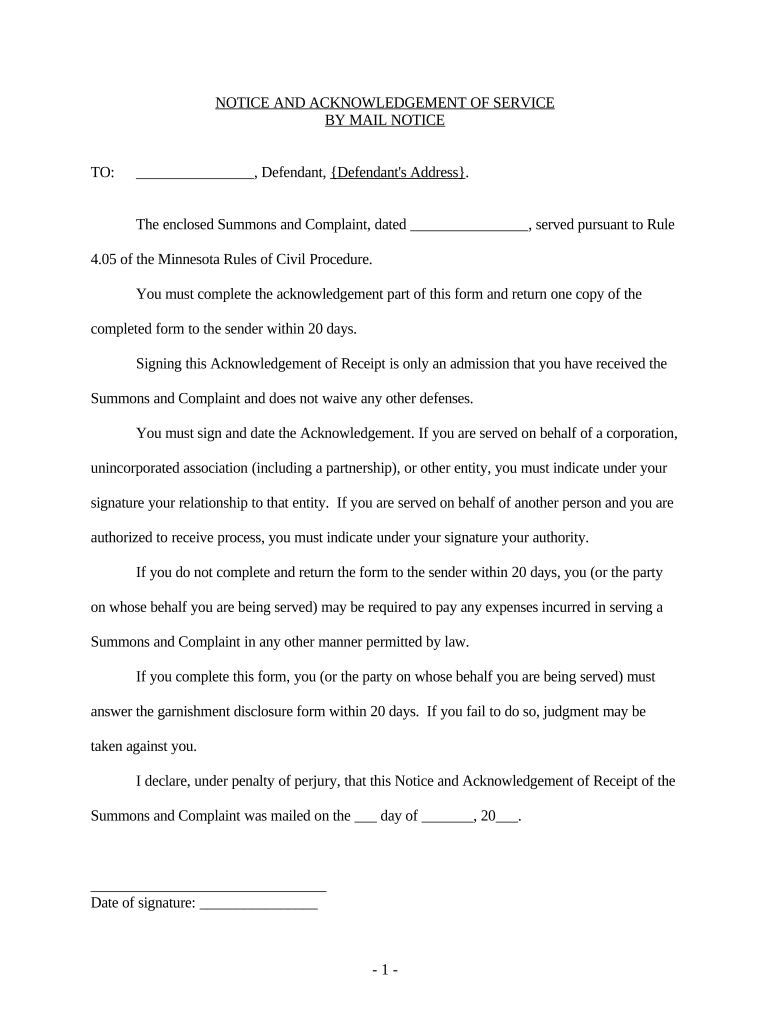
minnesota acknowledgment Preview on Page 1

Here's how it works

01. Edit your form online
Type text, add images, blackout confidential details, add comments, highlights and more.
02. Sign it in a few clicks
Draw your signature, type it, upload its image, or use your mobile device as a signature pad.
03. Share your form with others
Send it via email, link, or fax. You can also download it, export it or print it out.

How to use or fill out Minnesota Acknowledgment with DocHub

Form edit decoration
9.5
Ease of Setup
DocHub User Ratings on G2
9.0
Ease of Use
DocHub User Ratings on G2
  1. Click ‘Get Form’ to open the Minnesota Acknowledgment in our editor.
  2. Begin by entering the Defendant's name and address in the designated fields. Ensure accuracy as this information is crucial for legal purposes.
  3. In the section for the date, input the date when you received the Summons and Complaint. This helps establish a timeline for your response.
  4. Sign and date the Acknowledgment of Receipt. If you are signing on behalf of an entity, clearly indicate your relationship to that entity under your signature.
  5. If applicable, specify your authority to receive service of process if you are acting on behalf of another person.
  6. Review all entered information for accuracy before submitting. Once confirmed, return one copy of the completed form to the sender within 20 days.

Start using our platform today to streamline your document editing and signing process for free!

be ready to get more

Complete this form in 5 minutes or less

Get form

Got questions?

We have answers to the most popular questions from our customers. If you can't find an answer to your question, please contact us.
Contact us
Each state has different requirements for the wording on a notarial certificate. In most states, the notarial certificate must contain the venue, the words acknowledged before me, a statement that the signer executed the instrument for the purposes stated therein, and the notarys signature and seal.
A notarized document can become invalid due to clerical errors, missing signatures, or improper notary procedures. Mistakes like failing to verify the signers identity with a government-issued ID, inaccuracies in critical details, or missing signatures can compromise a documents integrity.
A notary public is liable for all damages caused by his or her errors, omissions, improper notarizations, or negligence in the performance of a notarial act even if such actions were made inadvertently.
Here are the top twelve most common errors made by notaries: Making an Illegible Notary Stamp Impression. Improper Storage of Your Notary Stamp and Journal. Not Determining the Signers Competency and Willingness to Sign. Notarizing for Close Relatives. Failing to Remain Properly Trained.
One of the most common mistakes that notaries make is not printing or signing their name exactly as it appears on their notary commission.

Security and compliance

At DocHub, your data security is our priority. We follow HIPAA, SOC2, GDPR, and other standards, so you can work on your documents with confidence.

Learn more
ccpa2
pci-dss
gdpr-compliance
hipaa
soc-compliance

People also ask

A signature witnessing doesnt require the signer to make a verbal declaration. When performing an acknowledgment, a customer must verbally acknowledge that he or she signed the document.
Understanding Notary Acknowledgement Notary Acknowledgement. This type of acknowledgement is used to verify the identity of the signer and confirm that they have willingly signed the document. Jurat. A jurat is a type of notarization that requires the signer to swear or affirm the truthfulness of the documents contents.

Related links