Type text, add images, blackout confidential details, add comments, highlights and more.
02. Sign it in a few clicks
Draw your signature, type it, upload its image, or use your mobile device as a signature pad.
03. Share your form with others
Send it via email, link, or fax. You can also download it, export it or print it out.
How to use or fill out Michigan Note with our platform
Ease of Setup
DocHub User Ratings on G2
Ease of Use
DocHub User Ratings on G2
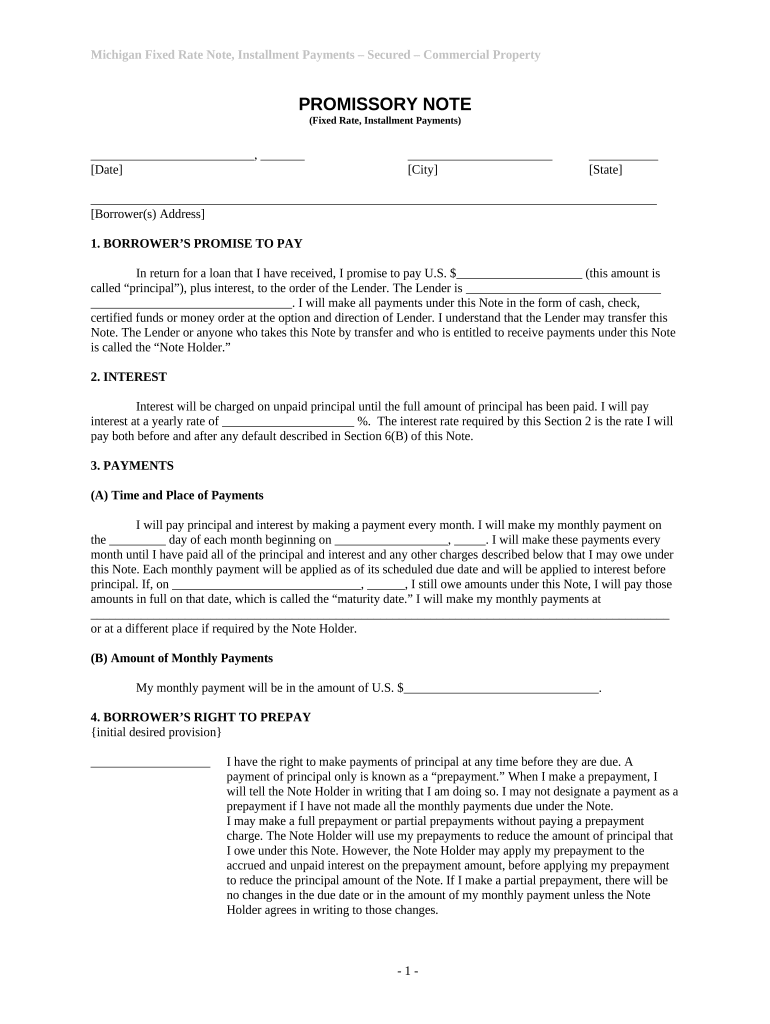
Click ‘Get Form’ to open the Michigan Note in the editor.
Begin by entering the date and city where the note is being executed at the top of the form.
Fill in your address as the Borrower(s) in the designated section, ensuring accuracy for future correspondence.
In Section 1, specify the principal amount you are borrowing and identify the Lender's name clearly.
Proceed to Section 2 to enter the annual interest rate that will apply to your loan.
In Section 3, indicate your monthly payment amount and specify when payments will begin. Ensure you also provide a payment location if different from what is stated.
Review Sections 4 through 10 carefully, filling in any necessary details regarding prepayment rights, loan charges, and obligations under this note.
Start using our platform today for free to complete your Michigan Note efficiently!
Cookie consent notice
This site uses cookies to enhance site navigation and personalize your experience.
By using this site you agree to our use of cookies as described in our Privacy Notice.
You can modify your selections by visiting our Cookie and Advertising Notice.