Type text, add images, blackout confidential details, add comments, highlights and more.
02. Sign it in a few clicks
Draw your signature, type it, upload its image, or use your mobile device as a signature pad.
03. Share your form with others
Send it via email, link, or fax. You can also download it, export it or print it out.
How to use or fill out nc will form with our platform
Ease of Setup
DocHub User Ratings on G2
Ease of Use
DocHub User Ratings on G2
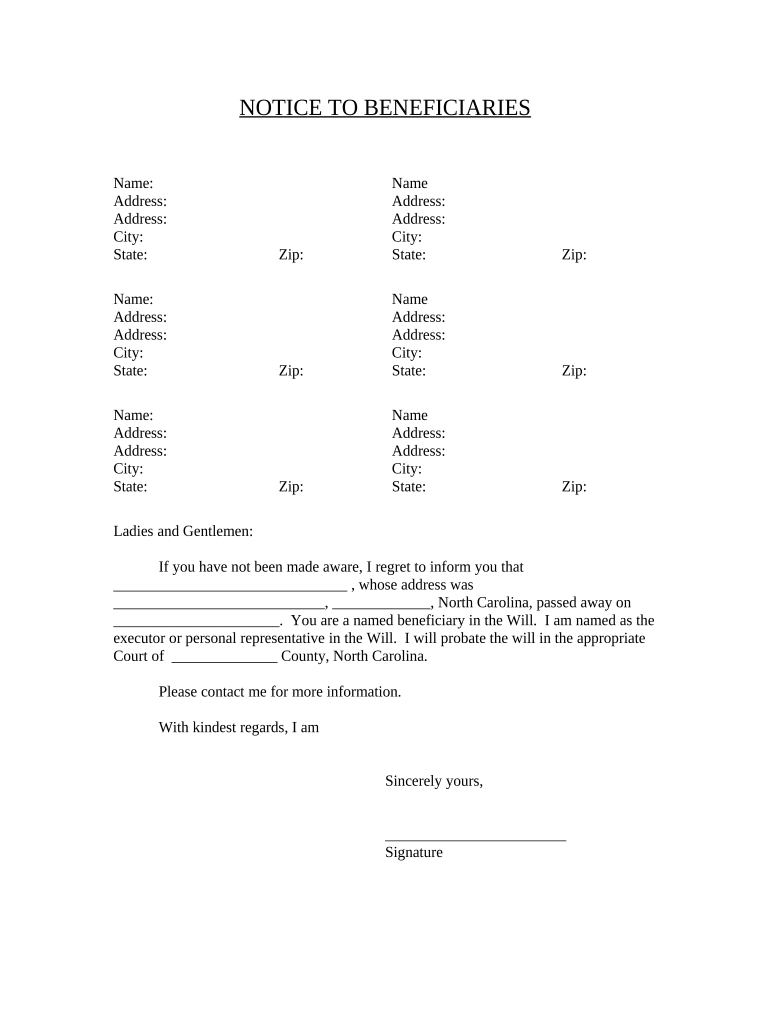
Click ‘Get Form’ to open the nc will form in the editor.
Begin by filling in your name and address in the designated fields. Ensure accuracy as this information is crucial for identification.
Next, enter the details of the deceased, including their name and last known address. This section is vital for notifying beneficiaries.
In the 'Beneficiaries' section, list all named beneficiaries along with their addresses. If any addresses are unknown, leave those fields blank but ensure you note them down.
Complete the date of death and probate court information accurately to avoid any legal complications.
Finally, sign the document where indicated. You can easily add your signature using our platform’s signing feature.
Start using our platform today to fill out your nc will form online for free!
Printable nc will formPrintable NC Last Will and Testament form PDFNc will form pdfFree printable nc will formFree nc will formLast will and testament NCNc estate forms onlinePrintable NC Estate forms
Security and compliance
At DocHub, your data security is our priority. We follow HIPAA, SOC2, GDPR, and other standards, so you can work on your documents with confidence.
WILLS FORMS NC Statutes: NCGS 29-13, 14, 15, 16 30
(a) A will shall not be revoked by the subsequent birth of a child to the testator, or by the subsequent adoption of a child by the testator, or by theRead more
This template is for creating form calculators in a standardised way. This implements the syntax of Vampire Survivors Wiki:Calculators/Form calculators as a
Cookie consent notice
This site uses cookies to enhance site navigation and personalize your experience.
By using this site you agree to our use of cookies as described in our Privacy Notice.
You can modify your selections by visiting our Cookie and Advertising Notice.