Type text, add images, blackout confidential details, add comments, highlights and more.
02. Sign it in a few clicks
Draw your signature, type it, upload its image, or use your mobile device as a signature pad.
03. Share your form with others
Send it via email, link, or fax. You can also download it, export it or print it out.
How to use or fill out North Carolina Will with our platform
Ease of Setup
DocHub User Ratings on G2
Ease of Use
DocHub User Ratings on G2
Click ‘Get Form’ to open the North Carolina Will in the editor.
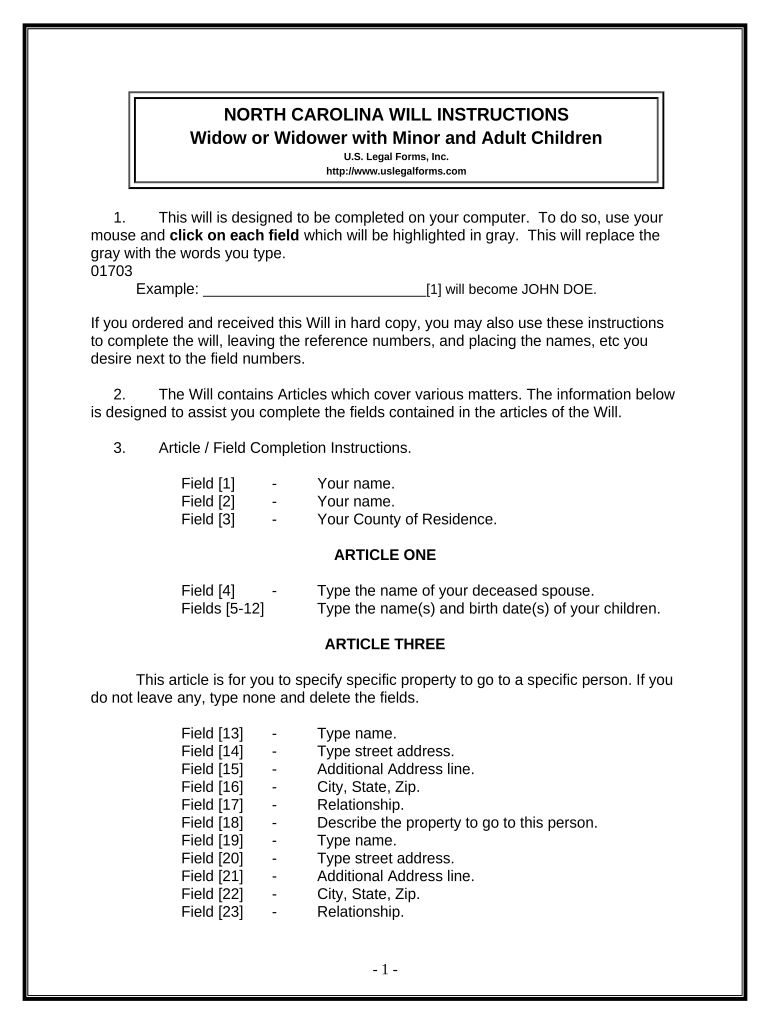
Begin by entering your name in Field [1] and your county of residence in Field [3].
In Article One, specify the name of your deceased spouse and list your children along with their birth dates in Fields [4] to [12].
For Article Three, detail any specific property you wish to bequeath. Fill in the names, addresses, relationships, and descriptions of property for each beneficiary in Fields [13] to [30]. If no property is to be left, type 'none'.
Continue through Articles Four to Ten, filling out information regarding your homestead, remaining property, trustees for minor beneficiaries, guardianship for minors, and personal representatives as needed.
Once all fields are completed, review your entries carefully. Print the document and sign it in front of two witnesses.
Start using our platform today for free to create your North Carolina Will effortlessly!
North carolina will templateNorth carolina will pdfNorth carolina will template freeNc wills and estates searchPrintable nc will templateIs a will public record in ncLetter of testamentary ncHow much does an estate have to be worth to go to probate in nc
Security and compliance
At DocHub, your data security is our priority. We follow HIPAA, SOC2, GDPR, and other standards, so you can work on your documents with confidence.
North Carolina Authorizes a New Kind of Will - On the Civil Side
Oct 10, 2025 On January 1, 2026, a new kind of will can be offered for probate in North Carolina. Session Law 2025-33, Part VIII adds a new Article 11 toRead more
Cookie consent notice
This site uses cookies to enhance site navigation and personalize your experience.
By using this site you agree to our use of cookies as described in our Privacy Notice.
You can modify your selections by visiting our Cookie and Advertising Notice.