North carolina deed 2026

Get Form
north carolina deed Preview on Page 1

Here's how it works

01. Edit your form online
Type text, add images, blackout confidential details, add comments, highlights and more.

02. Sign it in a few clicks
Draw your signature, type it, upload its image, or use your mobile device as a signature pad.

03. Share your form with others
Send it via email, link, or fax. You can also download it, export it or print it out.

How to use or fill out North Carolina Deed with our platform

Form edit decoration
9.5
Ease of Setup
DocHub User Ratings on G2
9.0
Ease of Use
DocHub User Ratings on G2
  1. Click ‘Get Form’ to open the North Carolina Deed in the editor.
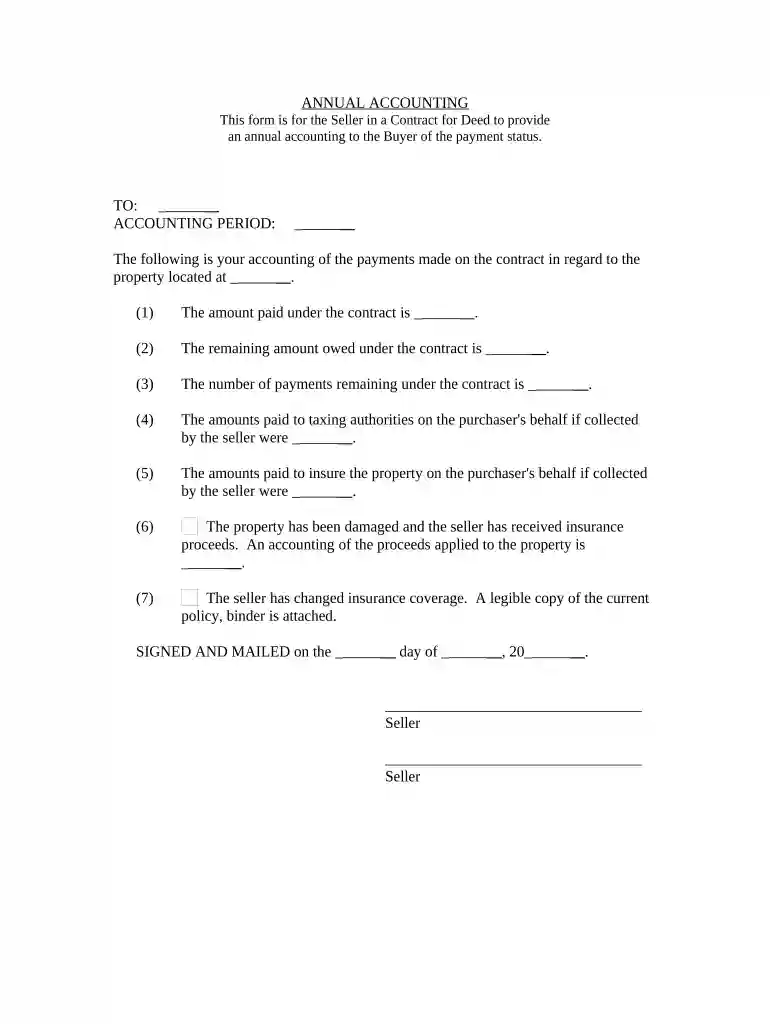
  2. Begin by entering the names of the parties involved in the transaction. This includes both the Seller and Buyer, ensuring accuracy for legal purposes.
  3. Fill in the accounting period at the top of the form. This specifies the timeframe for which you are providing an accounting of payments.
  4. In section (1), input the total amount paid under the contract. This reflects what has been received from the Buyer.
  5. For section (2), indicate the remaining amount owed under the contract, which is crucial for transparency.
  6. Complete section (3) by noting how many payments are left on the contract, helping both parties keep track of obligations.
  7. If applicable, fill out sections (4) and (5) regarding amounts paid to taxing authorities and insurance on behalf of the Buyer.
  8. In section (6), provide details about any insurance proceeds received due to property damage, ensuring clarity on financial matters.
  9. Attach a legible copy of any current insurance policy as mentioned in section (7).
  10. Finally, sign and date at the bottom of the form before sending it to ensure it is legally binding.

Start using our platform today to streamline your document editing and signing process for free!

be ready to get more

Complete this form in 5 minutes or less

Get form

Got questions?

We have answers to the most popular questions from our customers. If you can't find an answer to your question, please contact us.
Contact us
Deeds are filed with the county Register of Deeds office. To look at a deed you can: Go to your Register of Deeds Office and look at the document there.
0:11 1:16 And made them available. Online start by visiting your county clerks website and search for land.MoreAnd made them available. Online start by visiting your county clerks website and search for land. Records. You can also try using a thirdparty website like countyoff.org.
Official Search ROD Form 11 Tailte ireann provides certified search results from the Registry of Deeds records known as an Official Search on receipt of completed application form and payment of fee. The fee is 20 per name, for each specified lands or premises, for each period of ten years or part thereof.
Quick Tips to Locate a Vehicle Registration on myNCDMV Log in to myDMV with your Driver License/ID, last 4 of SSN and date of birth. Select Vehicles choose your vehicle. Click Title Lien, then grab the last five characters.
Can I prepare my own deed and have it recorded? North Carolina law allows you to prepare a Deed of Conveyance for any real property to which you have legal title. However, the conveyance of real property is a legal matter that should be given under and with the advise of legal counsel.

Security and compliance

At DocHub, your data security is our priority. We follow HIPAA, SOC2, GDPR, and other standards, so you can work on your documents with confidence.

Learn more
ccpa2
pci-dss
gdpr-compliance
hipaa
soc-compliance

People also ask

To look at a deed you can: Go to your Register of Deeds Office and look at the document there. Find your Register of Deeds in: Your phone book under county government.

Related links