Petition district court 2026

Get Form
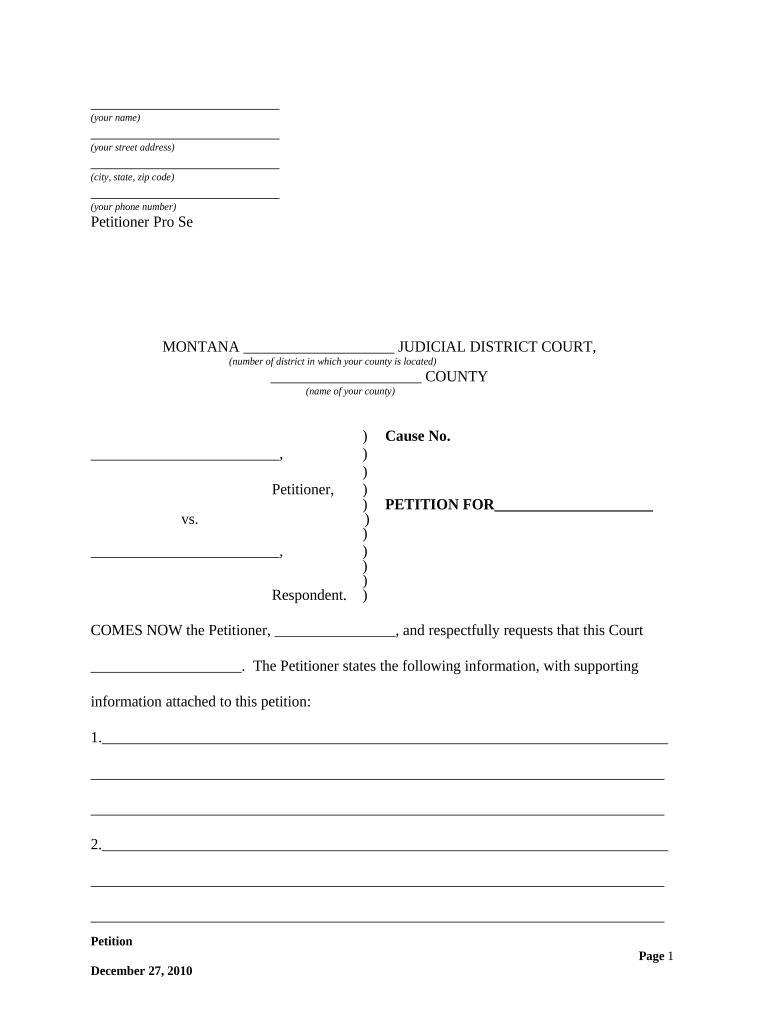
petition district court Preview on Page 1

Here's how it works

01. Edit your form online
Type text, add images, blackout confidential details, add comments, highlights and more.
02. Sign it in a few clicks
Draw your signature, type it, upload its image, or use your mobile device as a signature pad.
03. Share your form with others
Send it via email, link, or fax. You can also download it, export it or print it out.

How to use or fill out petition district court with our platform

Form edit decoration
9.5
Ease of Setup
DocHub User Ratings on G2
9.0
Ease of Use
DocHub User Ratings on G2
  1. Click ‘Get Form’ to open the petition district court document in the editor.
  2. Begin by entering your name, street address, city, state, and zip code in the designated fields at the top of the form.
  3. Provide your phone number and indicate that you are representing yourself as 'Petitioner Pro Se'.
  4. Fill in the judicial district and county information where your case will be filed.
  5. In the section labeled 'Cause No.', leave space for the court to assign a case number once filed.
  6. Clearly state the purpose of your petition in the 'PETITION FOR' section, ensuring it is concise and specific.
  7. List supporting information in numbered paragraphs, providing detailed explanations for each point you wish to present to the court.
  8. Conclude by stating what you respectfully ask from the court in a clear manner, listing each request numerically.
  9. Sign and print your name at the bottom of the form, along with the date of signing.
  10. If required, complete the notary section by having a notary public witness your signature and provide their details.

Start using our platform today to fill out your petition district court form online for free!

be ready to get more

Complete this form in 5 minutes or less

Get form

Got questions?

We have answers to the most popular questions from our customers. If you can't find an answer to your question, please contact us.
Contact us
What happens if the petition for review is granted? If the court grants review, the parties will be permitted to file briefs on the merits. The court may specify which issues should be briefed and argued, and may even direct the parties to address additional issues not raised by the petition to review (see Cal.
When a petition is filed, the plaintiff and the defendant are given the opportunity to settle the case privately or to use an alternative dispute resolution (ADR) process rather than go to trial. The court may also provide a summary judgment. If the case goes to trial, the judge will ultimately issue a verdict.
In some circumstances, you file a petition or a motion. The court has several complaint forms that you may use in drafting your complaint. The forms are available online and at the Pro Se Intake Unit. You may also write your own complaint without using a court form.
Create or sign a petition that asks for a change to the law or to government policy. After 10,000 signatures, petitions get a response from the government. After 100,000 signatures, petitions are considered for debate in Parliament.
The format which a petition should take is very important since its presentation will allow the court to clearly understand the details. Title and Heading. Introduction and Background. Statement of Facts. Legal Grounds for the Petition. Prayer for Relief. Verification and Signature.

Security and compliance

At DocHub, your data security is our priority. We follow HIPAA, SOC2, GDPR, and other standards, so you can work on your documents with confidence.

Learn more
ccpa2
pci-dss
gdpr-compliance
hipaa
soc-compliance