



01. Edit your insurance health online
Type text, add images, blackout confidential details, add comments, highlights and more.

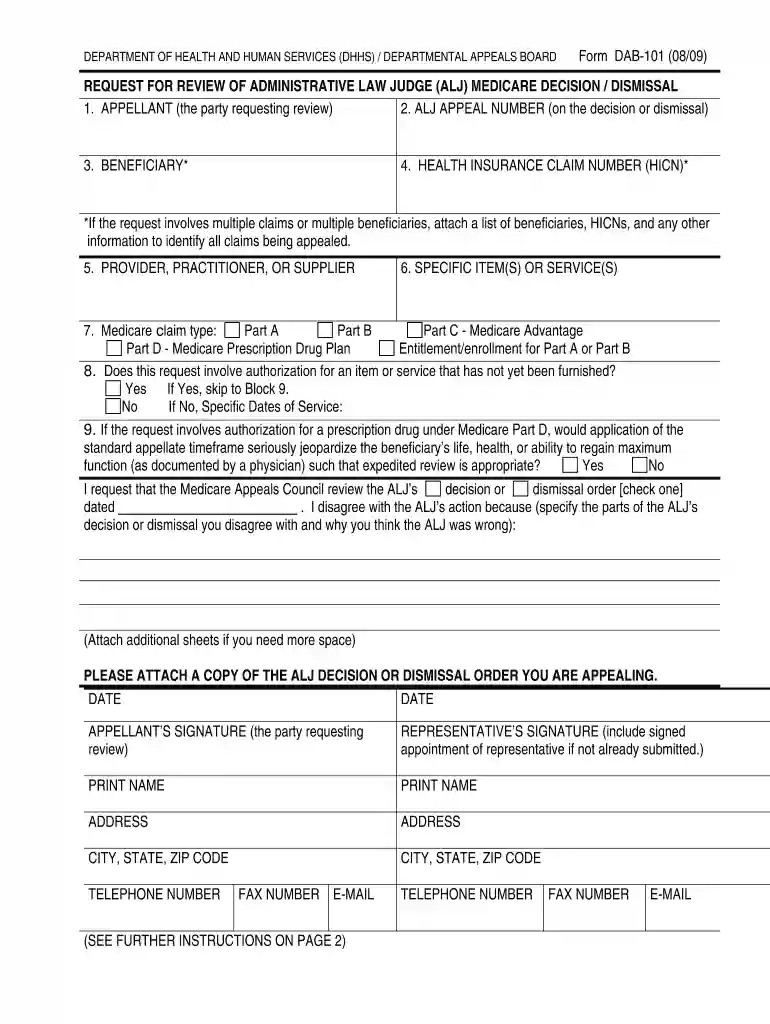
Type text, add images, blackout confidential details, add comments, highlights and more.

Draw your signature, type it, upload its image, or use your mobile device as a signature pad.

Send support government via email, link, or fax. You can also download it, export it or print it out.

Start using our platform today to streamline your appeals process effortlessly!
We've got more versions of the insurance health form. Select the right insurance health version from the list and start editing it straight away!
| Versions | Form popularity | Fillable & printable |
|---|---|---|
| 2009 | 4.9 Satisfied (44 Votes) |
A lot of software applications are available on the market for document modifying and signing. DocHub is one of the most widely used online solutions that comply with all data protection and compliance requirements and ensures your electronically signed documentation is legally enforceable. All you need to try it out is to sign up for an account, add your 101 request, provide the required details, and click Sign. Create your eSignature by typing, drawing it, uploading its picture to your form, or scanning a unique QR code.
If you are looking for a state-specific health help sample, you will find it in our DocHub Forms & Templates catalog. Use the search field, key in your form’s name, and search through the results for your state. You can also filter out irrelevant results while searching our catalog by categories.
At DocHub, your data security is our priority. We follow HIPAA, SOC2, GDPR, and other standards, so you can work on your documents with confidence.
If you do not agree with the decision or order of an Administrative Law Judge (ALJ) on your claim, you may ask the Appeals Council (AC) to review the ALJ's ...
Any party to a hearing decision or dismissal may request a review of such action by the Appeals Council. This request may be made on Form HA-520, ...
Each time you submit a ballot or sign a petition, we compare those signatures to the signature on your voter registration record. We can only count your ballot ...


