Type text, add images, blackout confidential details, add comments, highlights and more.
02. Sign it in a few clicks
Draw your signature, type it, upload its image, or use your mobile device as a signature pad.
03. Share your form with others
Send it via email, link, or fax. You can also download it, export it or print it out.
How to use or fill out Last Will and Testament for other Persons - Rhode Island with our platform
Ease of Setup
DocHub User Ratings on G2
Ease of Use
DocHub User Ratings on G2
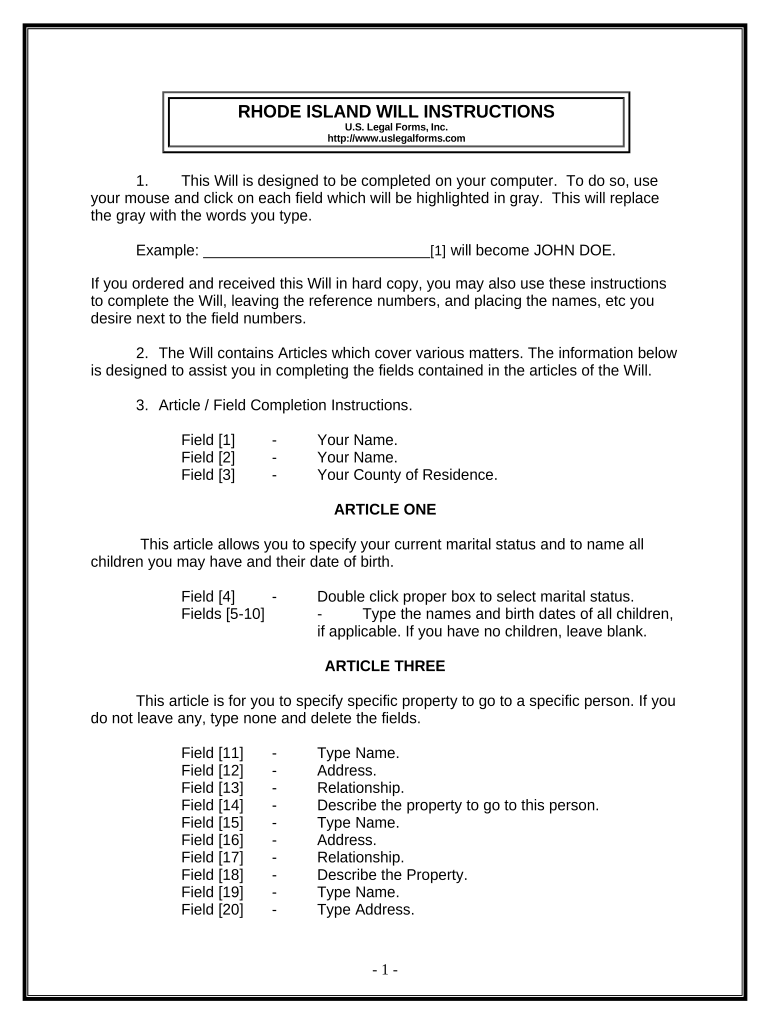
Click ‘Get Form’ to open the Last Will and Testament for other Persons - Rhode Island in the editor.
Begin by entering your name and county of residence in the designated fields. This establishes your identity as the testator.
In Article One, select your marital status and list any children along with their birth dates. If you have no children, leave that section blank.
Proceed to Article Three to specify any specific bequests. Enter the names, addresses, relationships, and descriptions of property you wish to bequeath.
In Article Four, indicate how you want your homestead distributed. Choose between leaving it to your spouse, children, or another individual.
Complete Article Five by detailing how you want the remainder of your estate distributed among beneficiaries.
If applicable, fill out Article Six regarding trusts for minor beneficiaries. Specify ages and trustee details.
Finally, appoint a personal representative in Article Seven and ensure all sections are completed before printing.
Start using our platform today to easily create your Last Will and Testament for free!
Fill out Last Will and Testament for other Persons - Rhode Island online It's free
Last will and testament for other persons rhode island templateLast will and testament for other persons rhode island sampleLast will and testament for other persons rhode island pdfLast will and testament for other persons rhode island template freeLast will and testament for other persons rhode island onlineLast will and testament for other persons rhode island freeLast will and testament for other persons rhode island costHow to make a will in Rhode Island
Security and compliance
At DocHub, your data security is our priority. We follow HIPAA, SOC2, GDPR, and other standards, so you can work on your documents with confidence.
The Future of Electronic Wills in Rhode Island After COVID-19
by CL Collins 2022 Cited by 2 INTRODUCTION. Creating a will in Rhode Island is generally an easy procedure. After some thought on how you would like your belongings to be.Read more
PC-10.11 Last Will and Testament PC-10.12 Order. Guardianship, Conservator, Custodian, and Receiver. PC-2.1 Temporary Guardianship PC-2.2 Minor GuardianshipRead more
Cookie consent notice
This site uses cookies to enhance site navigation and personalize your experience.
By using this site you agree to our use of cookies as described in our Privacy Notice.
You can modify your selections by visiting our Cookie and Advertising Notice.