Type text, add images, blackout confidential details, add comments, highlights and more.
02. Sign it in a few clicks
Draw your signature, type it, upload its image, or use your mobile device as a signature pad.
03. Share your form with others
Send it via email, link, or fax. You can also download it, export it or print it out.
How to use or fill out ri occupancy with our platform
Ease of Setup
DocHub User Ratings on G2
Ease of Use
DocHub User Ratings on G2
Click ‘Get Form’ to open the ri occupancy document in the editor.
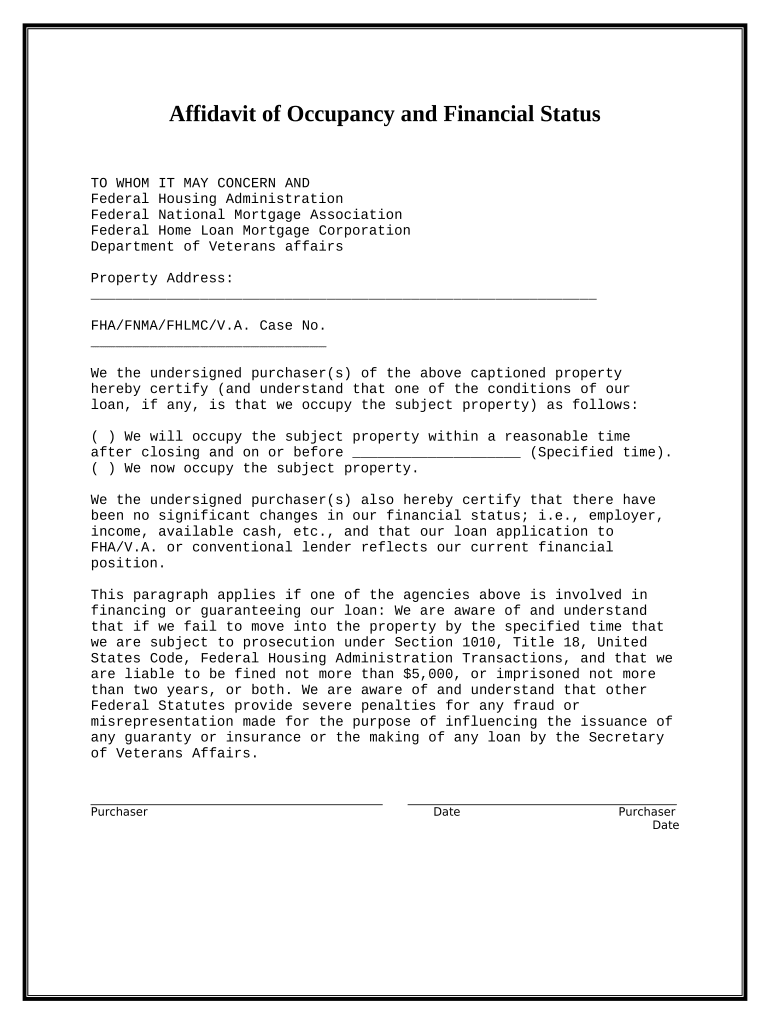
Begin by entering the property address in the designated field. Ensure accuracy as this information is crucial for your application.
Locate the section regarding your occupancy status. Choose one of the options: either indicate that you will occupy the property within a specified time or that you currently occupy it.
In the financial status section, confirm that there have been no significant changes in your employment, income, or available cash. This ensures compliance with loan conditions.
Finally, sign and date the document at the bottom. Make sure all signatures are completed before submitting.
Start using our platform today to fill out your ri occupancy form easily and for free!
510 R.I. Code R. 510-RICR-00-00-1.5 | State Regulations
This occupancy shall include buildings, structures, or parts thereof housing more than sixteen (16) persons, on a twenty-four (24) hours basis, urgical,
City of Providence Request for Certificate of Occupancy (CO)
DIS - Certificate of Occupancy Request. Please request a Certificate of Occupancy at least two weeks in advance. Requested by - Your Name:*. Your Email:*.Read more
Cookie consent notice
This site uses cookies to enhance site navigation and personalize your experience.
By using this site you agree to our use of cookies as described in our Privacy Notice.
You can modify your selections by visiting our Cookie and Advertising Notice.