Landscape Contract for Contractor - Rhode Island 2026

Get Form
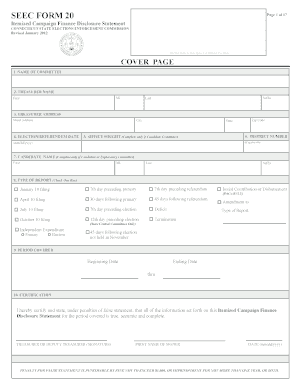
contract landscaping Preview on Page 1

Here's how it works

01. Edit your contract landscaping online
Type text, add images, blackout confidential details, add comments, highlights and more.
02. Sign it in a few clicks
Draw your signature, type it, upload its image, or use your mobile device as a signature pad.
03. Share your form with others
Send it via email, link, or fax. You can also download it, export it or print it out.

How to use or fill out Landscape Contract for Contractor - Rhode Island

Form edit decoration
9.5
Ease of Setup
DocHub User Ratings on G2
9.0
Ease of Use
DocHub User Ratings on G2
  1. Click ‘Get Form’ to open it in the editor.
  2. Begin by entering the Contractor's name and address in the designated fields at the top of the contract.
  3. Next, fill in the Owner's name and address. This establishes who is entering into the agreement.
  4. In the 'SCOPE OF WORK' section, detail the specific tasks and materials required for your landscaping project. Be sure to include any drawings or specifications that are part of this contract.
  5. Complete the 'WORK SITE' section with the property address where work will be performed.
  6. Specify start and completion dates in the 'TIME OF COMPLETION' section to set clear expectations.
  7. Fill out insurance details and permit requirements as outlined in their respective sections.
  8. Finally, review all entries for accuracy before signing. Ensure both parties sign and date at the bottom of the document.

Start using our platform today to easily complete your Landscape Contract for Contractor - Rhode Island!

be ready to get more

Complete this form in 5 minutes or less

Get form

Got questions?

We have answers to the most popular questions from our customers. If you can't find an answer to your question, please contact us.
Contact us

Yes, a typed name is recognized as a valid electronic signature when you create it on your paperwork utilizing a compliant solution like DocHub. Simply import your Landscape Contract for Contractor - Rhode Island to our editor, click Sign in the top tool pane → Create your signature → Type your name in the proper tab, and select how it will appear on your document.

Document editing with DocHub is equally convenient on desktop and mobile devices. You just need an internet browser to edit your Landscape Contract for Contractor - Rhode Island on Android. Open our site and sign in to access the instruments you require. Add your document and introduce your intended modifications. Next, you can keep your form in your document storage or send it out instantly.

A solid contract should include the following elements: Parties involved. Write the names of the customer and the landscaper. Services. Write a detailed description of the landscaping services requested. Pricing. Outline the cost of the services. Timeline. Termination clause. Insurance. Confidentiality. Governing law.
These contracts outline the specific maintenance services to be provided, including lawn care, pruning, weeding, mulching, fertilizing, irrigation system checks, pest control, and seasonal clean-up tasks, the frequency of service visits whether they are weekly, bi-weekly, monthly, or seasonally, depending on the needs
What are the legal considerations when canceling a landscaping contract? Check your contracts termination clause. Know your state laws regarding service contract termination. Understand potential bdocHub of contract risks. Document everything to protect your business.

Security and compliance

At DocHub, your data security is our priority. We follow HIPAA, SOC2, GDPR, and other standards, so you can work on your documents with confidence.

Learn more
ccpa2
pci-dss
gdpr-compliance
hipaa
soc-compliance
be ready to get more

Complete this form in 5 minutes or less

Get form