Type text, add images, blackout confidential details, add comments, highlights and more.
02. Sign it in a few clicks
Draw your signature, type it, upload its image, or use your mobile device as a signature pad.
03. Share your form with others
Send it via email, link, or fax. You can also download it, export it or print it out.
How to use or fill out pa title 49 with our platform
Ease of Setup
DocHub User Ratings on G2
Ease of Use
DocHub User Ratings on G2
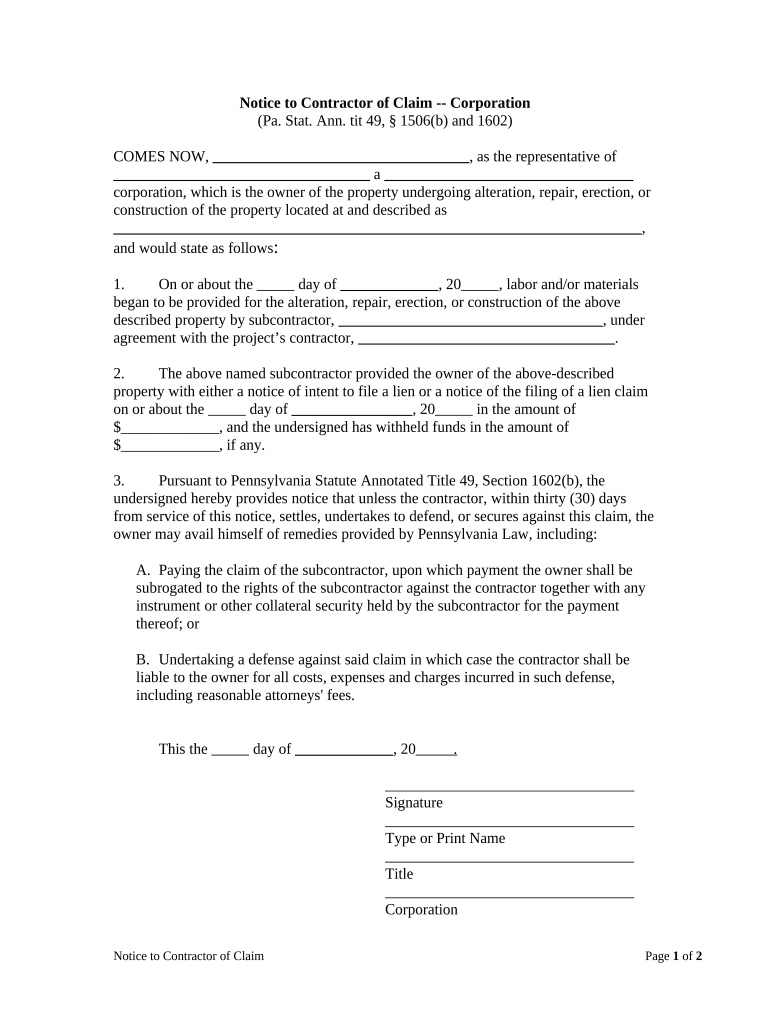
Click ‘Get Form’ to open the PA Title 49 document in the editor.
Begin by filling in your name as the representative of the corporation at the top of the form. Ensure accuracy for legal purposes.
Next, provide the name and type of your corporation, along with the property address where construction is taking place.
In section one, indicate the date when labor and/or materials were first provided by the subcontractor. Include their name and the contractor's name as well.
For section two, enter the date you received a notice of intent to file a lien from the subcontractor, along with any amounts withheld.
In section three, review Pennsylvania Statute Annotated Title 49, Section 1602(b) for compliance. Fill in any necessary dates and ensure all signatures are completed before submission.
Finally, complete the Certificate of Delivery section by certifying how you delivered this notice to ensure proper documentation.
Start using our platform today to fill out your PA Title 49 form easily and for free!
49 Pa. Code 5.18 - Reporting of other licenses, certificates
(1) A license, certificate or other authorization to practice a profession issued, denied or limited by another state, territory or possession of the UnitedRead more
Cookie consent notice
This site uses cookies to enhance site navigation and personalize your experience.
By using this site you agree to our use of cookies as described in our Privacy Notice.
You can modify your selections by visiting our Cookie and Advertising Notice.