Oregon disability benefits 2026

Get Form
how to apply for temporary disability in oregon Preview on Page 1

Here's how it works

01. Edit your how to apply for temporary disability in oregon online
Type text, add images, blackout confidential details, add comments, highlights and more.
02. Sign it in a few clicks
Draw your signature, type it, upload its image, or use your mobile device as a signature pad.
03. Share your form with others
Send filing for disability in oregon via email, link, or fax. You can also download it, export it or print it out.

How to use or fill out Oregon Disability Benefits with our platform

Form edit decoration
9.5
Ease of Setup
DocHub User Ratings on G2
9.0
Ease of Use
DocHub User Ratings on G2
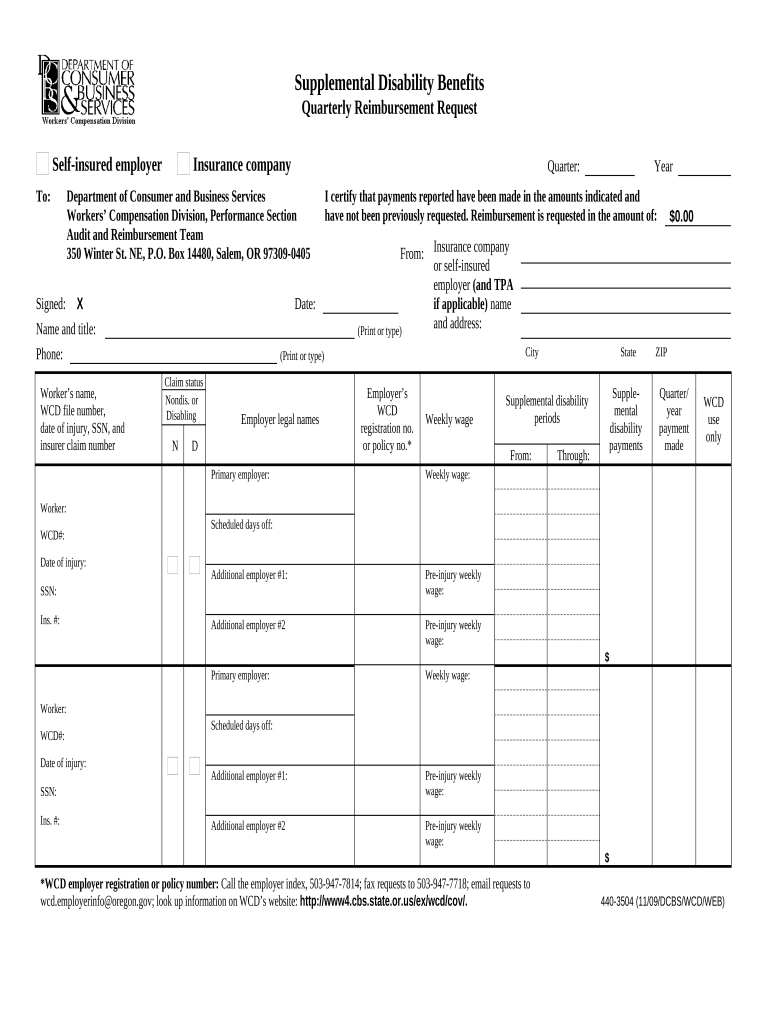
  1. Click ‘Get Form’ to open the Oregon Disability Benefits document in the editor.
  2. Begin by entering your insurance company details at the top of the form, including the name and address. Ensure accuracy for smooth processing.
  3. Fill in the quarter for which you are requesting reimbursement. This is crucial for tracking your claims.
  4. In the 'Signed' section, provide your signature, name, title, and contact information. This verifies your request.
  5. Complete the worker’s information fields: name, WCD file number, date of injury, SSN, and insurer claim number. Double-check these entries for correctness.
  6. Indicate the reimbursement amount requested in the designated field. Make sure this matches your calculations.
  7. Fill out supplemental disability periods by specifying start and end dates. This helps clarify the duration of benefits being claimed.
  8. Lastly, review all sections thoroughly before submitting to ensure all required fields are completed accurately.

Start using our platform today to streamline your Oregon Disability Benefits application process for free!

be ready to get more

Complete this form in 5 minutes or less

Get form

Got questions?

We have answers to the most popular questions from our customers. If you can't find an answer to your question, please contact us.
Contact us

Upload your disability benefits oregon to DocHub (after you’ve created an account for this). If you need to complete fields in it, use proper tools from the top pane. For example, add Signature Fields, assign each to a particular person, and click on Sign → Request signatures from others. Personalize your message for your recipients and click Send Request. You can also send your form by fax or as a Signing link instead of using email (you’ll locate these options by navigating to the Menu → Send)

You can quickly fill out, modify, and even eSign your oregon short term disability utilizing DocHub. Create a new profile and start your free trial. After that, you can add the file with the form and easily make all the required edits. No need to print on paper or use a third-party application to sign it, as you can put your electronic signature on your document quicker via DocHub.

Security and compliance

At DocHub, your data security is our priority. We follow HIPAA, SOC2, GDPR, and other standards, so you can work on your documents with confidence.

Learn more
ccpa2
pci-dss
gdpr-compliance
hipaa
soc-compliance