Type text, add images, blackout confidential details, add comments, highlights and more.
02. Sign it in a few clicks
Draw your signature, type it, upload its image, or use your mobile device as a signature pad.
03. Share your form with others
Send it via email, link, or fax. You can also download it, export it or print it out.
How to use or fill out deed condo with our platform
Ease of Setup
DocHub User Ratings on G2
Ease of Use
DocHub User Ratings on G2
Click ‘Get Form’ to open the deed condo in the editor.
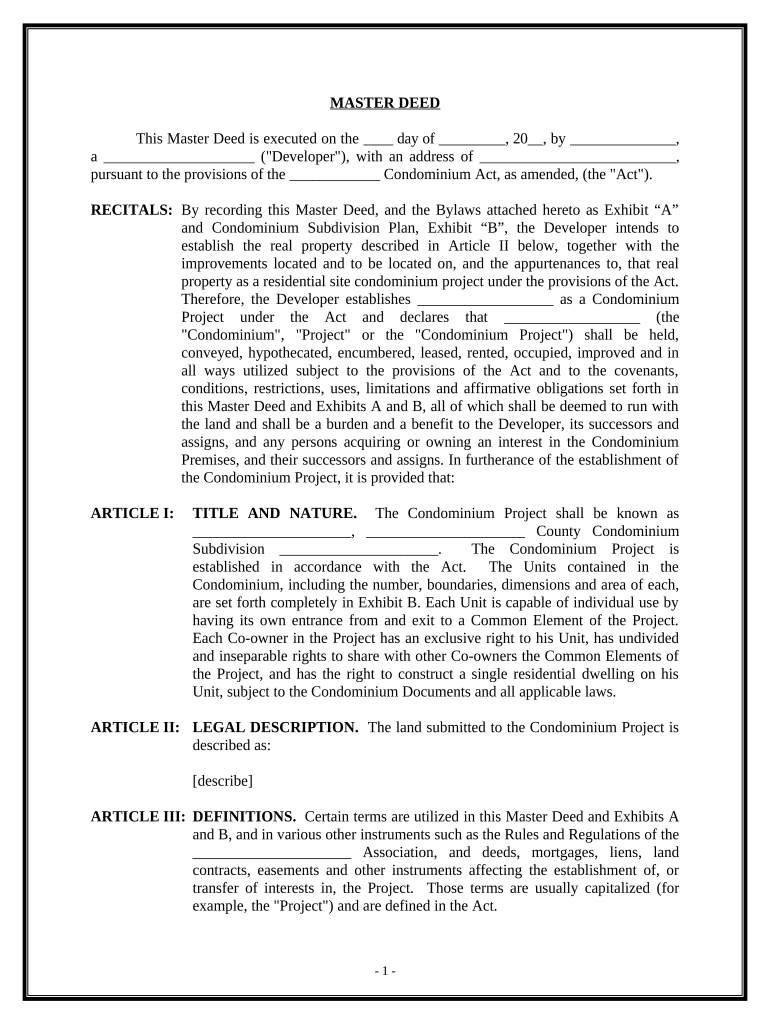
Begin by filling in the date and developer's name at the top of the form. Ensure that you accurately represent the developer's legal status.
In Article I, provide the name of the condominium project and its location. This section establishes the identity of your project under state law.
For Article II, include a detailed legal description of the land being submitted to the condominium project. This is crucial for defining property boundaries.
Proceed to Article III and define key terms used throughout the document, ensuring clarity for all parties involved.
In Article IV, outline both General and Limited Common Elements, specifying maintenance responsibilities for each. This ensures all co-owners understand their obligations.
Finally, review all sections for accuracy before saving your changes. Utilize our platform’s features to sign and distribute your completed deed condo efficiently.
Start using our platform today to streamline your deed condo completion process for free!
Deed condo floridaDeed condo costDeed condo exampleBroward County property deed searchBroward County deed search by nameProperty deed Broward CountyBroward County deed search by AddressHow to get copy of property deed online
Security and compliance
At DocHub, your data security is our priority. We follow HIPAA, SOC2, GDPR, and other standards, so you can work on your documents with confidence.
Deeds and land patents. What is a deed? A deed is a document that transfers title of real estate. It contains an implied promise that the personRead more
A trial court is not permitted to rescind a contract for sale and a deed where it is proven that rescission will not return the parties to their status quo
Deeds. The tax rate for documents that transfer an interest in real property is $.70 per $100 (or portion thereof) of the total consideration paid, or to beRead more
Cookie consent notice
This site uses cookies to enhance site navigation and personalize your experience.
By using this site you agree to our use of cookies as described in our Privacy Notice.
You can modify your selections by visiting our Cookie and Advertising Notice.