General assignment 2026

Get Form
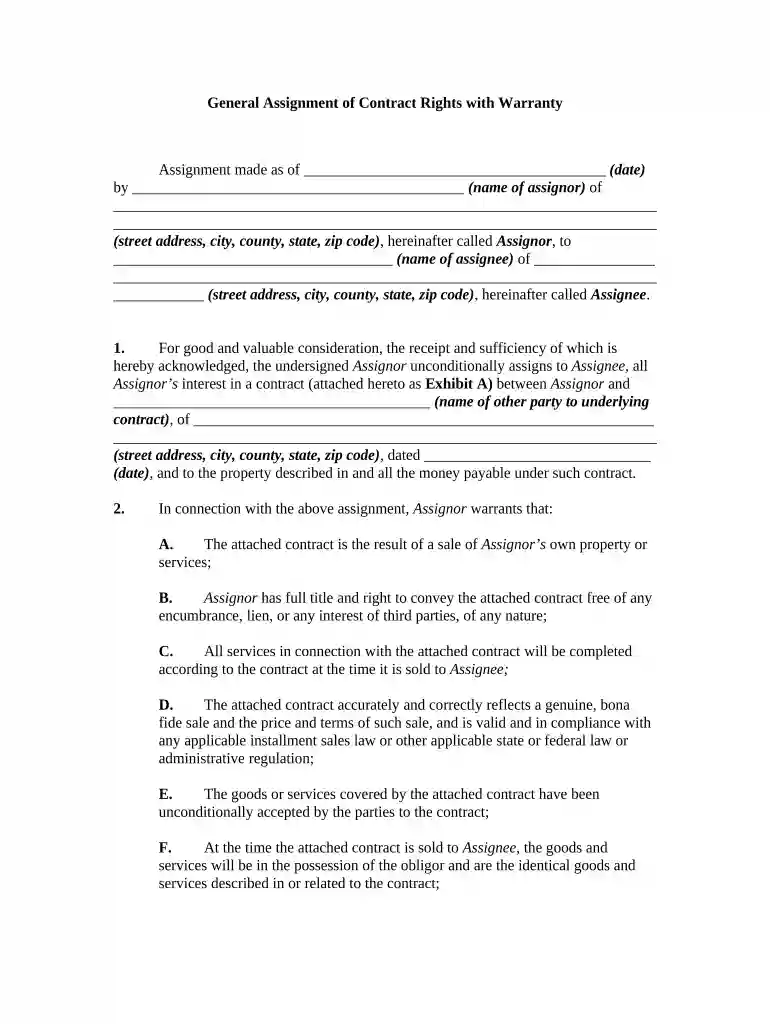
fide full form Preview on Page 1

Here's how it works

01. Edit your fide full form online
Type text, add images, blackout confidential details, add comments, highlights and more.

02. Sign it in a few clicks
Draw your signature, type it, upload its image, or use your mobile device as a signature pad.

03. Share your form with others
Send fide ka full form via email, link, or fax. You can also download it, export it or print it out.

How to use or fill out general assignment with our platform

Form edit decoration
9.5
Ease of Setup
DocHub User Ratings on G2
9.0
Ease of Use
DocHub User Ratings on G2
  1. Click ‘Get Form’ to open the general assignment document in the editor.
  2. Begin by entering the date of the assignment in the designated field at the top of the form.
  3. Fill in your name as the Assignor, followed by your complete address including street, city, county, state, and zip code.
  4. Next, enter the name of the Assignee and their address details in the corresponding fields.
  5. In section 1, ensure you accurately describe the contract being assigned by referencing Exhibit A and providing details about the other party involved.
  6. Review section 2 carefully. Each warranty statement requires confirmation; check each box or provide necessary information as applicable.
  7. Finally, sign and date at the bottom of the form where indicated to complete your assignment.

Start using our platform today for free to streamline your document editing and signing process!

be ready to get more

Complete this form in 5 minutes or less

Get form

Got questions?

We have answers to the most popular questions from our customers. If you can't find an answer to your question, please contact us.
Contact us
How Much does a General Assignment for the Benefit of Creditors Cost? Typically the assignee of a General Assignment for the Benefit of Creditors will charge between 5-10% of the value of the assignment estate in exchange for its services. How Much does a General Assignment for the Benefit of Nova Law Group blog Nova Law Group blog
A proof of claim is a form used by the creditor to indicate the amount of the debt owed by the assignor on the date of the assignment. The creditor must file the form with the assignee prior to claims deadline (the Bar Date). A secured claim is one backed by a lien on property of the assignor. Assignment for the Benefit of Creditors of: PROOF OF CLAIM - AWS AWS AWS
In the United States, a general assignment or an assignment for the benefit of creditors is simply a contract whereby the insolvent entity (assignor) transfers legal and equitable title, as well as custody and control of its property, to a third party (assignee) in trust, to apply the proceeds of sale to the
Assignment is a legal term whereby an individual, the assignor, transfers rights, property, or other benefits to another, known as the assignee. This concept is used in both contract and property law.
A general assignment or assignment is a concept in bankruptcy law in which an insolvent entitys assets are assigned to someone as an alternative to a bankruptcy. One form is an assignment for the benefit of creditors, abbreviated ABC or AFBC. General assignment - Wikipedia Wikipedia wiki Generalassignment Wikipedia wiki Generalassignment

Security and compliance

At DocHub, your data security is our priority. We follow HIPAA, SOC2, GDPR, and other standards, so you can work on your documents with confidence.
Learn more
ccpa2
pci-dss
gdpr-compliance
hipaa
soc-compliance
be ready to get more

Complete this form in 5 minutes or less

Get form

People also ask

As of Aug 25, 2025, the average annual pay for a Gannett| Usa Today Network General Assignment Reporter in the United States is $57,333 a year. Just in case you need a simple salary calculator, that works out to be approximately $27.56 an hour. This is the equivalent of $1,102/week or $4,777/month.
Assignment for the benefit of the creditors (ABC) (also known as general assignment for the benefit of the creditors) is a voluntary alternative to formal bankruptcy proceedings that transfers all of the assets from a debtor to a trust for liquidating and distributing its assets.

Related links