Type text, add images, blackout confidential details, add comments, highlights and more.
02. Sign it in a few clicks
Draw your signature, type it, upload its image, or use your mobile device as a signature pad.
03. Share your form with others
Send it via email, link, or fax. You can also download it, export it or print it out.
How to use or fill out non exclusive agreement with our platform
Ease of Setup
DocHub User Ratings on G2
Ease of Use
DocHub User Ratings on G2
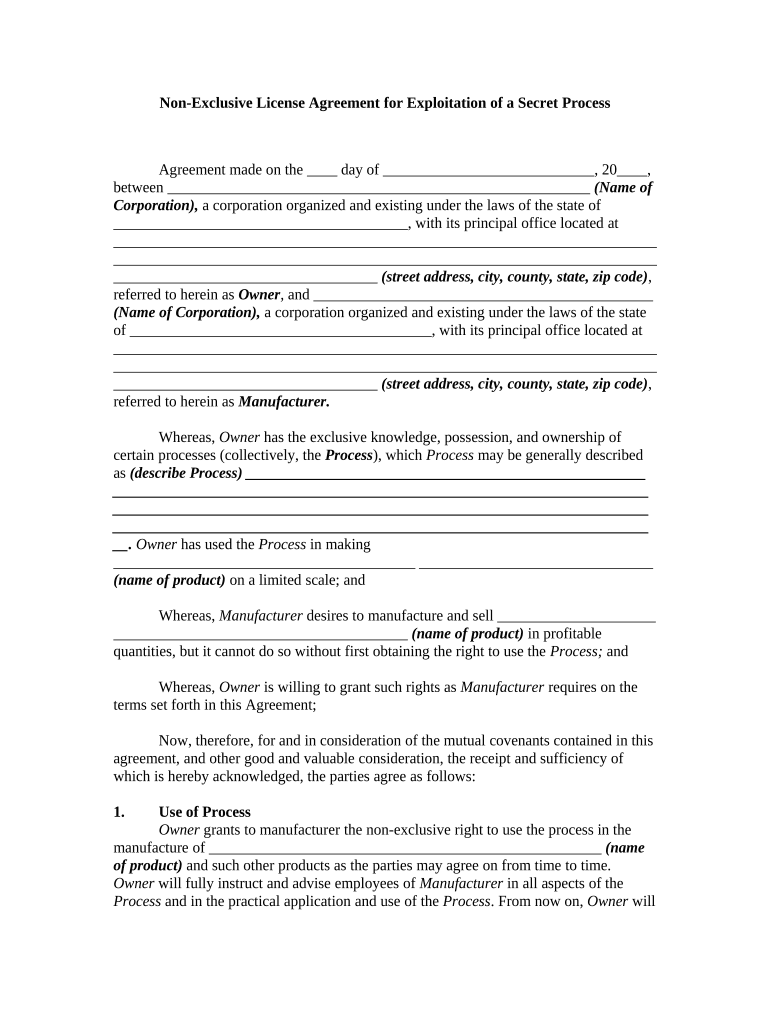
Click ‘Get Form’ to open the non-exclusive agreement in the editor.
Begin by filling in the date at the top of the document, followed by the names and addresses of both parties involved—the Owner and Manufacturer.
In the 'Whereas' section, describe the process that is being licensed and specify the product name that will be manufactured.
Proceed to Section 1, 'Use of Process', where you will detail any additional products that may be agreed upon for manufacturing.
In Section 3, 'Royalties', input the percentage rates for royalties and define what constitutes 'net selling price'.
Complete Sections 4 through 20 by providing necessary details regarding efforts, accounting practices, confidentiality agreements, and other terms outlined in the document.
Start using our platform today to easily fill out your non-exclusive agreement for free!
Non exclusive agreement templateNon exclusive agreement exampleNon exclusive agreement real estateNon exclusive agency agreement templateNon Exclusivity clause in Service AgreementNon exclusive buyer agency agreementExclusive vs non exclusive buyer agency agreementNon exclusive Buyer Agency agreement Pa
Security and compliance
At DocHub, your data security is our priority. We follow HIPAA, SOC2, GDPR, and other standards, so you can work on your documents with confidence.
Copyright: Types of Author Agreements - USU Libraries
May 6, 2026 Non-exclusive licenses are often used when the copyright holder wants to allow multiple parties to use the work at the same time. For example,Read more
Dec 18, 2025 We grant you and your Authorized Users a non-exclusive, worldwide, royalty-free license to use the Services as necessary to access and operateRead more
Cookie consent notice
This site uses cookies to enhance site navigation and personalize your experience.
By using this site you agree to our use of cookies as described in our Privacy Notice.
You can modify your selections by visiting our Cookie and Advertising Notice.