Type text, add images, blackout confidential details, add comments, highlights and more.
02. Sign it in a few clicks
Draw your signature, type it, upload its image, or use your mobile device as a signature pad.
03. Share your form with others
Send it via email, link, or fax. You can also download it, export it or print it out.
How to use or fill out rabbi agreement with our platform
Ease of Setup
DocHub User Ratings on G2
Ease of Use
DocHub User Ratings on G2
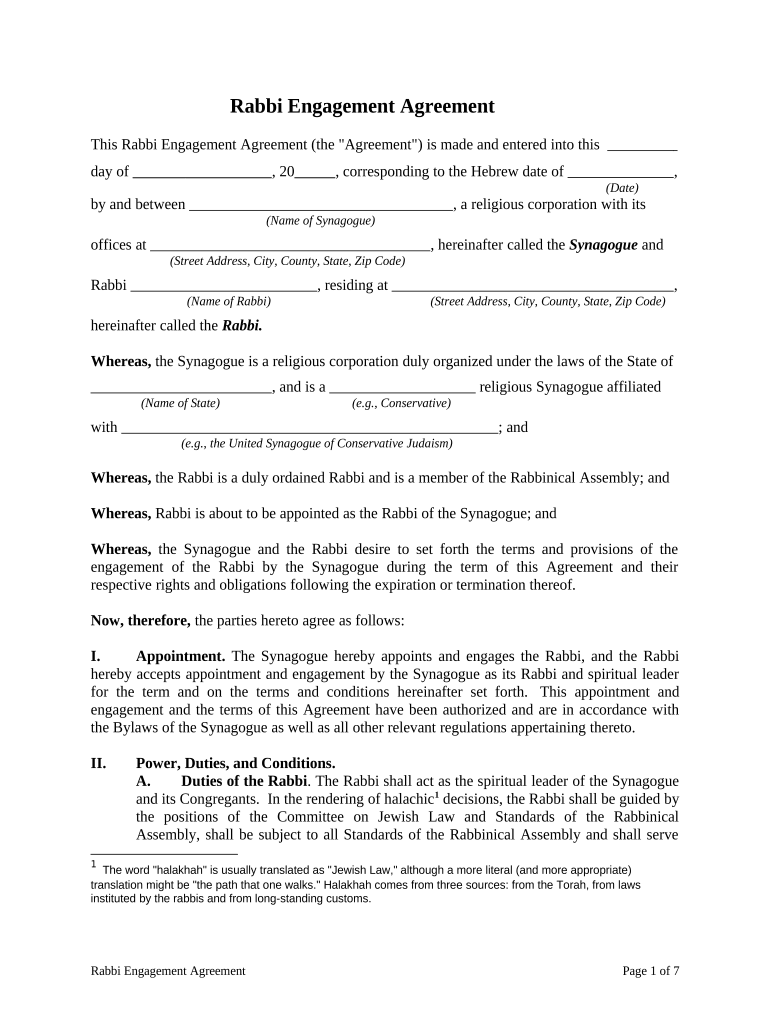
Click ‘Get Form’ to open the Rabbi Engagement Agreement in the editor.
Begin by entering the date of the agreement at the top of the form, ensuring it corresponds with the Hebrew date.
Fill in the names and addresses of both the Synagogue and Rabbi in their respective fields.
In Section I, confirm the appointment details by reviewing and adjusting any terms as necessary.
Proceed to Section II to outline the Rabbi's duties. You can refer to Exhibit A for specific responsibilities and ensure all relevant tasks are included.
Complete Sections III through VI by entering compensation details, vacation days, and benefits applicable to the Rabbi.
Review termination clauses in Sections VII through IX, making sure they align with your expectations before finalizing.
Once all sections are filled out accurately, save your changes and proceed to sign electronically using our platform’s signature feature.
Start filling out your Rabbi Engagement Agreement today for free on our platform!
Rabbi agreement templateRabbi agreement sampleRabbi agreement pdfRabbi agreement exampleRabbi trust distribution rulesWhat is a rabbi trustCan a Rabbi trust be rolled into an IRARabbi trust investments
Security and compliance
At DocHub, your data security is our priority. We follow HIPAA, SOC2, GDPR, and other standards, so you can work on your documents with confidence.
SIX in The Last Generation of the German Rabbinate
The friendly offer encouraged the rabbi to ask for a recommendation as to where he could address a German audience about American Jewrys attitudes toward andRead more
Cookie consent notice
This site uses cookies to enhance site navigation and personalize your experience.
By using this site you agree to our use of cookies as described in our Privacy Notice.
You can modify your selections by visiting our Cookie and Advertising Notice.