Sample letter fax 2026

Get Form
sample fax number Preview on Page 1

Here's how it works

01. Edit your sample fax number online
Type text, add images, blackout confidential details, add comments, highlights and more.
02. Sign it in a few clicks
Draw your signature, type it, upload its image, or use your mobile device as a signature pad.
03. Share your form with others
Send it via email, link, or fax. You can also download it, export it or print it out.

How to use or fill out sample letter fax with our platform

Form edit decoration
9.5
Ease of Setup
DocHub User Ratings on G2
9.0
Ease of Use
DocHub User Ratings on G2
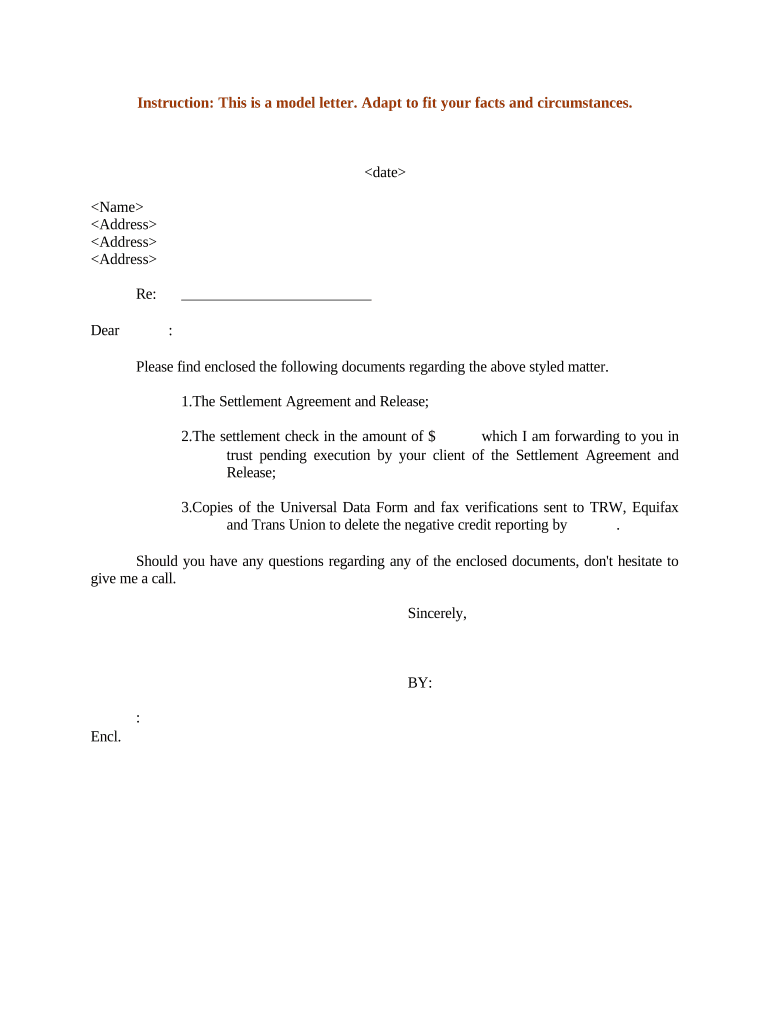
  1. Click ‘Get Form’ to open the sample letter fax in the editor.
  2. Begin by entering the date at the top of the document. This is essential for record-keeping and establishing a timeline.
  3. Next, fill in your name and address details in the designated fields. Ensure accuracy as this identifies you as the sender.
  4. In the 'Re:' section, specify the subject matter related to your correspondence. This helps clarify the purpose of your fax.
  5. Address the recipient by filling in their name after 'Dear'. This personalizes your communication.
  6. List any enclosed documents clearly, such as 'The Settlement Agreement and Release' and include relevant details like amounts or references where necessary.
  7. Conclude with a polite closing statement, followed by your signature line. You can easily add your signature using our platform's signing feature.

Start using our platform today to streamline your document editing and faxing process for free!

be ready to get more

Complete this form in 5 minutes or less

Get form

Got questions?

We have answers to the most popular questions from our customers. If you can't find an answer to your question, please contact us.
Contact us
Step 1Turn the fax machine on. Step 2Take your document and put it in the document feeder at the top of the machine. If needed, you can add a cover sheet with a note and the intended recipients contact information.
Tip: If youre already in Word for the web, get to the fax templates by going to File New Browse templates. Scroll down to and select Explore all templates. Search for Fax Covers. To print the fax cover sheet, press Ctrl+P, and wait for the Print dialog box.
5 Key Elements of a Fax Header Senders Information. Start by listing the senders name or business name as applicable. Recipients Information. Add the recipients name, organization, and address directly below your information, along with their fax number and telephone number. Date and Time. Number of Pages. Subject.
A faxing cover letter may include any of the following sections: Contact info. Recipients name. Date and number of pages. Confidentiality statement. Fax contents. Fax purpose. Relevant notes. Write professionally and clearly.

Security and compliance

At DocHub, your data security is our priority. We follow HIPAA, SOC2, GDPR, and other standards, so you can work on your documents with confidence.

Learn more
ccpa2
pci-dss
gdpr-compliance
hipaa
soc-compliance