Agreement secure online 2026

Get Form
agreement secure online Preview on Page 1

Here's how it works

01. Edit your form online
Type text, add images, blackout confidential details, add comments, highlights and more.
02. Sign it in a few clicks
Draw your signature, type it, upload its image, or use your mobile device as a signature pad.
03. Share your form with others
Send it via email, link, or fax. You can also download it, export it or print it out.

How to use or fill out agreement secure online

Form edit decoration
9.5
Ease of Setup
DocHub User Ratings on G2
9.0
Ease of Use
DocHub User Ratings on G2
  1. Click ‘Get Form’ to open it in the editor.
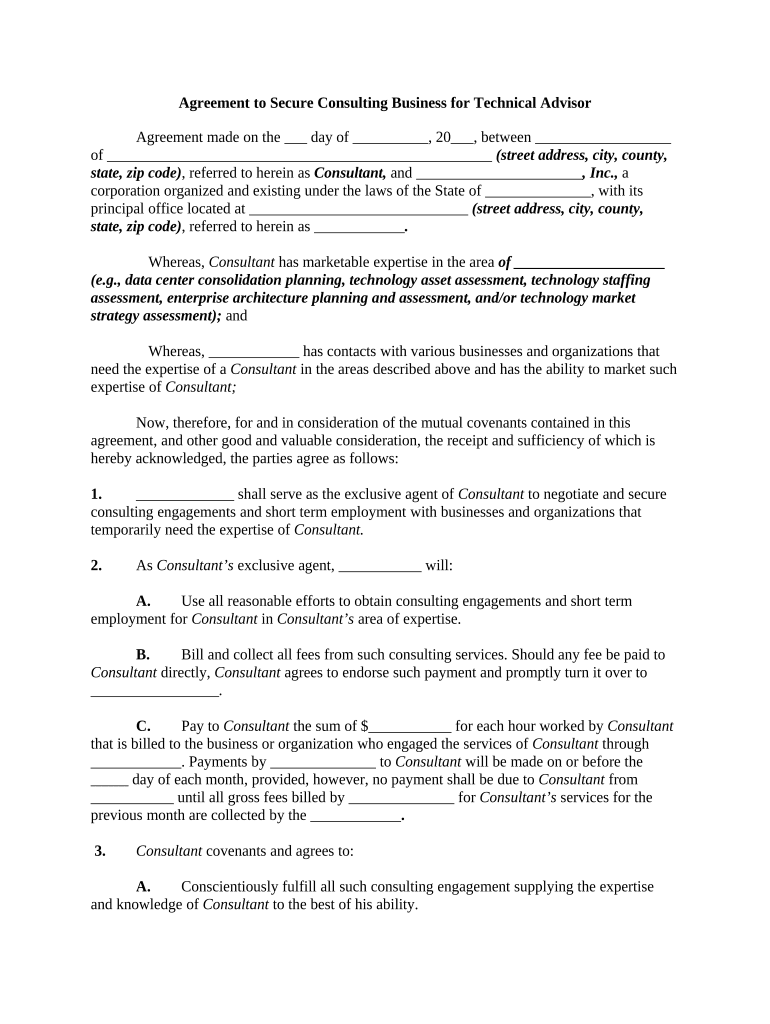
  2. Begin by filling in the date of the agreement at the top of the form. Ensure accuracy as this marks the official start of your contract.
  3. In the designated fields, enter the names and addresses of both parties involved: the Consultant and the corporation. This establishes clear identification for all parties.
  4. Detail the Consultant's area of expertise in the specified section. This is crucial for defining the scope of services provided.
  5. Proceed to fill out sections regarding payment terms, including hourly rates and payment schedules. Be precise to avoid future disputes.
  6. Review and complete any additional clauses related to confidentiality, expenses, and dispute resolution as outlined in the agreement.
  7. Finally, ensure all signatures are collected electronically within our platform to finalize your agreement securely.

Start using our platform today for free to streamline your document editing and signing process!

be ready to get more

Complete this form in 5 minutes or less

Get form

Got questions?

We have answers to the most popular questions from our customers. If you can't find an answer to your question, please contact us.
Contact us
A contract cant be denied legal effect or enforceability simply because an electronic record was used in its formation. If a law requires a record to be in writing, an electronic record satisfies the law. If a law requires a signature, an electronic signature satisfies the law.
In many jurisdictions, courts recognize emails as written contracts. This means that if the necessary elements of a contract are present in an email exchange, it can be deemed legally binding.
Electronic contracts and signatures are just as enforceable and legally binding as traditional signatures signed on paper.
And, now that you know online contracts are just as legally binding as those dusty paper versions, you need to go all out to make them enforceable. Unless you had a lawyer walk you through everything your online business needs, chances are youre missing something. Thats totally normal!
Make rental agreements tenants can sign online with Acrobat. Then, send an email and collect signatures on nearly any device. You can make changes after you send the document before it is fully executed, and youll get a notification as soon as the signature comes through.

Security and compliance

At DocHub, your data security is our priority. We follow HIPAA, SOC2, GDPR, and other standards, so you can work on your documents with confidence.

Learn more
ccpa2
pci-dss
gdpr-compliance
hipaa
soc-compliance