Type text, add images, blackout confidential details, add comments, highlights and more.
02. Sign it in a few clicks
Draw your signature, type it, upload its image, or use your mobile device as a signature pad.
03. Share your form with others
Send it via email, link, or fax. You can also download it, export it or print it out.
How to use or fill out sample letter taken with our platform
Ease of Setup
DocHub User Ratings on G2
Ease of Use
DocHub User Ratings on G2
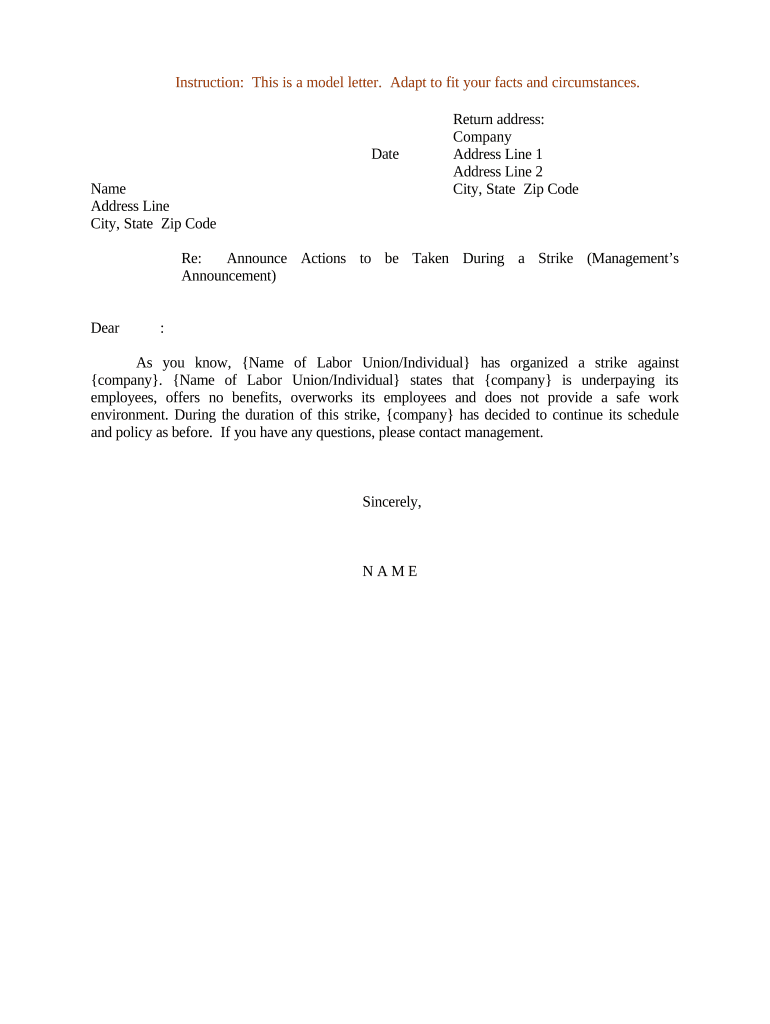
Click ‘Get Form’ to open the sample letter in the editor.
Begin by entering the date at the top of the letter. This should reflect the day you are sending the communication.
Fill in your name and address details in the designated fields. Ensure accuracy for effective communication.
In the return address section, input your company’s name and address. This is crucial for recipients to identify where to direct their responses.
Next, personalize the greeting by adding the recipient's name after 'Dear'. This adds a professional touch to your correspondence.
In the body of the letter, replace placeholders with specific details about the strike and actions being announced. Tailor this section to reflect your company's stance clearly.
Finally, sign off with your name at the bottom of the letter, ensuring it represents you as a point of contact for any inquiries.
Start editing your document online for free today!
Sample letter taken pdfSample letter taken for employeeSample letter taken for a jobAcceptance letter sampleOffer letter acceptance email reply sampleSimple acceptance Letter SampleAcceptance letter for a jobAcceptance letter for Government job
Security and compliance
At DocHub, your data security is our priority. We follow HIPAA, SOC2, GDPR, and other standards, so you can work on your documents with confidence.
These letters are basic templates to assist you with your own letter and not intended to be all encompassing with letter formats. Please be consistent.Read more
Cover Letters, Thank-You Letters, et al - Career Center
You can use the standard business letter format shown in the sample cover letter below (on 8 1/2-by-11-inch paper) or on page 48 of our Career Guide. SomeRead more
We recently became aware of an incident involving unauthorized access to certain members confidential information. [describe here the incident in general terms].Read more
Cookie consent notice
This site uses cookies to enhance site navigation and personalize your experience.
By using this site you agree to our use of cookies as described in our Privacy Notice.
You can modify your selections by visiting our Cookie and Advertising Notice.