Type text, add images, blackout confidential details, add comments, highlights and more.
02. Sign it in a few clicks
Draw your signature, type it, upload its image, or use your mobile device as a signature pad.
03. Share your form with others
Send it via email, link, or fax. You can also download it, export it or print it out.
How to use or fill out client agreements with our platform
Ease of Setup
DocHub User Ratings on G2
Ease of Use
DocHub User Ratings on G2
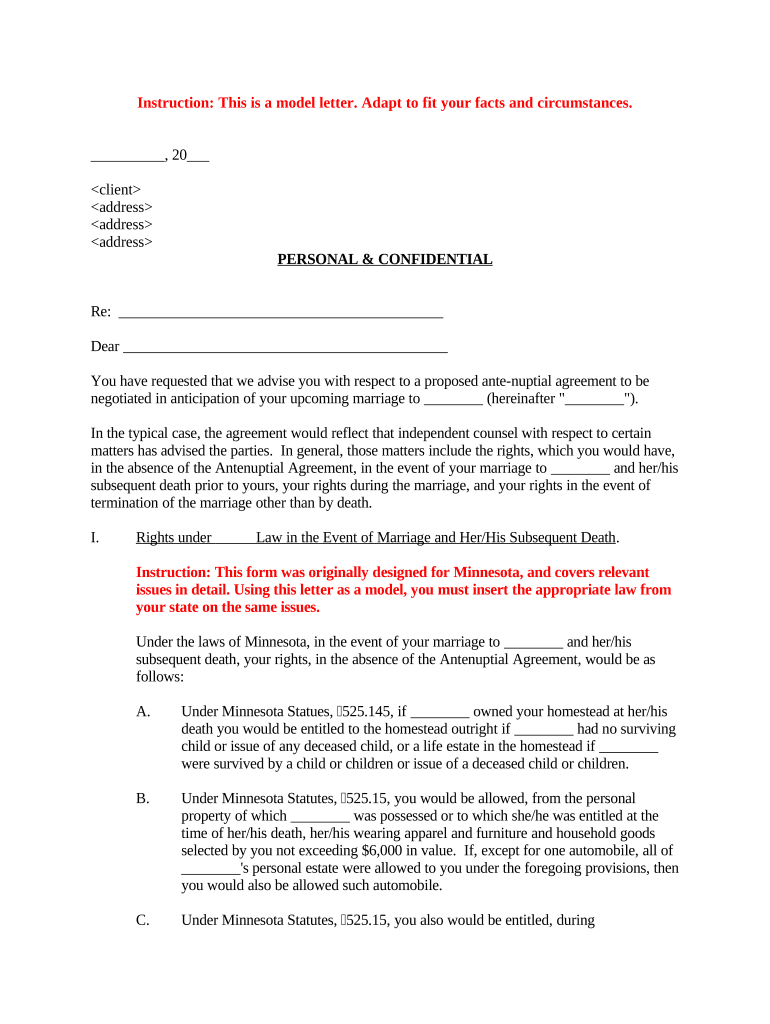
Click ‘Get Form’ to open the client agreement in the editor.
Begin by entering the date at the top of the document, ensuring it reflects the current date or the date of signing.
Fill in the client's name and address in the designated fields. This personalizes the agreement and ensures clarity.
In the 'Re:' section, specify the subject of the agreement, such as 'Antenuptial Agreement for [Client's Name]'.
Proceed to complete each section regarding rights under law, rights during marriage, and rights upon termination. Use our platform’s text box features to insert relevant state laws where indicated.
Review all entries for accuracy and completeness. Utilize our editing tools to make any necessary adjustments before finalizing.
Once satisfied, save your changes and proceed to sign electronically using our signature feature for a seamless completion process.
Start filling out your client agreements today for free on our platform!
Professional and Client Service Agreement template
Please use the attached agreement as your template for preparing Professional Services and Client Services Agreements. Below are some instructions andRead more
How to Negotiate framework agreements for consulting
Lets start with what a framework agreement does it defines the basis of the relationship between a client and a consulting firm. The consulting firm willRead more
TO THE CLIENT: THIS IS A LEGALLY BINDING CONTRACT. PLEASE READ IT CAREFULLY. AND MAKE CERTAIN THAT YOU UNDERSTAND ALL OF THE TERMS AND CONDITIONS.Read more
Cookie consent notice
This site uses cookies to enhance site navigation and personalize your experience.
By using this site you agree to our use of cookies as described in our Privacy Notice.
You can modify your selections by visiting our Cookie and Advertising Notice.