Ministry contract template 2026

Get Form
southern baptist pastor contract Preview on Page 1

Here's how it works

01. Edit your southern baptist pastor contract online
Type text, add images, blackout confidential details, add comments, highlights and more.
02. Sign it in a few clicks
Draw your signature, type it, upload its image, or use your mobile device as a signature pad.
03. Share your form with others
Send church contract via email, link, or fax. You can also download it, export it or print it out.

How to use or fill out ministry contract template with our platform

Form edit decoration
9.5
Ease of Setup
DocHub User Ratings on G2
9.0
Ease of Use
DocHub User Ratings on G2
  1. Click ‘Get Form’ to open the ministry contract template in the editor.
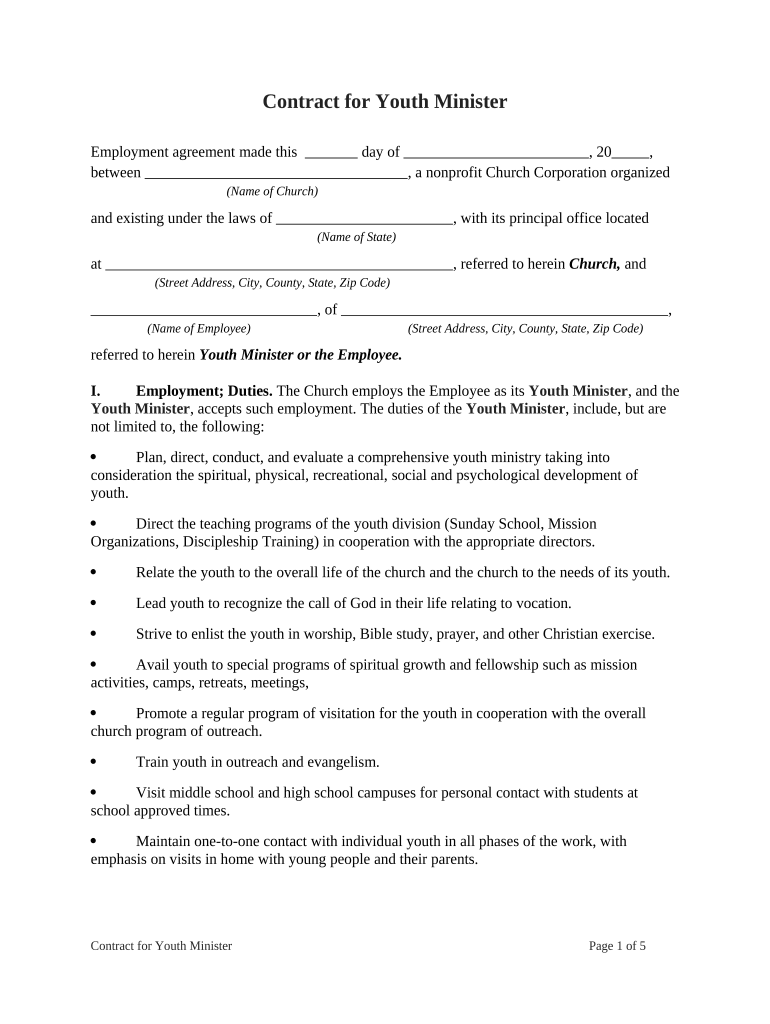
  2. Begin by filling in the date and name of the church at the top of the document. Ensure that you include the correct state and address details.
  3. In Section I, outline the duties of the Youth Minister. You can customize this section based on specific responsibilities relevant to your church's youth program.
  4. Proceed to Section II to specify the salary amount per month. Make sure to check local regulations regarding tax withholdings.
  5. In Section III, detail any reimbursable expenses. Clearly define what types of expenses will be covered and ensure documentation requirements are stated.
  6. Complete Sections IV through IX by entering dates, hours, and other specifics related to employment terms, benefits, and compensation.
  7. Finally, review all sections for accuracy before signing. Use our platform’s features to save and share the completed document easily.

Start using our platform today for free to streamline your ministry contract process!

be ready to get more

Complete this form in 5 minutes or less

Get form

Got questions?

We have answers to the most popular questions from our customers. If you can't find an answer to your question, please contact us.
Contact us
Having a contract in place provides legal protection for both the church and the pastor. It ensures that both parties are on the same page regarding their roles and responsibilities, which can help prevent conflicts and foster a positive working relationship.
Seamless Document Creation and Editing Through integration, users can open pre-written contract templates within Word. The template contains placeholders for essential information, such as names, dates, terms, and conditions.
The contract should be written in clear, plain language thats easy to understand. This will help everyone know what they are agreeing to. Describe what things of value are being exchanged. Write clearly what one party is promising to deliver and what the other agrees to pay or do in exchange.
How to write a contract agreement in 7 steps. Determine the type of contract required. Confirm the necessary parties. Choose someone to draft the contract. Write the contract with the proper formatting. Review the written contract with a lawyer. Send the contract agreement for review or revisions.
Write the contract in six steps Start with a contract template. Open with the basic information. Describe in detail what you have agreed to. Describe how the contract will end. Say which laws apply and how disputes will be resolved. Include space for signatures.

Security and compliance

At DocHub, your data security is our priority. We follow HIPAA, SOC2, GDPR, and other standards, so you can work on your documents with confidence.

Learn more
ccpa2
pci-dss
gdpr-compliance
hipaa
soc-compliance

People also ask

Some examples of simple contracts are common types of contracts like service agreements (e.g., hiring a freelancer), NDAs, loan agreements, sales agreements (e.g., vendor/supplier deals), and rental agreements (e.g., camera rental terms).
Today, were diving into the core components that make up a legally binding contract, often referred to as the 3 Cs: Capacity, Consent, and Consideration. Understanding these key elements can help you navigate legal agreements with confidence and clarity.

church of christ minister contract