Type text, add images, blackout confidential details, add comments, highlights and more.
02. Sign it in a few clicks
Draw your signature, type it, upload its image, or use your mobile device as a signature pad.
03. Share your form with others
Send it via email, link, or fax. You can also download it, export it or print it out.
How to use or fill out removal contract with our platform
Ease of Setup
DocHub User Ratings on G2
Ease of Use
DocHub User Ratings on G2
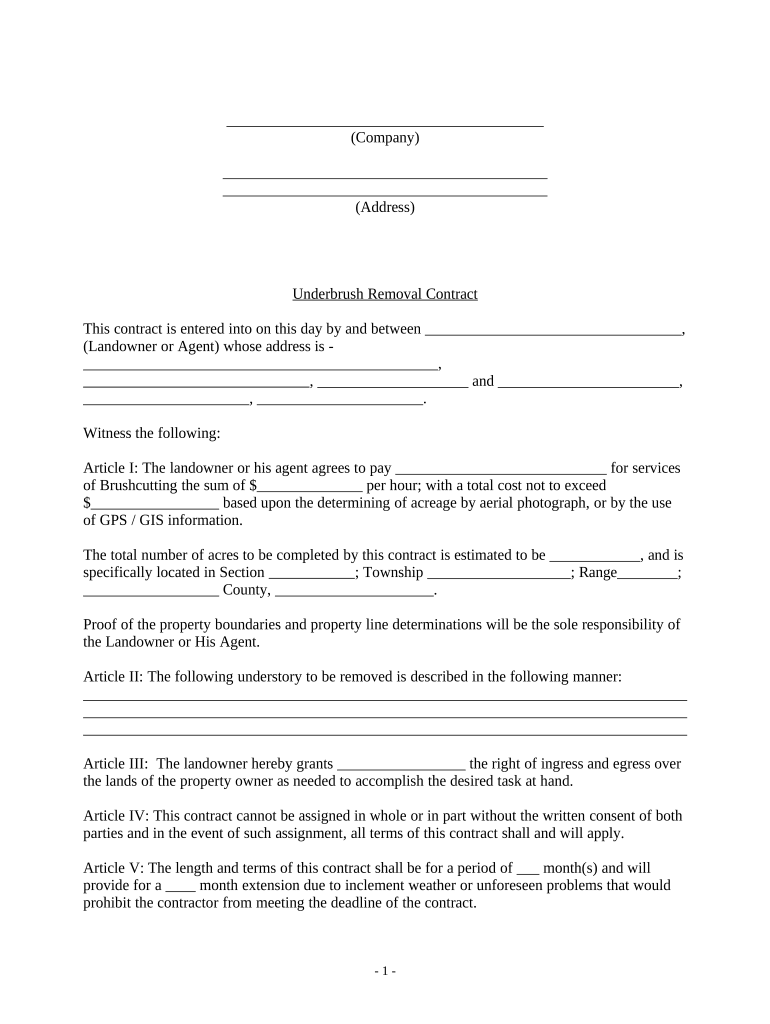
Click ‘Get Form’ to open the removal contract in the editor.
Begin by entering the company name and address at the top of the document. This identifies the parties involved.
In Article I, specify the landowner or agent's name and address. Fill in the payment details for brushcutting services, including hourly rates and total costs based on acreage.
Estimate the number of acres to be completed and provide specific location details such as section, township, range, and county.
In Article II, describe the understory to be removed clearly. This ensures both parties understand what work will be performed.
Complete Articles III through VII by filling in any necessary information regarding rights of access, contract terms, areas of consideration, and payment methods.
Finally, ensure all parties sign and date the contract in the designated areas to finalize it.
Start using our platform today to easily fill out your removal contract online for free!
Streamline your junk removal business with our 5 essential contract templates. It typically includes the scope of the job, the cost of the job, the paymentRead more
All vendors seeking to contract with FDOT for Emergency Debris Removal must become prequalified. Instructions for Completing Online Emergency Debris RemovalRead more
Cookie consent notice
This site uses cookies to enhance site navigation and personalize your experience.
By using this site you agree to our use of cookies as described in our Privacy Notice.
You can modify your selections by visiting our Cookie and Advertising Notice.