Short form agreement 2026

Get Form
operation short form Preview on Page 1

Here's how it works

01. Edit your operation short form online
Type text, add images, blackout confidential details, add comments, highlights and more.
02. Sign it in a few clicks
Draw your signature, type it, upload its image, or use your mobile device as a signature pad.
03. Share your form with others
Send it via email, link, or fax. You can also download it, export it or print it out.

How to use or fill out short form agreement with our platform

Form edit decoration
9.5
Ease of Setup
DocHub User Ratings on G2
9.0
Ease of Use
DocHub User Ratings on G2
  1. Click ‘Get Form’ to open the short form agreement in the editor.
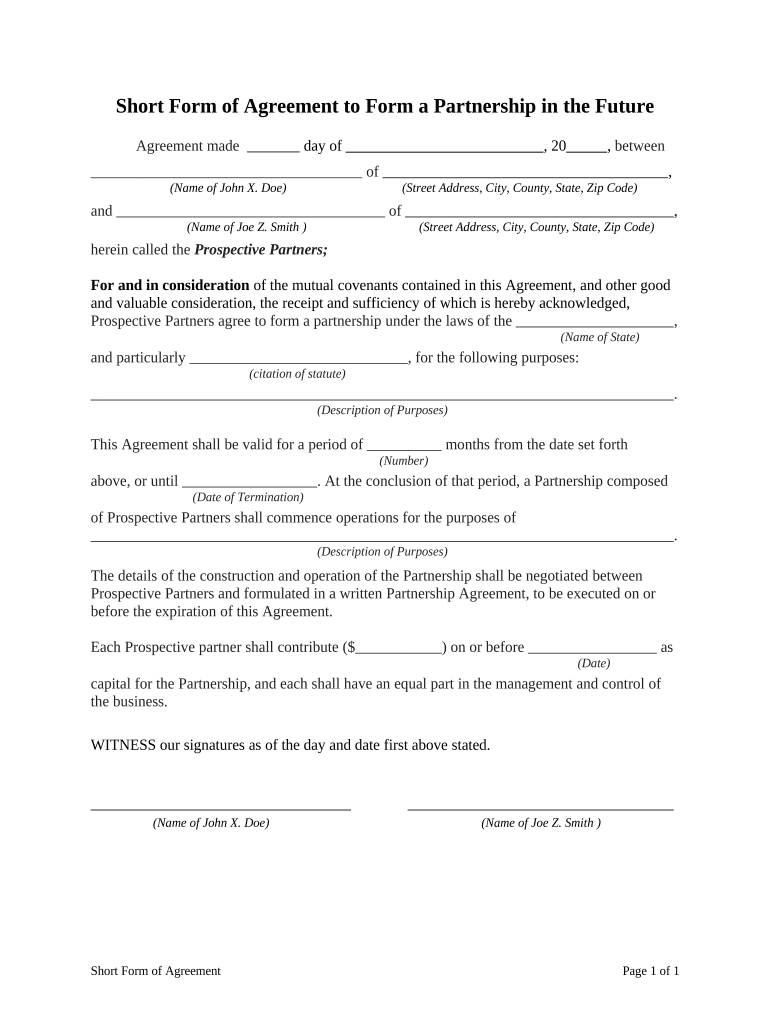
  2. Begin by entering the date of the agreement in the designated field. This is crucial for establishing the timeline of your partnership.
  3. Fill in the names and addresses of both prospective partners in their respective fields. Ensure accuracy to avoid any legal complications.
  4. Specify the state under which the partnership will be formed, along with a citation of relevant statutes if applicable.
  5. Describe the purposes of forming this partnership clearly in the provided section, ensuring all parties understand their objectives.
  6. Indicate the duration of this agreement by filling in the number of months and any specific termination date if applicable.
  7. Each partner should enter their capital contribution amount and deadline for payment to ensure clarity on financial commitments.
  8. Finally, both partners should sign and date at the bottom to validate the agreement before proceeding with further negotiations.

Start using our platform today to streamline your document editing and signing process for free!

be ready to get more

Complete this form in 5 minutes or less

Get form

Got questions?

We have answers to the most popular questions from our customers. If you can't find an answer to your question, please contact us.
Contact us

Yes, you can use DocHub for signing any business and personal paperwork, including your short form agreement. All electronic signatures you generate with our service are legally binding and court-admissible, as DocHub complies with standards required by ESIGN and UETA. Save your accomplished document with a detailed Audit Trail if needed.

As a comprehensive document modifying service, DocHub is available on mobile devices. Open DocHub in your choice of mobile internet browser and use our smart mobile-friendly toolset to complete your short form agreement.

4 Common Types of Contracts Non-Disclosure Agreement. Companies often request or provide a Non-Disclosure Agreement (NDA) when they have sensitive or confidential information to disclose. Master Services Agreement. Order Form. Buy-Side Contracts.
The Short Form Agreement (SFA) is a two-page document acceptable for use on small to medium projects as risk and responsibility are reasonably shared between the parties.
A short form agreement is legal document that is used to procure small renovation or construction services from a contractor or construction company. The contract states who the parties are, what work is to be completed, and by what date the project should be done.

Security and compliance

At DocHub, your data security is our priority. We follow HIPAA, SOC2, GDPR, and other standards, so you can work on your documents with confidence.

Learn more
ccpa2
pci-dss
gdpr-compliance
hipaa
soc-compliance