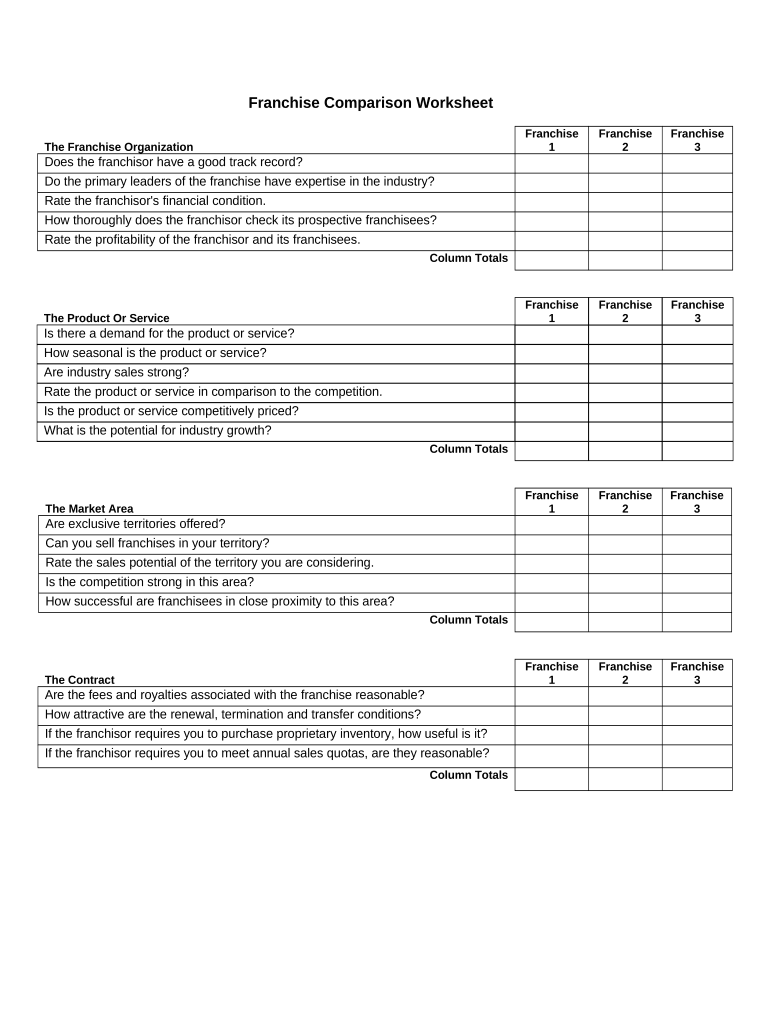
Franchise Comparison Worksheet 2026

Get Form
franchise worksheet Preview on Page 1

Here's how it works

01. Edit your franchise worksheet online
Type text, add images, blackout confidential details, add comments, highlights and more.
02. Sign it in a few clicks
Draw your signature, type it, upload its image, or use your mobile device as a signature pad.
03. Share your form with others
Send it via email, link, or fax. You can also download it, export it or print it out.

How to use or fill out Franchise Comparison Worksheet with DocHub

Form edit decoration
9.5
Ease of Setup
DocHub User Ratings on G2
9.0
Ease of Use
DocHub User Ratings on G2
  1. Click ‘Get Form’ to open the Franchise Comparison Worksheet in our editor.
  2. Begin by filling in the franchise names in the designated fields for Franchise 1, Franchise 2, and Franchise 3. This will help you organize your comparison effectively.
  3. Evaluate each franchisor's track record and expertise by answering the questions under 'The Franchise Organization' section. Rate their financial condition and check how thoroughly they vet prospective franchisees.
  4. Move to 'The Product Or Service' section. Assess demand, seasonality, and industry sales strength. Rate how your chosen franchises compare against competitors.
  5. In 'The Market Area', analyze territory exclusivity and competition strength. Rate the sales potential based on nearby franchisee success.
  6. Review 'The Contract' section for fees, royalties, and conditions related to renewal and termination. Ensure you understand any inventory requirements or sales quotas.
  7. Finally, assess 'Franchisor Support'. Check if they provide necessary training, financing options, and promotional support.

Start using our platform today to streamline your franchise comparison process for free!

be ready to get more

Complete this form in 5 minutes or less

Get form

Got questions?

We have answers to the most popular questions from our customers. If you can't find an answer to your question, please contact us.
Contact us

Electronic signatures are a great alternative to traditional signing, as they save time, effort, and costs people spend on printing, scanning, and paper delivery. You can eSign your Franchise Comparison Worksheet utilizing a reliable and powerful online document management tool like DocHub. It complies with primary eSignature regulations (ESIGN and UETA), so all forms approved there are legally binding and have the same validity as physically signed ones.

It is a no-brainer on a computer or via a mobile device to complete a Franchise Comparison Worksheet with DocHub. All you need to do is open any installed browser on your smartphone and proceed to the DocHub website. Once authenticated, add your document and open it in editing mode. Use our toolbar to make your edits and save adjustments. Optionally, keep your file in your files or send it to a recipient on the spot.

Consider factors such as investment range, territory, role in the business, and preferred work environment.

Security and compliance

At DocHub, your data security is our priority. We follow HIPAA, SOC2, GDPR, and other standards, so you can work on your documents with confidence.

Learn more
ccpa2
pci-dss
gdpr-compliance
hipaa
soc-compliance